EasyManua.ls Logo

Sony RM-450 - Page 13

Sony RM-450
53 pages
Print Icon
To Next Page IconTo Next Page
To Previous Page IconTo Previous Page
Loading...
3-1.
Keyboard
check
1)
2)
3)
4)
5)
Turn
power
ON
while
pressing
@
|LEARN]
in
Fig.
1
and
@
[ASMBL]
in
Fig,
2
at
the
same
time,
Press
@
|EJECT}.
Again
press
@|EJECT],
and
“l1+-”
appears
on
7-segment
display
on
the
left
side.
Press
keys
in
the
order
of
©,
@,@:
@,
and
@.
Press
@
:
“92+”
appears
on
left
7-seg.
display
while
appears
on
right
7-seg.
display.
(1)
Place
all
indoor
switches
@
to
@
in
Fig,
1
in
upper
position,
and
press
@
[EJECT].
If
a
fault
is
found,
“Error”.
is
‘displayed,
In
this
case,
press
the
®
key,
then’
the
number
of
error
switch
is
displayed,
_
If
many
error
exist,
the
number
of
next
error
switch
is
displayed
whenever
press
the
@
|STDBY|
key.
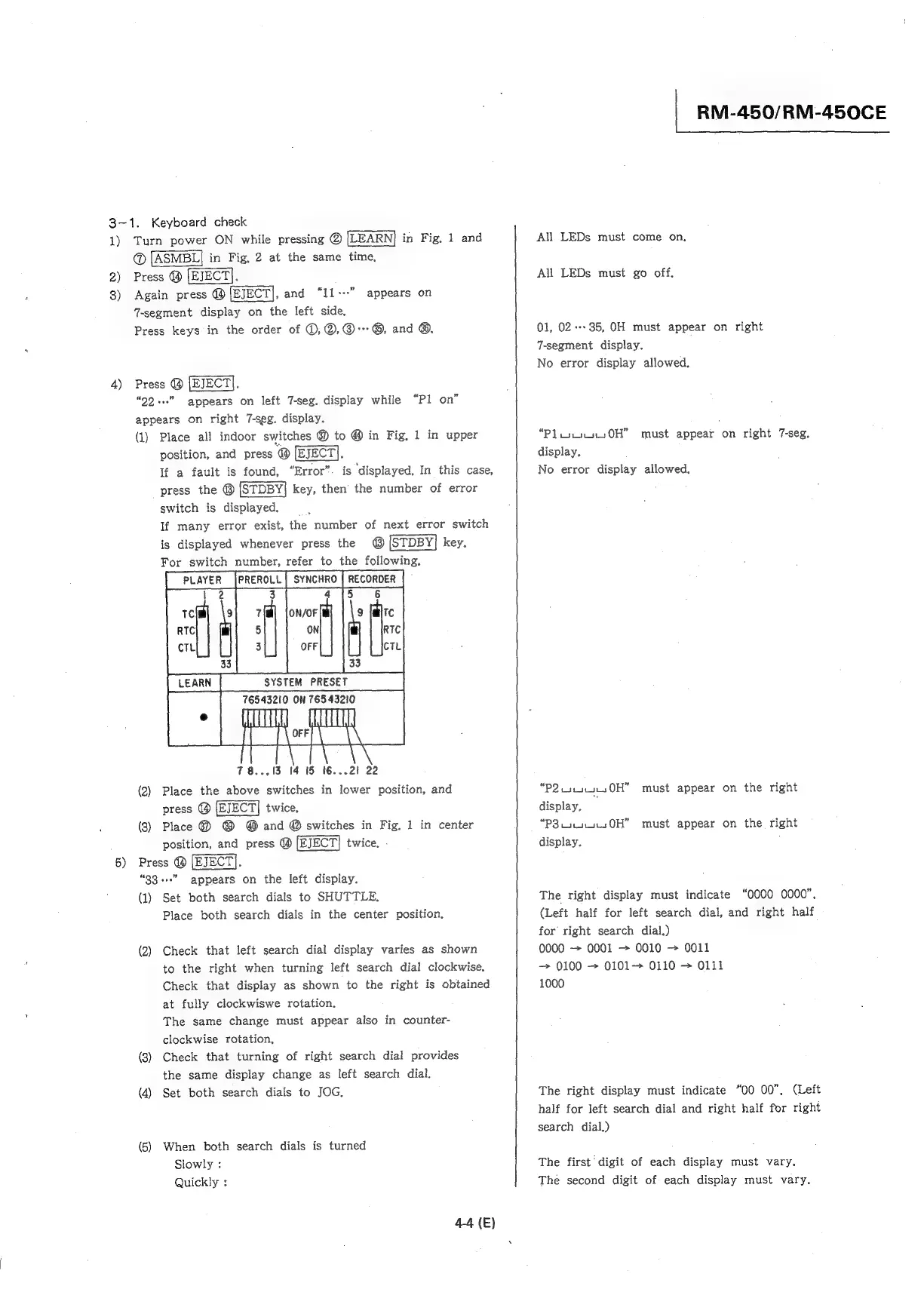
For
switch
number,
refer
to
the
following.
5
6
7
ON/OF
5
ON’
3
OFF
78...13
14
15
t6...24
22
(2)
Place
the
above
switches
in
lower
position,
and
press
@
twice,
(3)
Place
@
@ @
and
@
switches
in
Fig,
1
in
center
position,
and
press
@
twice,
Press
@
[EJECT].
“33
++”
appears
on
the
left
display.
(1)
Set
both
search
dials
to
SHUTTLE.
Place
both
search
dials
in
the
center
position,
“Pl
on”
(2)
Check
that
left
search
dial
display
varies
as
shown
to
the
right
when
turning
left
search
dial
clockwise.
Check
that
display
as
shown
to
the
right
is
obtained
at
fully
clockwiswe
rotation.
The
same
change
must
appear
also
in
counter-
clockwise
rotation,
(8)
Check
that
turning
of
right
search
dial
provides
the
same
display
change
as
left
search
dial.
(4)
Set
both
search
dials
to
JOG,
(5)
When
both
search
dials
is
turned
Slowly
:
Quickly
:
4-4
(E)
|
RM-450/RM-450CE
All
LEDs
must
come
on,
All
LEDs
must
go
off,
01,
02---
7-segment
display.
No
error
display
allowed.
35,
OH
must
appear
on
right
“Pliu4150H”
must
appear
on
right
7-seg.
display.
No
error
display
allowed.
“P2.i.4144.,0H”
must
appear
on
the
right
display,
“P38.
u404.50H”
must
appear
on
the
right
display.
The
right
display
must
indicate
“0000
0000”,
(Left
half
for
left
search
dial,
and
right
half
for
right
search
dial.)
0000
~
0001
~
0010
0011
0100
~
0101
0110
>
0111
1000
The
right
display
must
indicate
“00
00”,
(Left
half
for
left
search
dial
and
right
half
for
right
search
dial.)
The
first
digit
of
each
display
must
vary.
The
second
digit
of
each
display
must
vary.

Other manuals for Sony RM-450

Related product manuals