19
Operation
Selecting the sound field
For details concerning which sound fields can be selected,
please refer to the operating instructions supplied with
the receiver.
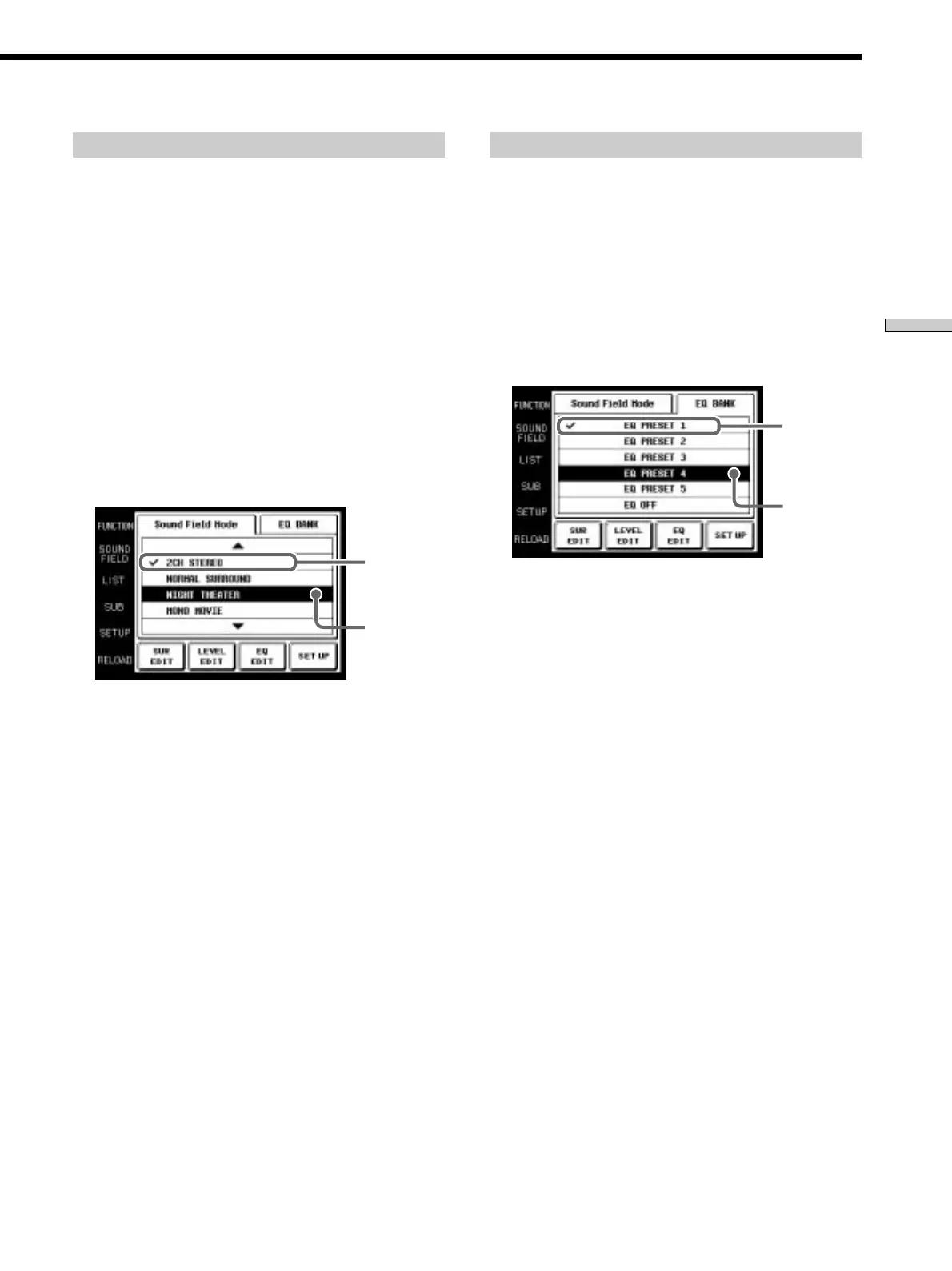
1 Touch SOUND FIELD.
The SOUND FIELD screen appears.
2 Touch Sound Field Mode.
The Sound Field Mode screen appears.
3 Use the JOG DIAL or touch 4 or $ to scroll through
the list.
4 Push the JOG DIAL to select the highlighted sound
field or touch the sound field you desire.
A check (✔) will appear next to the selected sound
field, and the sound field will change.
Selected
sound field
Cursor
Selecting the equalizer
1 Touch SOUND FIELD.
The SOUND FIELD screen appears.
2 Touch EQ BANK.
The EQ BANK screen appears.
3 Touch one of the equalizer presets (EQ PRESET
1~5).
Touch EQ OFF to turn the receiver’s equalizer off.
A check (✔) will appear next to the selected equalizer,
and the equalizer settings will change.
Cursor
Note
If EQ OFF is selected, EQUALIZER screen settings cannot be
changed.
Selected
equalizer









 To Next Page