13GB
2 Make sure that stays lit.
If a connection has not been
established, select [RM-X7BT]
on the BLUETOOTH device.
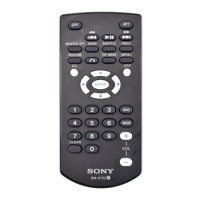
3 Press on the remote
commander.
Start audio playback with the
music app on the connected
BLUETOOTH device.
Note
Once the adaptor and the
BLUETOOTH device are connected,
you can control playback by pressing
and /.
You can operate a smartphone
handsfree by simply speaking into
the built-in microphone or an
external microphone installed on
the adaptor. Installing the external
microphone helps increase voice
recognition.
To use a smartphone, connect it
with this adaptor. For details, see
“Preparing a BLUETOOTH Device”
(page 10).
Receiving a Call
1 Press when a call is
received with a ringtone.
The phone call starts.
Note
The ringtone and talker’s voice are
output only from the speakers of the
car audio unit.
To reject the call
Press and hold for 2 seconds.
To end the call
Press again.
Handsfree via
BLUETOOTH


 To Next Page