Help Guide
Wearable Thermo Device Kit/Wearable Thermo Device Sensing Kit/Wearable Thermo Device
RNPK-4/RNPK-4T/RNP-3
Using FAN mode
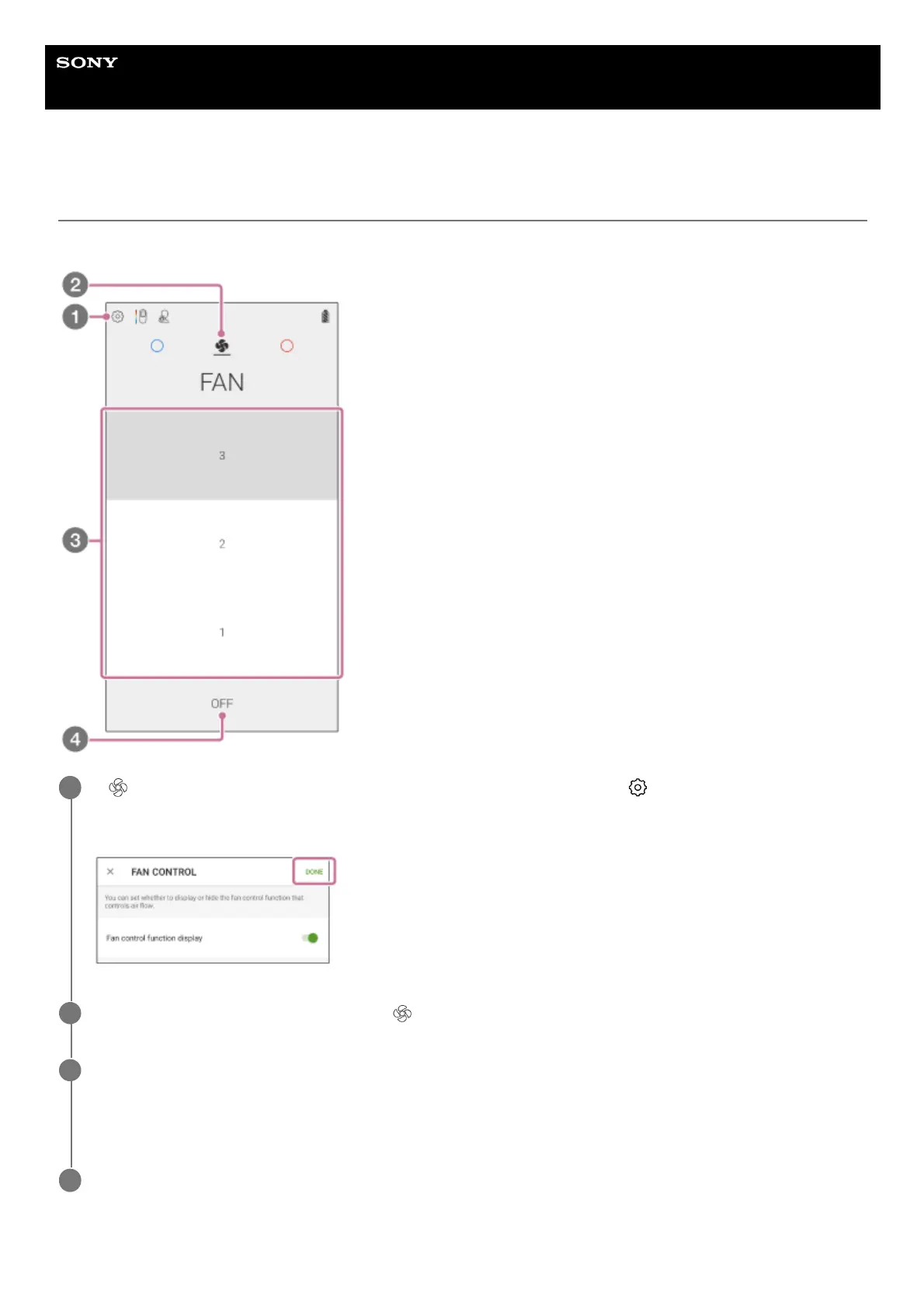
In FAN mode, the unit blows air without changing the temperature of the cooling/warming section.
If (FAN icon) is not displayed on the “REON POCKET” app screen, tap (Settings icon) - [FAN
CONTROL] - [Fan control function display] switch, and then tap [Done] on the upper right corner of the
screen.
1
On the “REON POCKET” app screen, tap
(FAN icon).
2
Tap the desired air volume level.
The air volume level changes as follows.
[1] (low) → [2] (medium) → [3] (strong)
3
To stop air blow, tap [OFF].
4



 To Next Page