EasyManua.ls Logo

Sony SA-VA15 - Page 4

Sony SA-VA15
21 pages
Print Icon
To Next Page IconTo Next Page
To Previous Page IconTo Previous Page
Loading...
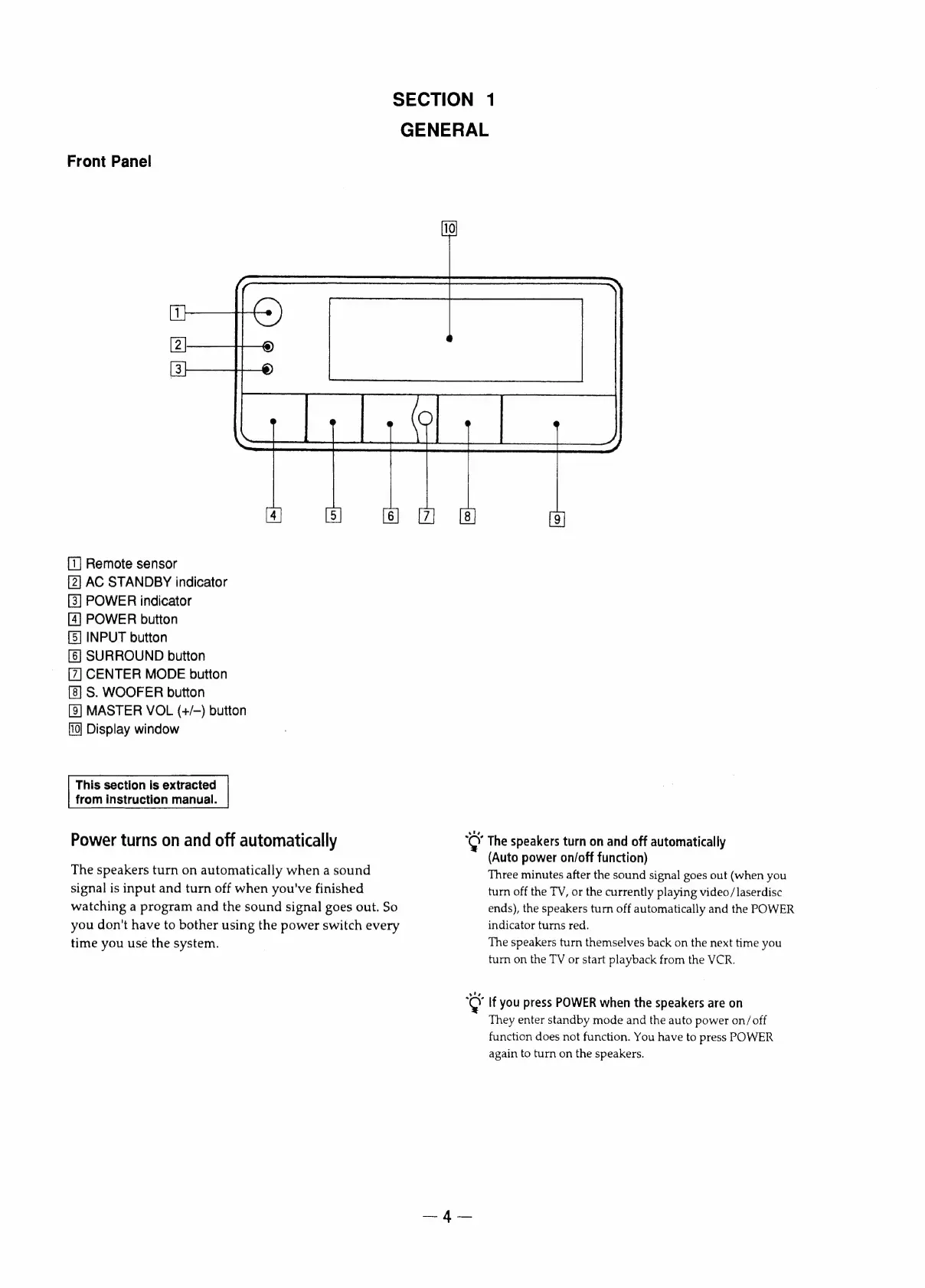
Front
Panel
SECTION
1
GENERAL
[1]
Remote
sensor
AC
STANDBY
indicator
POWER
indicator
[4]
POWER
button
[5]
INPUT
button
[6]
SURROUND
button
CENTER
MODE
button
S.
WOOFER
button
[8]
MASTER
VOL
(+/-)
button
Display
window
This
section
is
extracted
from
instruction
manual.
Power
turns
on
and
off
automatically
The
speakers
turn
on
automatically
when
a
sound
signal
is
input
and
turn
off
when
you've
finished
watching
a
program
and
the
sound
signal
goes
out.
So
you
don't
have
to
bother
using
the
power
switch
every
time
you
use
the
system.
ot
.
Y
The
speakers
turn
on
and
off
automatically
(Auto
power
on/off
function)
Three
minutes
after
the
sound
signal
goes
out
(when
you
turn
off
the
TV,
or
the
currently
playing
video/
laserdisc
ends),
the
speakers
turn
off
automatically
and
the
POWER
indicator
turns
red.
The
speakers
turn
themselves
back
on
the
next
time
you
turn
on
the
TV
or
start
playback
from
the
VCR.
os
If
you
press
POWER
when
the
speakers
are
on
They
enter
standby
mode
and
the
auto
power
on/off
function
does
not
function.
You
have
to
press
POWER
again
to
turn
on
the
speakers.

Other manuals for Sony SA-VA15

Related product manuals