Basics
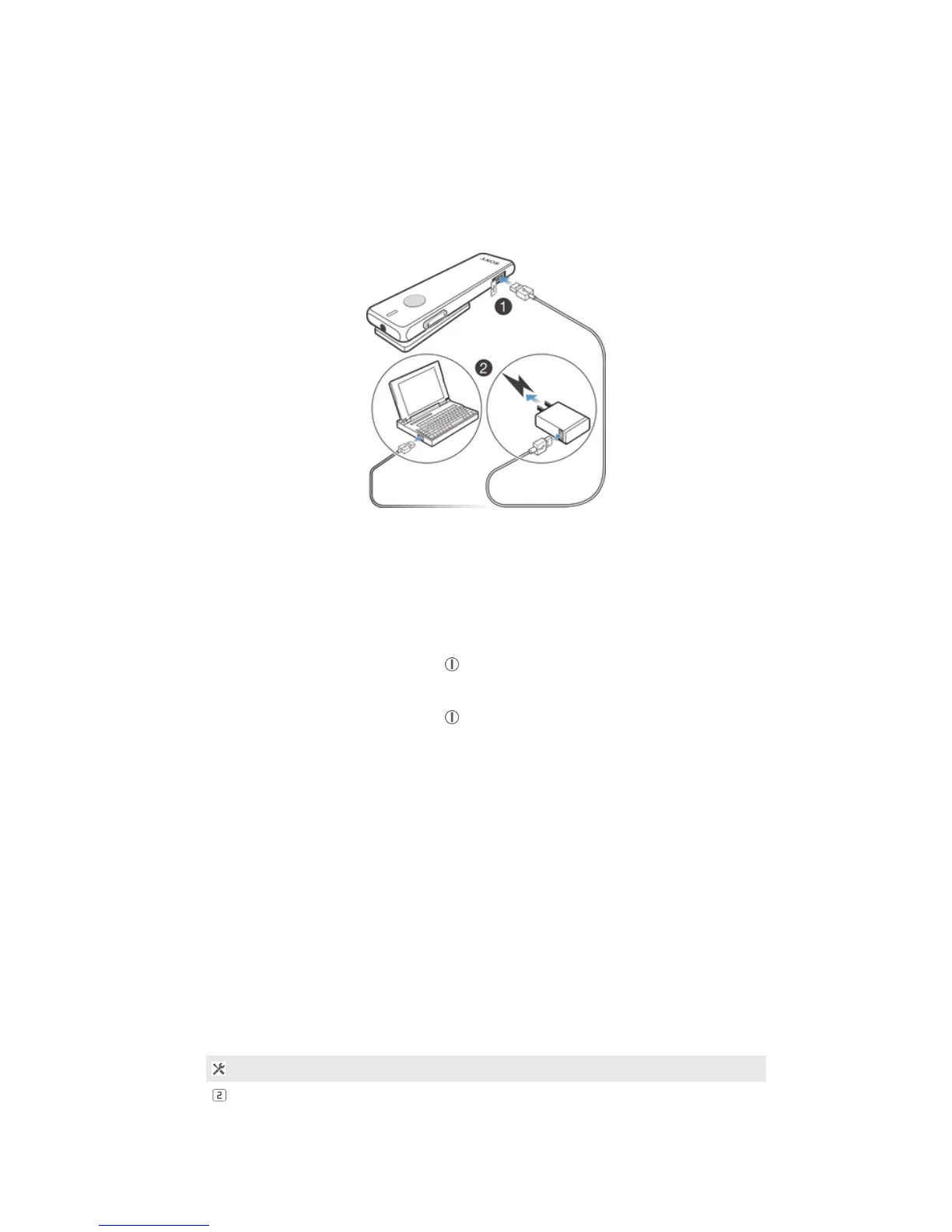
Charging the handset
Before using the Smart Bluetooth® Handset SBH52 for the first time, you need to
charge it for approximately 2.5 hours. Sony chargers are recommended.
To charge the handset
1
Plug one end of the USB cable into the charger or into the USB port of a
computer.
2
Plug the other end of the cable into the Micro USB port of your handset.
Turning the handset on and off
To turn on the handset
•
Press and hold down the power key until the display turns on.
To turn off the handset
•
Press and hold down the power key until the display turns off.
Turning on the display
The display on your Smart Bluetooth® Handset SBH52 turns off after a short period
of time if you don't use it. This saves power and protects your personal information.
To activate the display
•
Press any key on the handset.
Adjusting the volume
To change the call or music volume
•
During a call, or when listening to music, press the Volume key up or down.
Menu options
The following menu options are available on your Bluetooth® handset:
Edit settings
View new events
6
This is an Internet version of this publication. © Print only for private use.


 To Next Page