Home screen
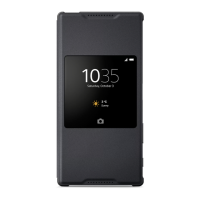
When the Style Cover Window is attached and the smart window function is active,
a Home screen appears in the window. This Home screen is the main screen from
which you can navigate to other screens and take various actions. It is similar to
the Home screen of your phone. From here, you can, for example, view
notifications of missed calls or unread SMS messages and take pictures.
6
This is an Internet version of this publication. © Print only for private use.


 To Next Page