ILCE-6100
5-009-876-41(1)
GB
6
\\Win-473\camera\CX88400(PD)\Multi\06_Compose\5009876411_14lang\5009876411ILCE6100CEC\01GB-ILCE6100CEC\01GB.indd
DTP data saved: 2019/07/30 13:54
PDF file created: 2019/07/31 09:15
Shooting
Shooting still images
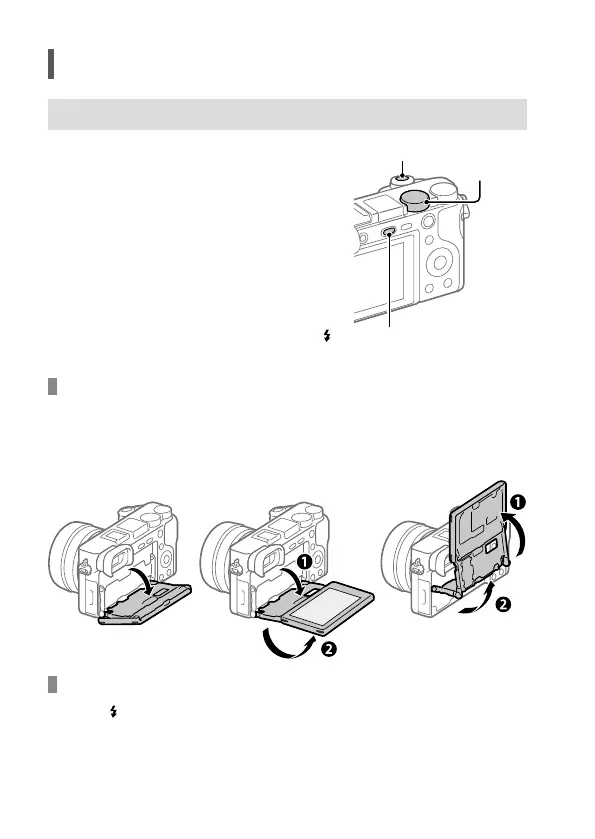
1 Select the desired shooting mode
by turning the mode dial.
Shutter button
Mode dial
(Flash pop-up) button
2 Press the shutter button halfway
down to focus.
3 Press the shutter button all the way
down.
Changing the monitor angle
You can change the monitor angle to shoot from any position you like.
(A) High position (holding the camera high)
(B) Low position (holding the camera low)
(C) Selfie position (facing the monitor toward you to take a selfie)
(A)
(B)
(C)
Using the flash
Press the (Flash pop-up) button to pop up the flash.


 To Next Page