169
Resetting to the default
Setup of the camera (Advanced operations)
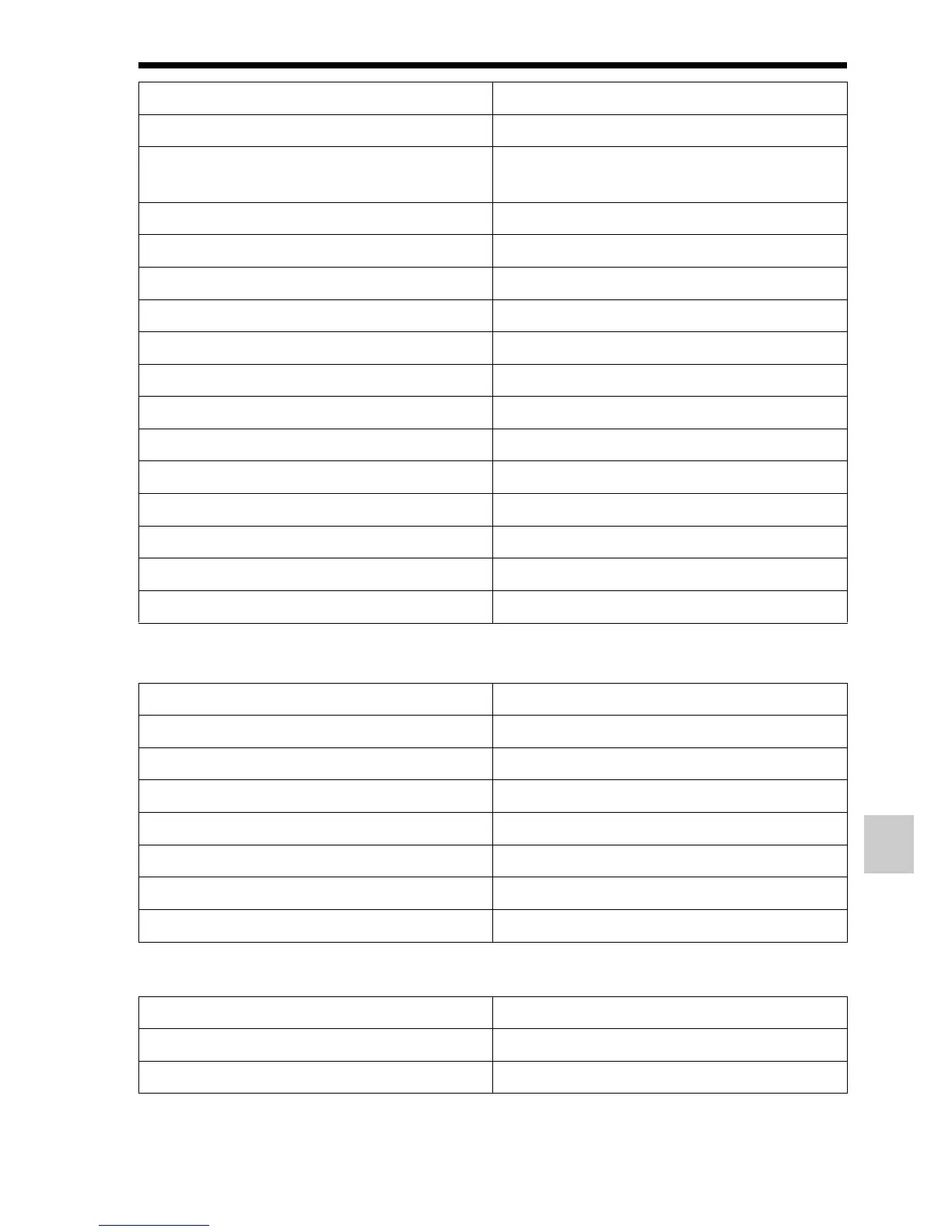
Playback menu (Reset Default)
Memory Card Tool menu (Reset Default)
Auto Review (158) 2 Sec
DISP Button(Monitor) (78) Display All Info./Graphic Display/No
Disp. Info.
DISP Button(Finder) (78) No Disp. Info./Graphic Display
Peaking Level (114) Off
Peaking Color (114) White
Live View Display (79) Setting Effect ON
Func. of AEL button (158) AEL hold
Preview Button (159) Shot. Result Preview
Focus Hold Button (59) Focus Hold
MOVIE Button (59) Always
Lens Comp.: Shading (162) Auto
Lens Comp.: Chro. Aber. (162) Auto
Lens Comp.: Distortion (162) Off
Front Curtain Shutter (160) On
Face Priority Tracking (112) On
Items Reset to
View Mode (146) Folder View(Still)
Slide Show – Interval (147) 3 sec
Slide Show – Repeat (147) Off
Image Index (50) 4 Images
Specify Printing – Date Imprint (179) Off
Volume Settings (60) 2
Playback Display (147) Auto Rotate
Items Reset to
File Number (163) Series
Folder Name (163) Standard Form
Items Reset to



 To Next Page