Chapter
1
Introduction
Introducing Sound Forge Audio Studio software
Thank you for purchasing Sound Forge® Audio Studio™ software and for your continued support of the Sony Creative
Software Inc. family of products. The software provides you with the powerful features you have come to expect, as
well as a number of new features designed to make digital audio editing quick and easy.
System requirements
The following lists the minimum system requirements for using Sound Forge Audio Studio software:
• Microsoft® Windows® XP (Service Pack 3 or later), Windows Vista® (Service Pack 2 or later), or Windows 7
• 1 GHz processor
• 350 MB hard-disk space for program installation
• 512 MB RAM
• Windows-compatible sound card
• DVD-ROM drive (for installation from a DVD only)
• Supported CD-recordable drive (for CD burning only)
• Microsoft DirectX® 9.0c or later
• Microsoft .NET Framework 2.0 (included on application disc)
You must provide your registration information to Sony Creative Software Inc. to activate the software.
Installing Sound Forge Audio Studio software
The install utility, setup.exe, located on the Sound Forge Audio Studio application disc, creates the necessary folders
and copies all files required to operate Sound Forge Audio Studio software.
1.
Place the Sound Forge Audio Studio application disc in the drive. The setup screen is displayed (if AutoPlay is
enabled for your DVD-ROM drive).
If DVD-ROM AutoPlay is not enabled, click the Start button and choose Run. In the Run dialog that appears, type
the DVD-ROM drive’s letter and add :\setup.exe. Click OK to start the installation.
2.
Click Install, and follow the on-screen prompts to install the appropriate version of Sound Forge Audio Studio
for your computer.
Getting help
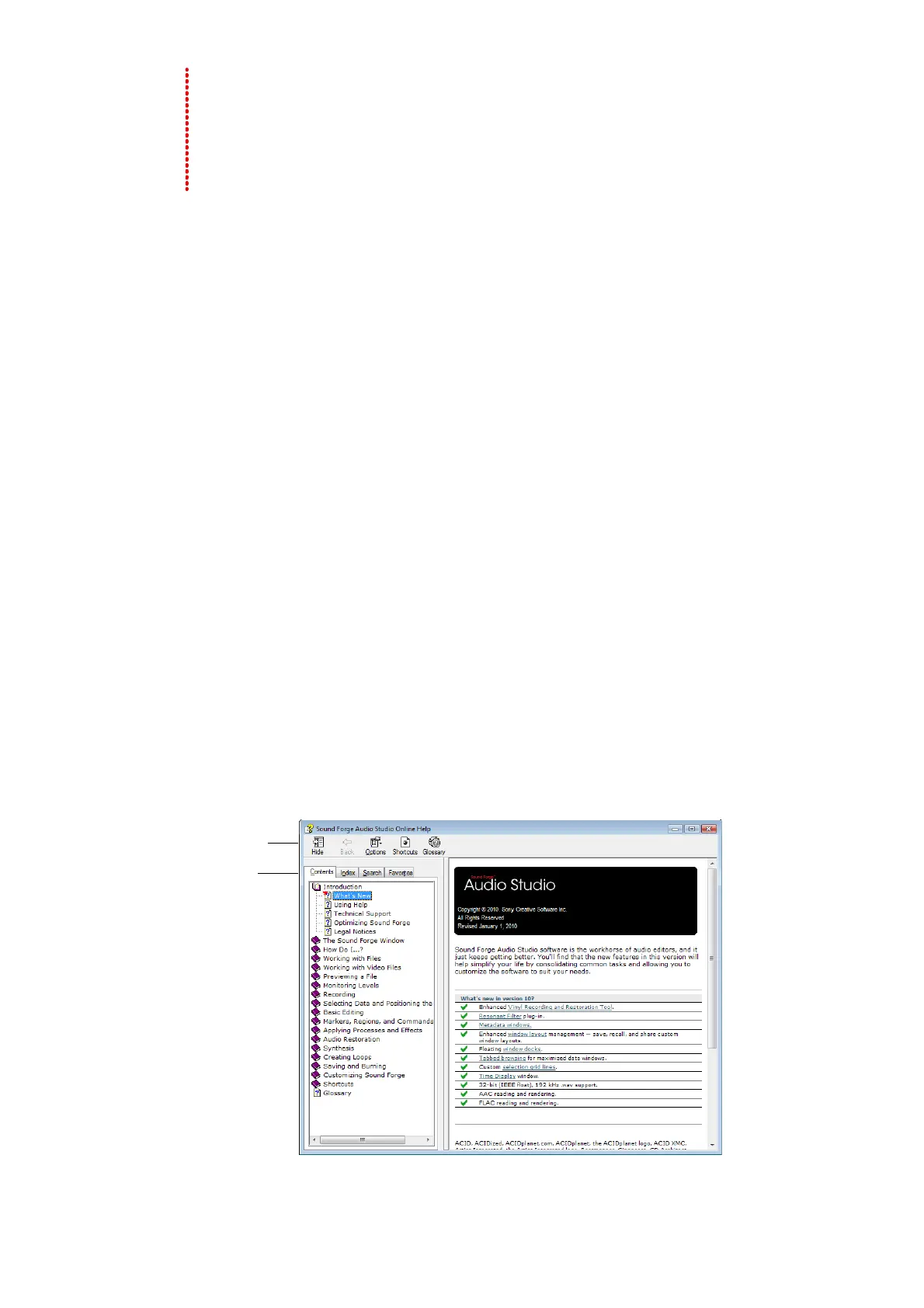
To access online help, choose Contents and Index from the Help menu or press F1.
Information
pane
Toolbar
Tabs
INTRODUCTION | 3



 To Next Page
 Loading...