www.SteamPoweredRadio.Com
SRF-A100
FEAT
URES
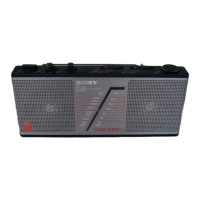
The Sony SRF-A 1
00
is
a compact size stereo receiver
which
allows you to en1oy
lis
tening
to
AM
stereo broadcasting
recently put i
nto
service. The rece
iv
er is capable
of
receiv
in
g
for all tour
AM
stereo broadcasti
ng
systems being used.
• AM BANDWIDTH/
FM
SENS (sens1t
1v1
1y)
switch
to
obtain
better recep
ti
on
from each
st
a
tion
under different conditions
• H
ig
h
-qu
al
ity stereo sound from the two bu
il
t-in speakers.
• The one-chip IC developed
by
Sony assures high sensitivity
and high reliabili
ty
.
• Listening
w1tn
optional
stereo headphones 1s possible.
HOW
TO USE
Follow
the
steps
1
to
6 in sequence
to
lune
in
the
st
at
i
on
.
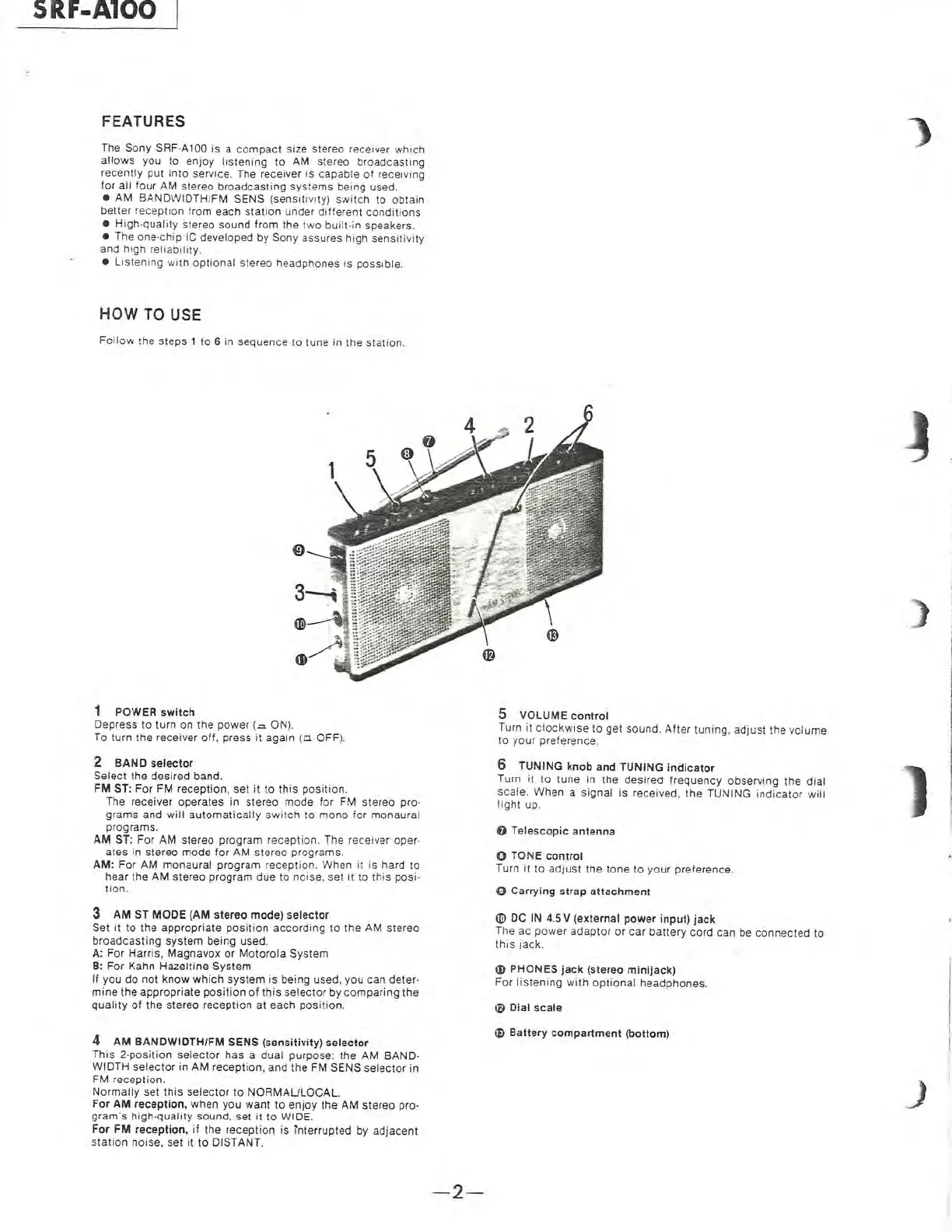
1 POWER switch
Depress
to
turn
on
the
power
(
.:::.
ON).
To turn the receiver
off,
press it
again
to
OFF
).
2
BAND
selector
Select t
he
des
ired band.
FM
ST: For FM reception,
set
it
to
this
pos
ition.
The receiver operates
in
stereo mode
for
FM stereo pro-
gr
am
s
and
will
automatically
switch
to
mono
for monaural
progra
ms
.
AM
ST: For
AM
stereo program reception. The rece
iv
er
ope
r-
ates
in
stereo
mo
de
for
AM
ste
reo programs.
AM:
For
AM
monaural program reception. When
it
is hard
to
hear
th
e
AM
stereo program
due
to
noise,
set
,t
10
this posi-
tion
.
3
AM
ST MODE (
AM
stereo mode)
selector
Set
11
to
the
appropriate
po
s
ition
a
ccording
to
the
AM stereo
broadcasting system
being
used.
A:
For Harris, Mag
nav
ox
or
Motorola
System
8: F
or
Kahn Hazel
tine
System
If
you
do
not
kno
w w
hich
system is being used, you can deter-
mine
the
appropriate
posit
i
on
of
this
selector
by
comparing
the
qua
li
ty
of
the stereo reception
at
each position.
4
AM
BANDWIDTH/FM SENS (sensitivity)
selector
This
2-position
selector
has a
dua
l purpose: the AM BAND-
WIDTH select
or
in AM reception,
and
th
e FM SENS
selector
in
FM reception.
No
rmal
ly
set
this
selec
to
r
to
NORMAULOCA
L.
For
AM
reception, when you want
to
enjoy
th
e AM
st
ereo pro-
gram·s high-qualtty sound, set
it
to WIDE.
For
FM reception, if
th
e re
ception
is interrupted
by
adjacent
station
noise,
set
it
to
DISTANT.
- 2-
5 VOLUME
control
Turn
it
clockw
is
e
lo
gel
sound.
After
tuning.
adjust
the
vo
lume
10
your
preference.
6
TUNING
knob and TUNING indicator
Turn it
to
tune
in
the
desired freq
uency
observing
the
dial
scale. When a
signal
is received,
th
e TUNING
in
dicator
wil
l
lig
ht
up.
O Telescopic antenna
O TONE control
Turn It
to
ad
Just
the
tone
to
your prelerence.
O Carrying strap
attachmen
t
®
DC
IN 4.5 V
(e
xternal
power
input)
jack
The
ac
power
adaptor
or
car
baltery
cord
can be connected
to
this 1ack.
G)
PHONES
jack (stereo minijack)
For
li
stening
with
o
ptional
headphones.
lD
Dial scale
~
Battery
compartment
(b
ottom)
)
l
J


 To Next Page