EasyManua.ls Logo

Sony TA-E1000ESD - Page 19

Sony TA-E1000ESD
48 pages
Print Icon
To Next Page IconTo Next Page
To Previous Page IconTo Previous Page
Loading...
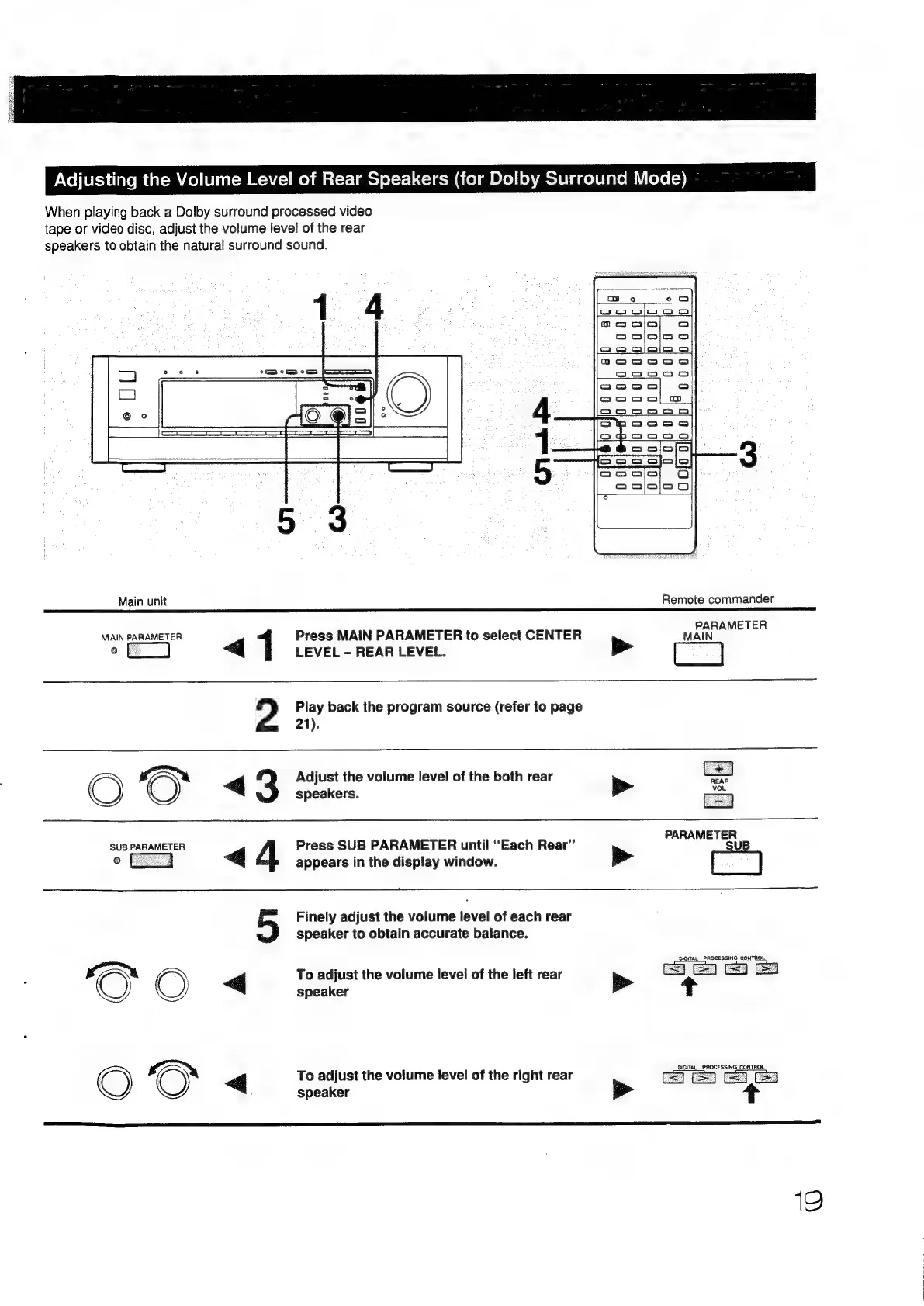
Adjusting
the
Volume
Level
of
Rear
Speakers
(for
Dolby
Surround
Mode)
When
playing
back
a
Dolby
surround
processed
video
tape
or
video
disc,
adjust
the
volume
level
of
the
rear
speakers
to
obtain the
natural
surround
sound.
14
Ol
ab
Main
unit
Remote
commander
TER
wanessanchen
ag
1
Press
MAIN
PARAMETER
to
select
CENTER
MAIN’
©
LEVEL
REAR
LEVEL.
2
Play
back
the
program
source
(refer
to
page
21).
l
7
G
Adjust
the
volume
level
of
the
both
rear
=
aa
O
speakers.
>
ae
PARAMETER
SU
Press
SUB
PARAMETER
until
“Each
Rear”’
appears
in
the
display
window.
a
Finely
adjust
the
volume
level
of
each
rear
speaker
to
obtain
accurate
balance.
OVGITAL_
PROCESSING
CONTROL
aN
C)
|
To
adjust
the
volume
level
of
the
left
rear
De»
=
speaker
t
O
<>
q
To
adjust
the
volume
level
of
the
right
rear
eee
speaker
>
+
19

Other manuals for Sony TA-E1000ESD

Related product manuals