EasyManua.ls Logo

Sony TA-E1000ESD - Page 21

Sony TA-E1000ESD
48 pages
Print Icon
To Next Page IconTo Next Page
To Previous Page IconTo Previous Page
Loading...
Mi
Claliate
Commi
CiCelalialemadnele|e-lsmetelelcercr
Basic
Operation
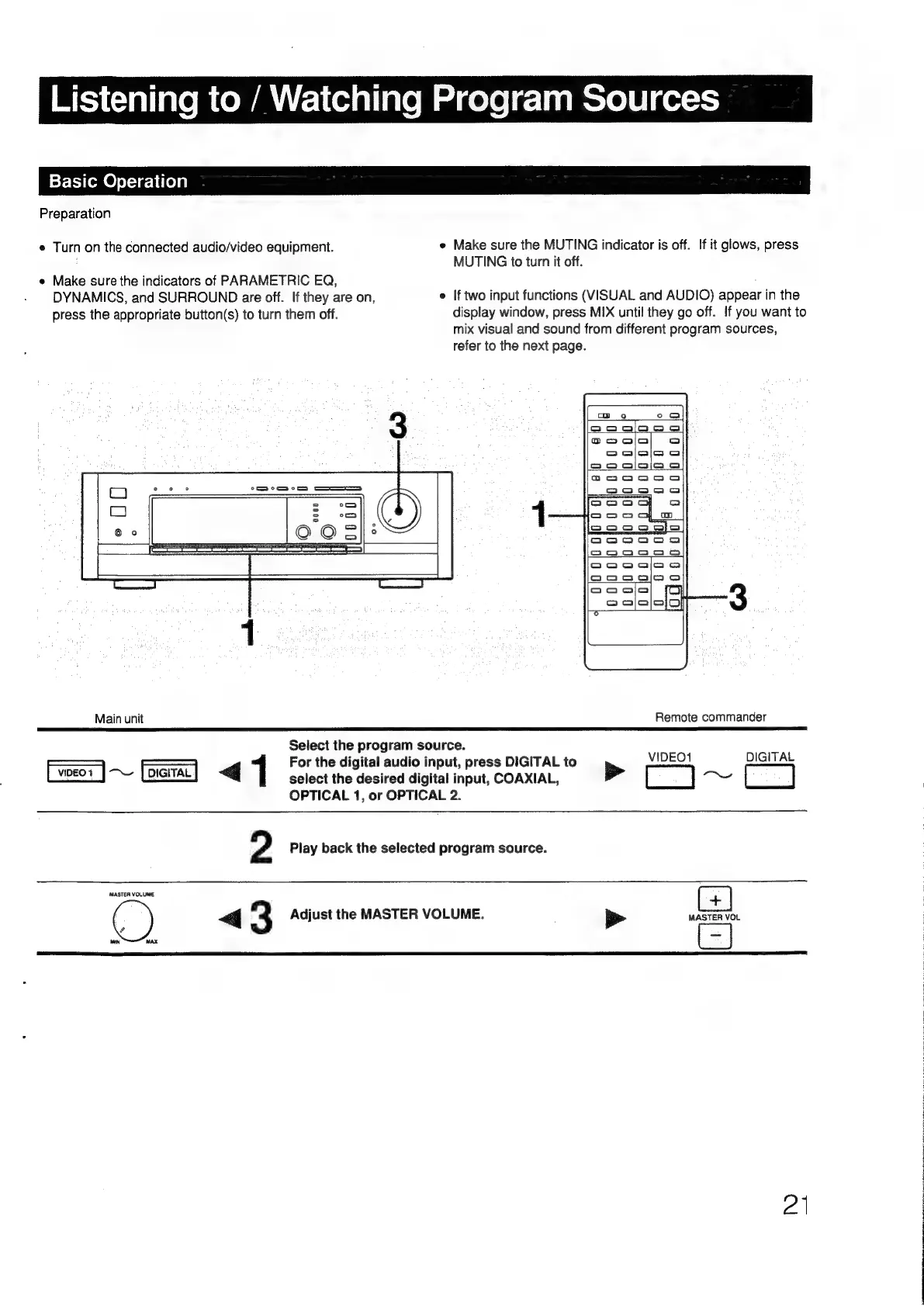
Preparation
e
Turn
on
the
connected
audio/video
equipment.
e
Make
sure
the
MUTING
indicator
is
off.
If
it
glows,
press
MUTING
to
turn
it
off.
e
Make
sure
the
indicators
of
PARAMETRIC
EQ,
DYNAMICS,
and
SURROUND
are
off.
If
they
are
on,
e
If
two
input
functions
(VISUAL
and
AUDIO)
appear
in
the
press
the
appropriate
button(s)
to
turn
them
off.
display
window,
press
MIX
until
they
go
off.
If
you
want
to
mix
visual
and
sound
from
different
program
sources,
refer
to
the
next
page.
Main
unit
Remote
commander
Select
the
program
source.
Wipes
BIGtFAL
————
———
For
the
digital
audio
input,
press
DIGITAL
to
1
iil
<q
1
select
the
desired
digital
input,
COAXIAL,
>
[)
——
OPTICAL
1,
or
OPTICAL
2.
2
Play
back
the
selected
program
source.
MASTER
VOLUME
+
«<q
3
Adjust
the
MASTER
VOLUME.
a
MASTER
VOL
MN
MAX
ei

Other manuals for Sony TA-E1000ESD

Related product manuals