EasyManua.ls Logo

Sony TA-E1000ESD - Page 26

Sony TA-E1000ESD
48 pages
Print Icon
To Next Page IconTo Next Page
To Previous Page IconTo Previous Page
Loading...
Recording
Audio/Video
Program
Sources
Basic
operation
Main
unit
Remote
commander
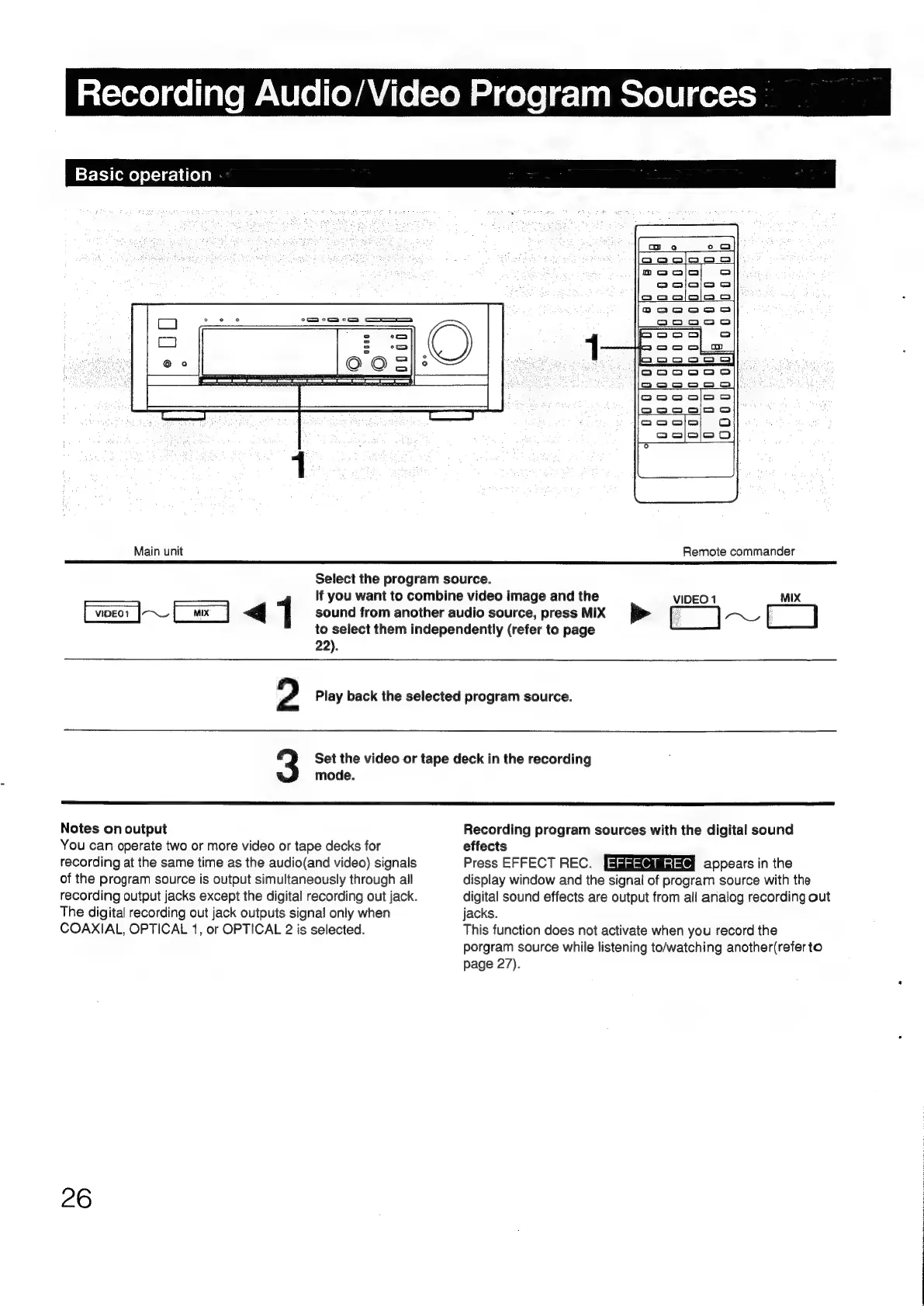
Select
the
program
source.
If
you
want
to
combine
video
image
and
the
VIDEO
1
MIX
[wear
|~_
[wx]
<q
1
sound
from
another
audio
source,
press
MIX
ke
~~
[]
to
select
them
independently
(refer
to
page
22).
2
Play
back
the
selected
program
source.
3
Set
the
video
or
tape
deck
in
the
recording
mode.
Notes
on
output
You
can
operate
two
or
more
video
or
tape
decks
for
recording
at
the
same
time
as
the
audio(and
video)
signals
of
the
program
source
is
output
simultaneously
through
all
recording
output
jacks
except
the
digital
recording
out
jack.
The
digital
recording
out
jack
outputs
signal
only
when
COAXIAL,
OPTICAL
1,
or
OPTICAL
2
is
selected.
Recording
program
sources
with
the
digital
sound
effects
Press
EFFECT
REC.
appears
in
the
display
window
and
the
signal
of
program
source
with
the
digital
sound
effects
are
output
from
all
analog
recording
out
jacks.
This
function
does
not
activate
when
you
record
the
porgram
source
while
listening
to/watching
another(refer
to
page
27).

Other manuals for Sony TA-E1000ESD

Related product manuals