EasyManua.ls Logo

Sony TA-E2000ESD - Page 16

Sony TA-E2000ESD
55 pages
Print Icon
To Next Page IconTo Next Page
To Previous Page IconTo Previous Page
Loading...
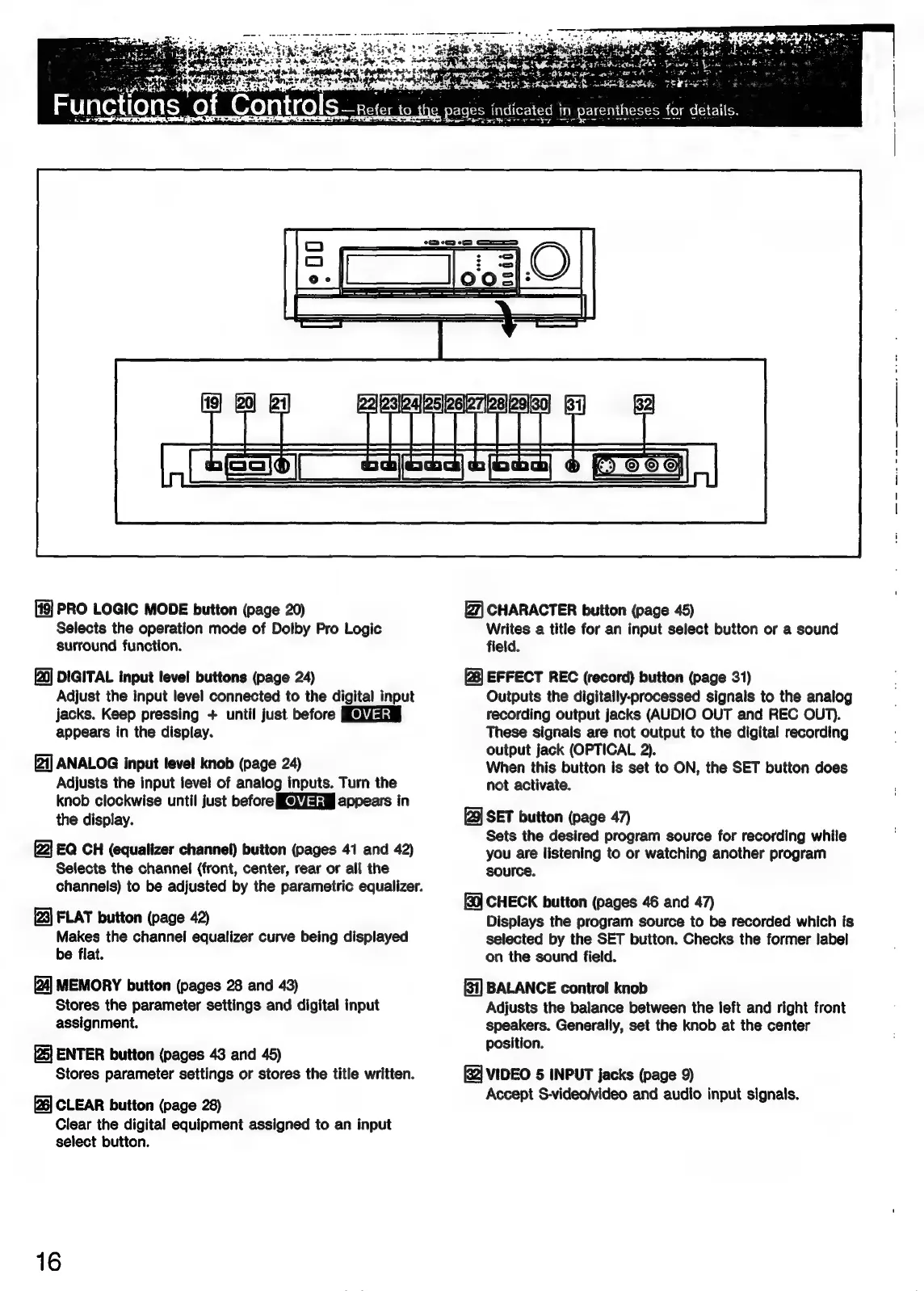
PRO
LOGIC
MODE
button
(page
20)
Selects
the
operation
mode
of
Dolby
Pro
Logic
surround
function.
DIGITAL
input
level
buttons
(page
24)
Adjust
the
input
level
connected
to
the
digital
input
jacks.
Keep
pressing
+
until
just
before
appears
in
the
display.
[21]
ANALOG
input
level
knob
(page
24)
Adjusts
the
input
level
of
analog
inputs.
Turn
the
knob
clockwise
until
just
before
[e)7aaa§
appears
in
the
display.
EQ
CH
(equalizer
channel)
button
(pages
41
and
42)
Selects
the
channel
(front,
center,
rear or
all
the
channels)
to
be
adjusted
by
the
parametric
equalizer.
FLAT
button
(page
42)
Makes
the
channel
equalizer
curve
being
displayed
be
flat.
MEMORY
button
(pages
28
and
43)
Stores
the
parameter
settings
and
digital
input
assignment.
ENTER
button
(pages
43
and
45)
Stores
parameter
settings
or
stores
the
title
written.
CLEAR
button
(page
28)
Clear
the
digital
equipment
assigned
to
an
input
select
button.
16
ns
2h
bs
for
details.
s
indicated
in.
parentheses
SSW
Ty
the
+
CHARACTER
button
(page
45)
Writes
a
title
for
an
input
select
button
or
a
sound
field.
EFFECT
REC
(record)
button
(page
31)
Outputs
the
digitally-processed
signals
to
the
analog
recording
output
jacks
(AUDIO
OUT
and
REC
OUT).
These
signals
are
not
output
to
the
digital
recording
output
jack
(OPTICAL
2).
When
this
button
is
set
to
ON,
the
SET
button
does
not
activate.
[9]
SET
button
(page
47)
Sets
the
desired
program
source
for
recording
while
you
are
listening
to
or
watching
another
program
source.
CHECK
button
(pages
46
and
47)
Displays
the
program
source
to
be
recorded
which
fs
selected
by
the
SET
button.
Checks
the
former
label
on
the
sound
field.
BALANCE
control
knob
Adjusts
the
balance
between
the
left
and
right
front
speakers.
Generally,
set
the
knob
at
the
center
position.
(2]
VIDEO
5
INPUT
jacks
(page
9)
Accept
S-video/video
and
audio
input
signals.

Related product manuals