EasyManua.ls Logo

Sony TA-E2000ESD - Factory-Preset Sound Fields; Selecting and Using Presets

Sony TA-E2000ESD
55 pages
Print Icon
To Next Page IconTo Next Page
To Previous Page IconTo Previous Page
Loading...
Enjoying
the
Factory-preset
Sound
Fields
Ten
recommended
sound
field
programs
(combinations
of
surround,
dynamics
and
equalizer
settings)
have
been
preset
in
the
factory.
Since
these
programs
are
appropriate
for
most
types
of
music
and
listening
situations,
you
can
enjoy
the
digital
sound
effects
by
just
selecting
a
sound
field
according
to
the
program
source,
etc.
You
can
also
adjust
the
parameters
to
your
preference
to
create
your
individual
sound
fields
and
store
them
afterwards.
For
instruction
on
how
to
set
each
parameter,
refer
to
“Creating
your
own
sound
fields”
on
page
34.
This
section
expiains
how
to
use
the
sound
fields
preset
at
the
factory.
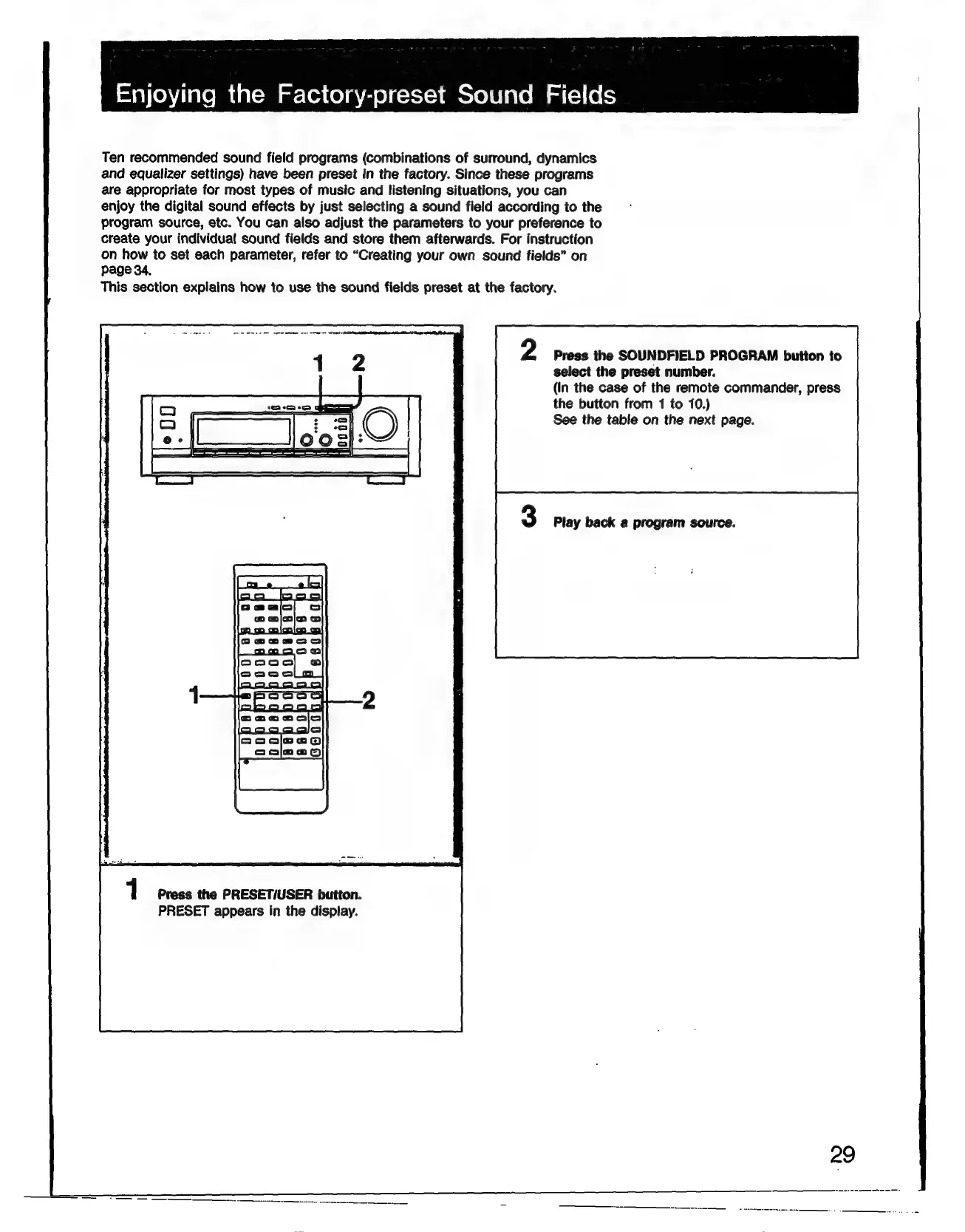
2
Press
the
SOUNDFIELD
PROGRAM
button
to
select
the
preset
number.
(In
the
case
of
the
remote
commander,
press
the
button
from
1
to
10.)
See
the
table
on
the
next
page.
3
Play
back
a
program
source.
1
Press
the
PRESET/USER
button.
PRESET
appears
in
the
display.
29

Related product manuals