EasyManua.ls Logo

Sony TA-E2000ESD - Assigning Digital Audio Inputs

Sony TA-E2000ESD
55 pages
Print Icon
To Next Page IconTo Next Page
To Previous Page IconTo Previous Page
Loading...
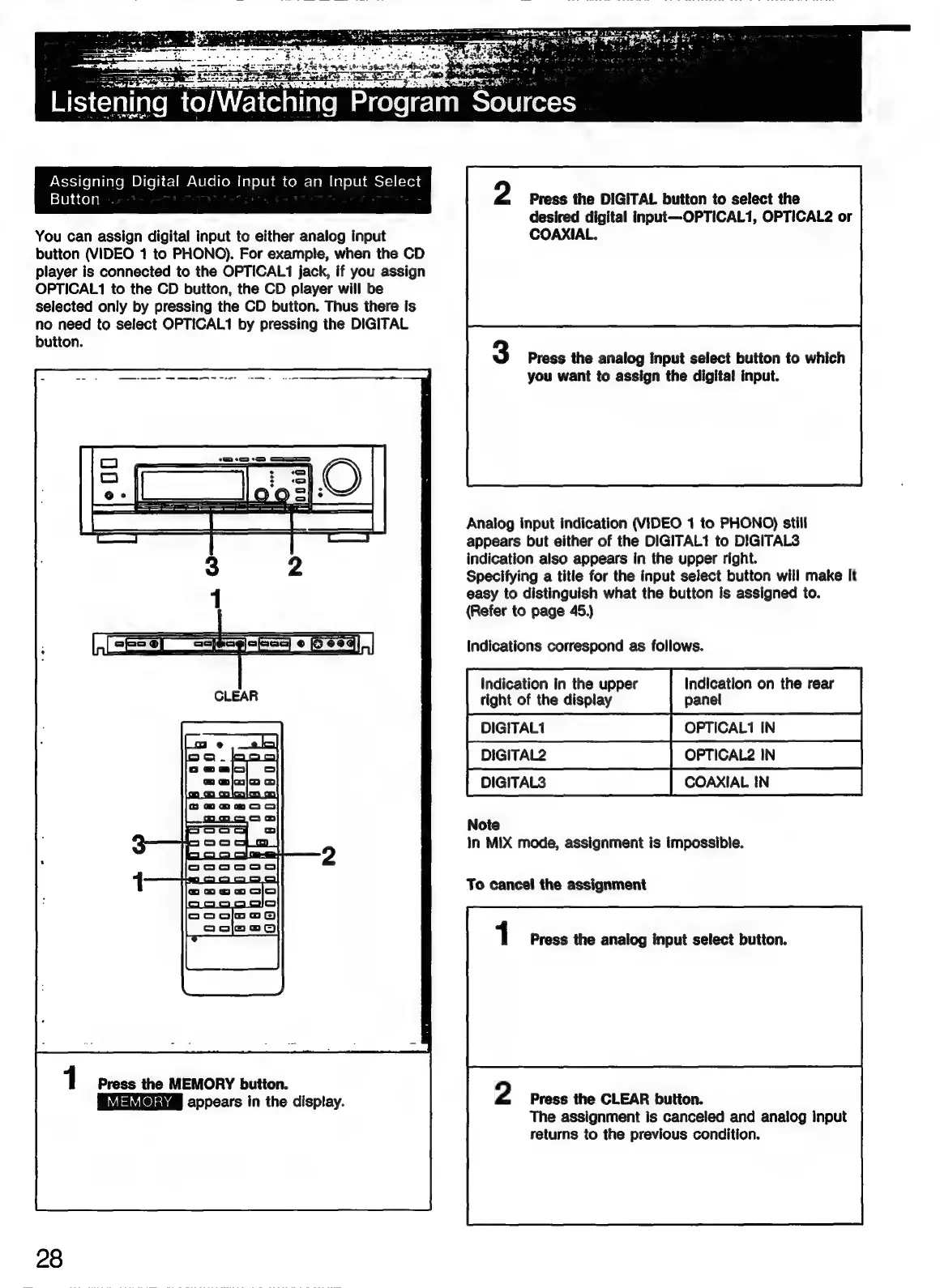
Assigning
Digital
Audio
Input
to
an
Input
Select
Button
You
can
assign
digital
input
to
either
analog
input
button
(VIDEO
1
to
PHONO).
For
example,
when
the
CD
player
is
connected
to
the
OPTICAL1
jack,
if
you
assign
OPTICAL1
to
the
CD
button,
the
CD
player
will
be
selected
only
by
pressing
the
CD
button.
Thus
there
is
no
need
to
select
OPTICAL1
by
pressing
the
DIGITAL
button.
apse
agora
Bea),
1
Press
the
MEMORY
button.
appears
in
the
display.
28
2
Press
the
DIGITAL
button
to
select
the
desired
digital
input—OPTICAL1,
OPTICAL2
or
COAXIAL.
Press
the
analog
input
select
button
to
which
you
want
to
assign
the
digital
input.
Analog
input
indication
(VIDEO
1
to
PHONO)
still
appears
but
either
of
the
DIGITAL1
to
DIGITAL3
indication
also
appears
in
the
upper
right.
Specifying
a
titie
for
the
input
select
button
will
make
it
easy
to
distinguish
what
the
button
is
assigned
to.
(Refer
to
page
45.)
Indications
correspond
as
follows.
Indication
in
the
upper
right
of
the
display
panel
DIaIrAL2
DIGITALS
Note
In
MIX
mode,
assignment
is
impossible.
To
cancel
the
assignment
1
Press
the
analog
input
select
button.
2
Press
the
CLEAR
button.
The
assignment
is
canceled
and
analog
input
returns
to
the
previous
condition.

Related product manuals