EasyManua.ls Logo

Sony TA-E2000ESD - Creating Custom Sound Fields

Sony TA-E2000ESD
55 pages
Print Icon
To Next Page IconTo Next Page
To Previous Page IconTo Previous Page
Loading...
Creating
Your
Own
Sound
Fields
¢except
for
the
povsy
sur.
mode)
When
you
listen
to
one
of
the
ten
sound
fields
preset
in
this
amplifier,
sometimes
you
may
feel
that
you
want
to
add
the
feeling
of
a
slightly
wider
room
or
to
suppress
the
reverberative
sound,
etc.
In
such
an
instance,
you
can
adjust
the
parameters
(elements
which
compose
the
sound)
to
create
your
private
sound
fields.
You
can
also
store
them
in
the
memory
(up
to
ten
modes)
and
recall
them
afterwards.
First,
select
a
sound
field
preset
which
is
the
most
similar
to
your
preferences,
and
begin
to
adjust.
Even
though
you
adjust
the
parameters
in
the
sound
fields
preset,
the
original
(fixed)
values
will
not
be
erased.
Simulating
the
Room
Size
The
sound
emitted
from
a
sound
source
Is
reflected
many
times
between
the
left
and
right
walls,
ceiling,
and
floor.
Thus,
the
time
until
the
early
reflections
reach
our
ears
differs
according
to
the
size
of
the
room.
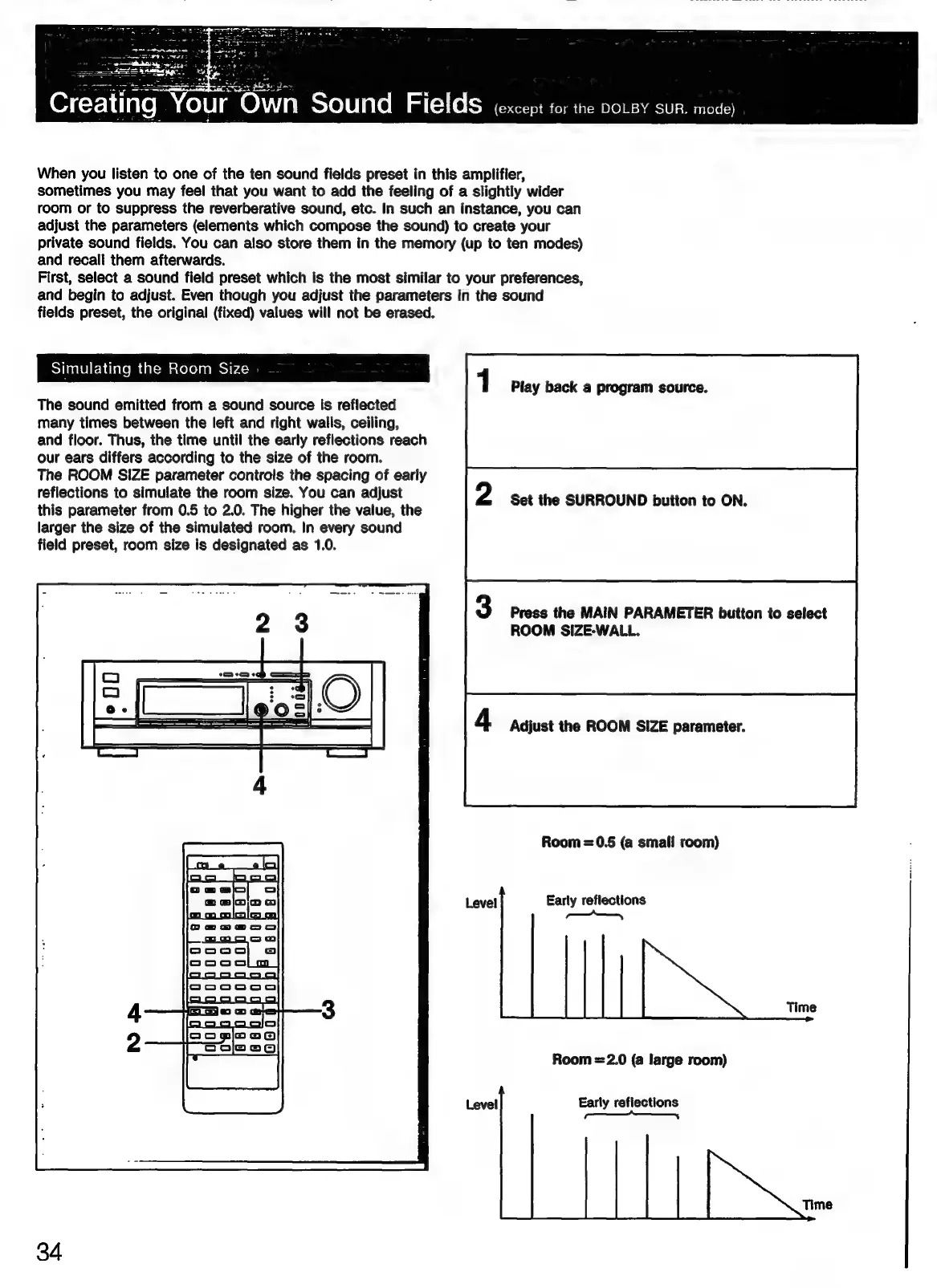
The
ROOM
SIZE
parameter
controls
the
spacing
of
early
reflections
to
simulate
the
room
size.
You
can
adjust
this
parameter
from
0.5
to
2.0.
The
higher
the
value,
the
larger
the
size
of
the
simulated
room.
In
every
sound
field
preset,
room
size
is
designated
as
1.0.
Play
back
a
program
source.
Set
the
SURROUND
button
to
ON.
Press
the
MAIN
PARAMETER
button
to
select
ROOM
SIZE-WALL.
Adjust
the
ROOM
SIZE
parameter.
Room
=0.5
(a
smalf
room)
Level
Early
reflections
=—_—_
Room
=2.0
(a
large
room)
Level
Early
reflections
a
a
|
34

Related product manuals