EasyManua.ls Logo

Sony TA-E2000ESD - Page 35

Sony TA-E2000ESD
55 pages
Print Icon
To Next Page IconTo Next Page
To Previous Page IconTo Previous Page
Loading...
Simulating
the
Wall
Materia!
When
a
sound
is
reflected
by
a
wall
made
of
soft
material
such
as
wood
or
a
wall
covered
with
a
curtain,
the
high
frequency
components
are
reduced.
A
hard
wall
is
highly
reflective
and
does
not
significantly
effect
the
frequency
response
of
the
reflected
sound.
The
WALL
parameter
controls
the
level
of
high
frequencies
to
simulate
the
wall
material.
The
standard
wall
made
of
wood
is
designated
as
1,
and
you
can
adjust
this
parameter
from
0.5
to
2.0.
The
higher
the
value,
the
harder
the
simulated
wall.
Play
back
a
program
source.
2
Set
the
SURROUND
button
to
ON.
3
Press
the
MAIN
PARAMETER
button
to
select
ROOM
SIZE-WALL.
4
Adjust
the
WALL
parameter.
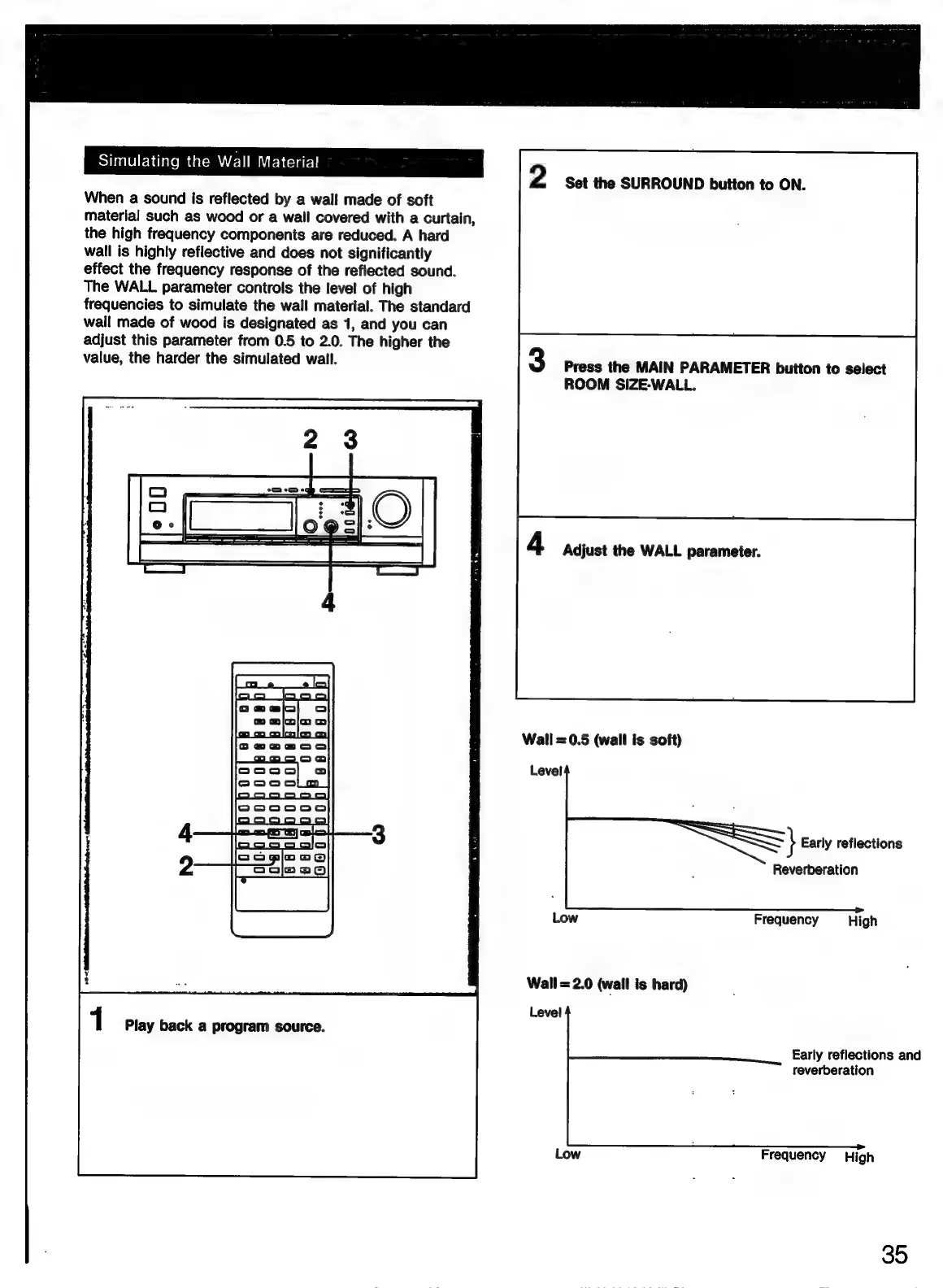
Wall
=0.5
(wall
is
soft)
Level
}
Early
reflections
Reverberation
Low
Frequency
High
Wall
=2.0
(wall
is
hard)
Level
Early
reflections
and
reverberation
Low
Frequency
High
35

Related product manuals