EasyManua.ls Logo

Sony TA-E2000ESD - Digital Dynamics and Parametric Equalizer

Sony TA-E2000ESD
55 pages
Print Icon
To Next Page IconTo Next Page
To Previous Page IconTo Previous Page
Loading...
Adjusting
the
Digital
Dynamics
Controller
This
amplifier
allows
you
to
select
either
of
two
digital
dynamics
controls,
compressor
or
expander.
The
compressor
compresses
the
dynamic
range
of
the
output
signal
to
increase
the
average
output
level
for
obtaining
dynamic
sound
at
small!
output
levels.
On
the
other
hand,
the
expander
limits
the
dynamic
range
of
the
input
signal
to
eliminate
undesired
noise
between
the
pieces
of
music,
etc.
You
can
set
the
compressor
or
expander
effect
in
nine
increments.
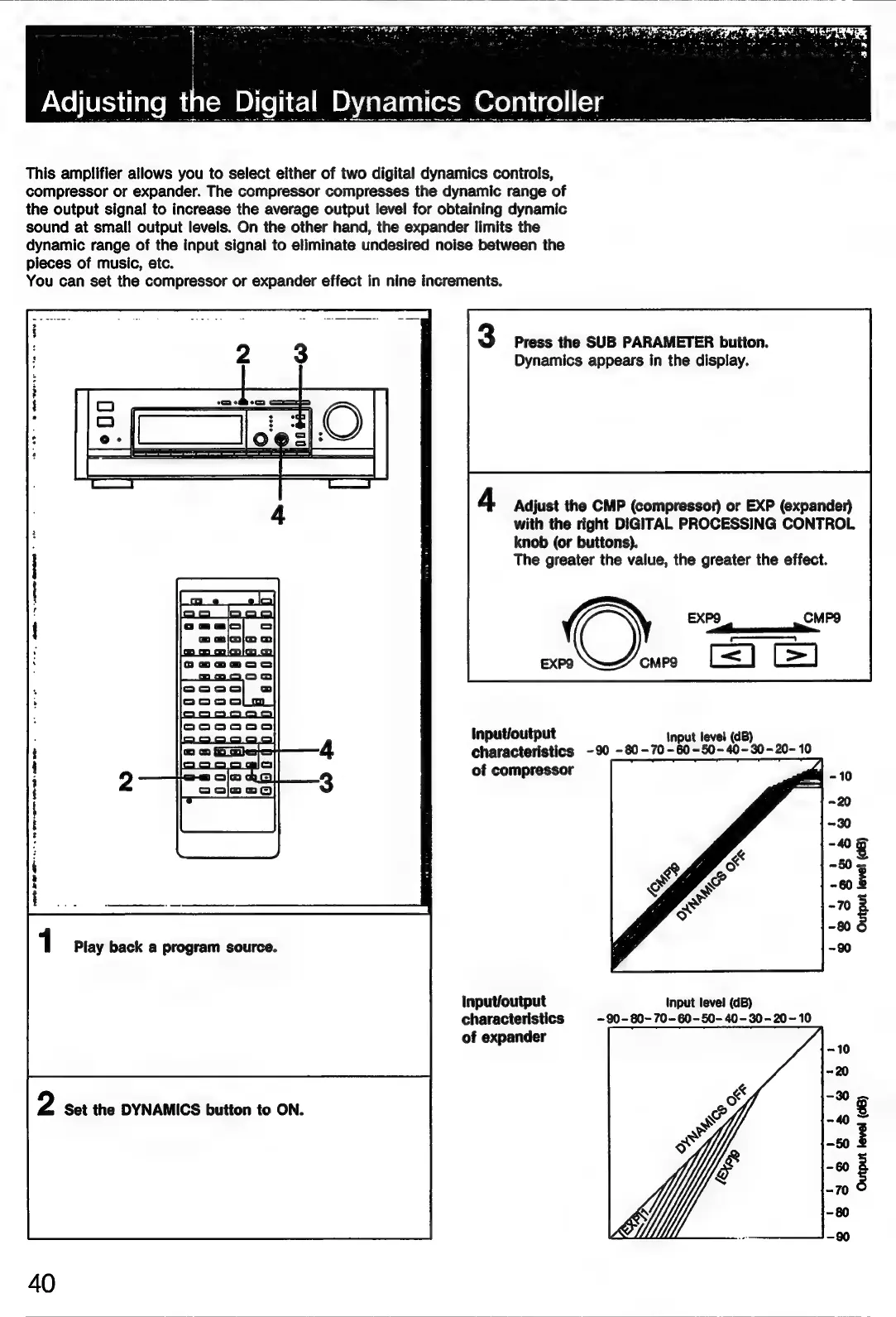
3
Press
the
SUB
PARAMETER
button.
Dynamics
appears
in
the
display.
Adjust
the
CMP
(compressor)
or
EXP
(expander)
with
the
right
DIGITAL
PROCESSING
CONTROL
knob
(or
buttons).
The
greater
the
value,
the
greater
the
effect.
input/output
Input
level
(dB)
characteristics
-90
-80-70-60-50-40-30-20-
10
of
compressor
-80
1
Play
back
a
program
source.
Input/output
Input
level
(dB)
characteristics
-90-80~-
70-60-50-
40-30-20~10
of
expander
2
Set
the
DYNAMICS
button
to
ON.
40

Related product manuals