EasyManua.ls Logo

Sony TA-E2000ESD - Page 41

Sony TA-E2000ESD
55 pages
Print Icon
To Next Page IconTo Next Page
To Previous Page IconTo Previous Page
Loading...
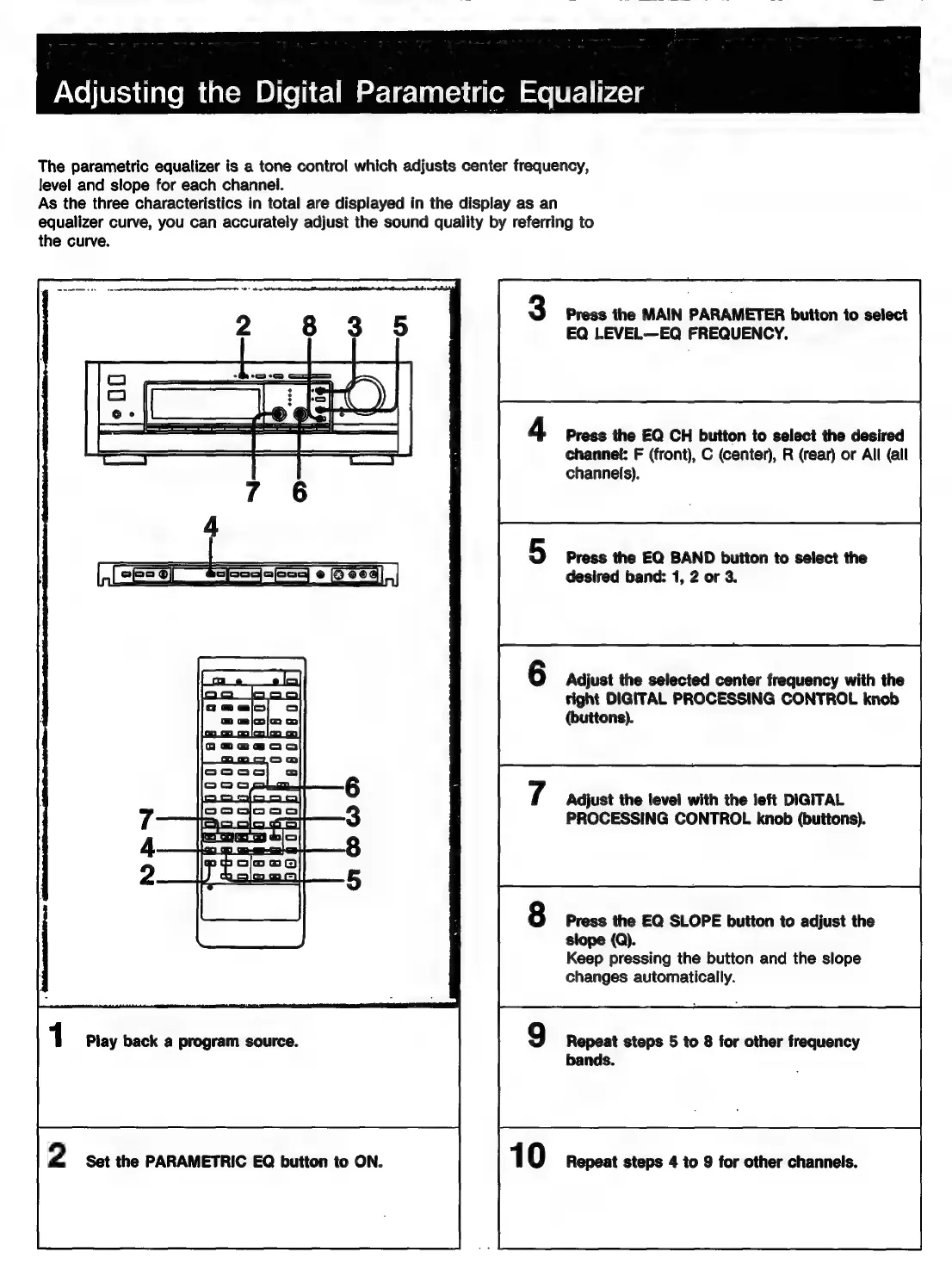
The
parametric
equalizer
is
a
tone
control
which
adjusts
center
frequency,
Jevel
and
slope
for
each
channel.
As
the
three
characteristics
in
total
are
displayed
in
the
display
as
an
equalizer
curve,
you
can
accurately
adjust
the
sound
quality
by
referring
to
the
curve.
1
Play
back
a
program
source.
2
Set
the
PARAMETRIC
EQ
button
to
ON.
Press
the
MAIN
PARAMETER
button
to
select
EQ
LEVEL—EQ
FREQUENCY.
Press
the
EQ
CH
button
to
select
the
desired
channel:
F
(front),
C
(center),
R
(rear)
or
All
(all
channels).
Press
the
EQ
BAND
button
to
select
the
desired
band:
1,
2
or
3.
Adjust
the
selected
center
frequency
with
the
tight
DIGITAL
PROCESSING
CONTROL
knob
(buttons).
Adjust
the
level
with
the
left
DIGITAL
PROCESSING
CONTROL
knob
(buttons).
Press
the
EQ
SLOPE
button
to
adjust
the
slope
(Q).
Keep
pressing
the
button
and
the
slope
changes
automatically.
Repeat
steps
5
to
8
for
other
frequency
bands.
Repeat
steps
4
to
9
for
other
channels.

Related product manuals