EasyManua.ls Logo

Sony TA-E2000ESD - Page 42

Sony TA-E2000ESD
55 pages
Print Icon
To Next Page IconTo Next Page
To Previous Page IconTo Previous Page
Loading...
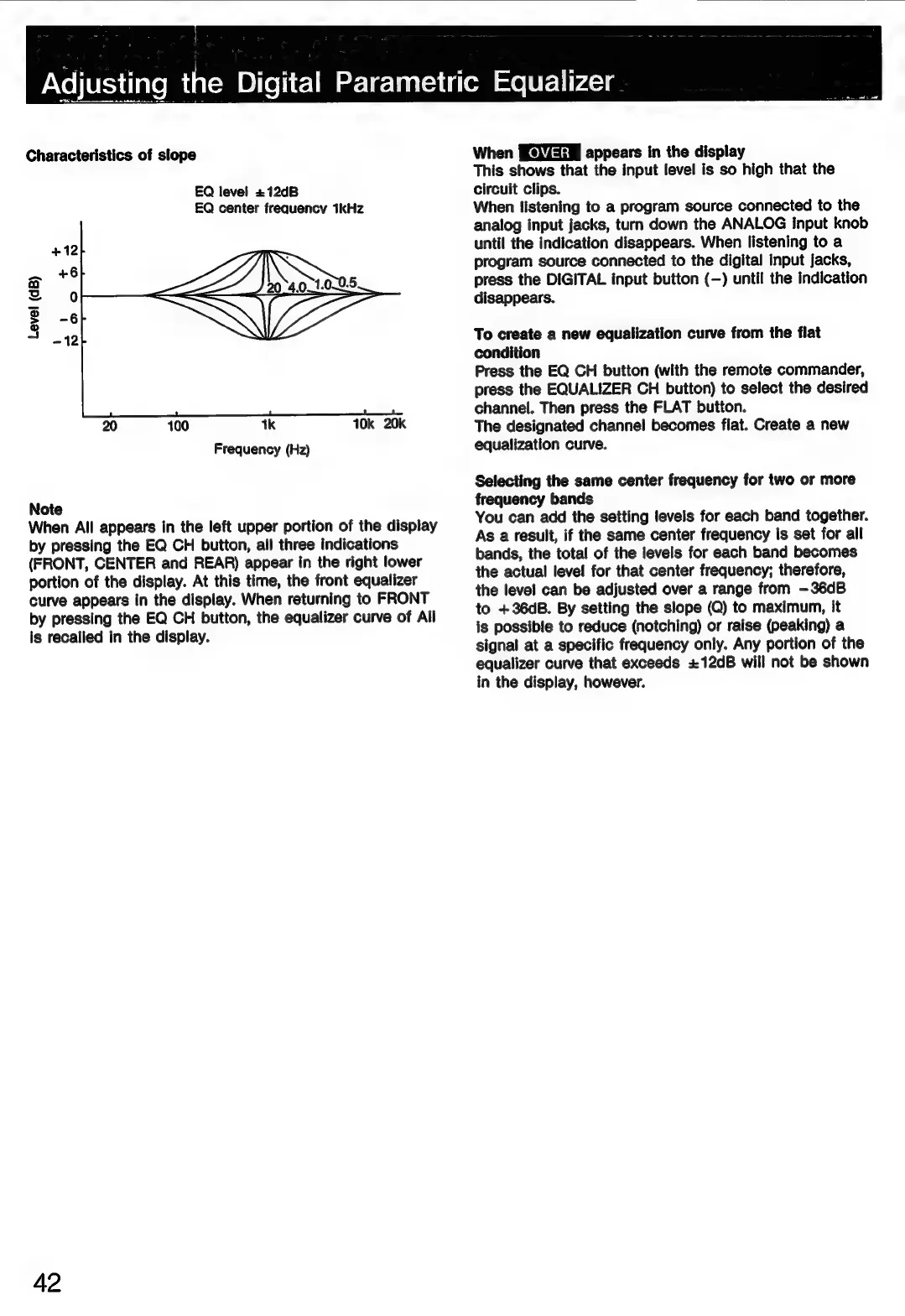
Characteristics
of
slope
EQ
level
+12dB
EQ
center
frequency
1kHz
+12
—
+6
a
Zz
0
Ss
>
-6
a
-12
20
100
1k
10k
20k
Frequency
(Hz)
Note
When
All
appears
in
the
left
upper
portion
of
the
display
by
pressing
the
EQ
CH
button,
all
three
indications
(FRONT,
CENTER
and
REAR)
appear
in
the
right
lower
portion
of
the
display.
At
this
time,
the
front
equalizer
curve
appears
in
the
display.
When
returning
to
FRONT
by
pressing
the
EQ
CH
button,
the
equalizer
curve
of
All
is
recalled
in
the
display.
42
When
appears
in
the
display
This
shows
that
the
input
level
is
so
high
that
the
circuit
clips.
When
listening
to
a
program
source
connected
to
the
analog
input
jacks,
turn
down
the
ANALOG
Input
knob
until
the
indication
disappears.
When
listening
to
a
program
source
connected
to
the
digital
input
jacks,
press
the
DIGITAL
input
button
(—)
until
the
indication
disappears.
To
create
a
new
equalization
curve
from
the
flat
condition
Press
the
EQ
CH
button
(with
the
remote
commander,
press
the
EQUALIZER
CH
button)
to
select
the
desired
channel.
Then
press
the
FLAT
button.
The
designated
channel
becomes
flat.
Create
a
new
equalization
curve.
Selecting
the
same
center
frequency
for
two
or
more
frequency
bands
You
can
add
the
setting
levels
for
each
band
together.
As
a
result,
if
the
same
center
frequency
Is
set
for
all
bands,
the
total
of
the
levels
for
each
band
becomes
the
actual
level
for
that
center
frequency;
therefore,
the
level
can
be
adjusted
over
a
range
from
-—36dB
to
+36dB.
By
setting
the
slope
(Q)
to
maximum,
it
is
possible
to
reduce
(notching)
or
raise
(peaking)
a
signal
at
a
specific
frequency
only.
Any
portion
of
the
equalizer
curve
that
exceeds
+12dB
will
not
be
shown
in
the
display,
however.

Related product manuals