EasyManua.ls Logo

Sony TA-E2000ESD - Managing Custom Sound Fields

Sony TA-E2000ESD
55 pages
Print Icon
To Next Page IconTo Next Page
To Previous Page IconTo Previous Page
Loading...
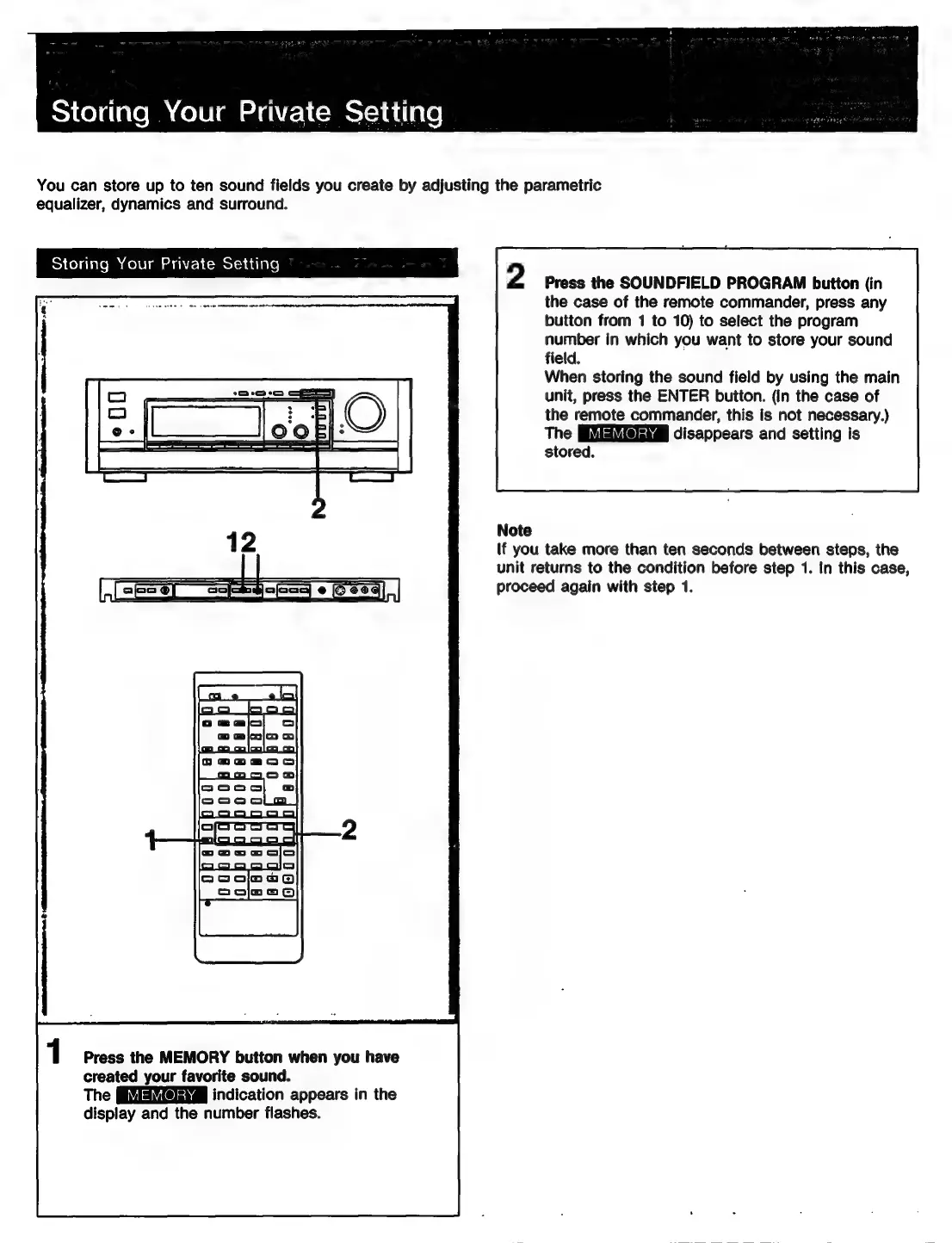
Storing
Your
Private
Setting
You
can
store
up
to
ten
sound
fields
you
create
by
adjusting
the
parametric
equalizer,
dynamics
and
surround.
Storing
Your
Private
Setting
2
Press
the
SOUNDFIELD
PROGRAM
button
(in
the
case
of
the
remote
commander,
press
any
button
from
1
to
10)
to
select
the
program
number
in
which
you
want
to
store
your
sound
field.
Soon
tibse
eno
emer
enw
ane
When
storing
the
sound
field
by
using
the
main
unit,
press
the
ENTER
buiton.
(In
the
case
of
the
remote
commander,
this
is
not
necessary.)
The
disappears
and
setting
is
stored.
Note
(f
you
take
more
than
ten
seconds
between
steps,
the
unit
returns
to
the
condition
before
step
1.
In
this
case,
proceed
again
with
step
1.
Press
the
MEMORY
button
when
you
have
created
your
favorite
sound.
The
indication
appears
in
the
display
and
the
number
flashes.

Related product manuals