EasyManua.ls Logo

Sony TA-E2000ESD - Controlling Equipment and Managing Stored Signals

Sony TA-E2000ESD
55 pages
Print Icon
To Next Page IconTo Next Page
To Previous Page IconTo Previous Page
Loading...
Ofe}ebecey|iiaremmaxe
lei
olentcval
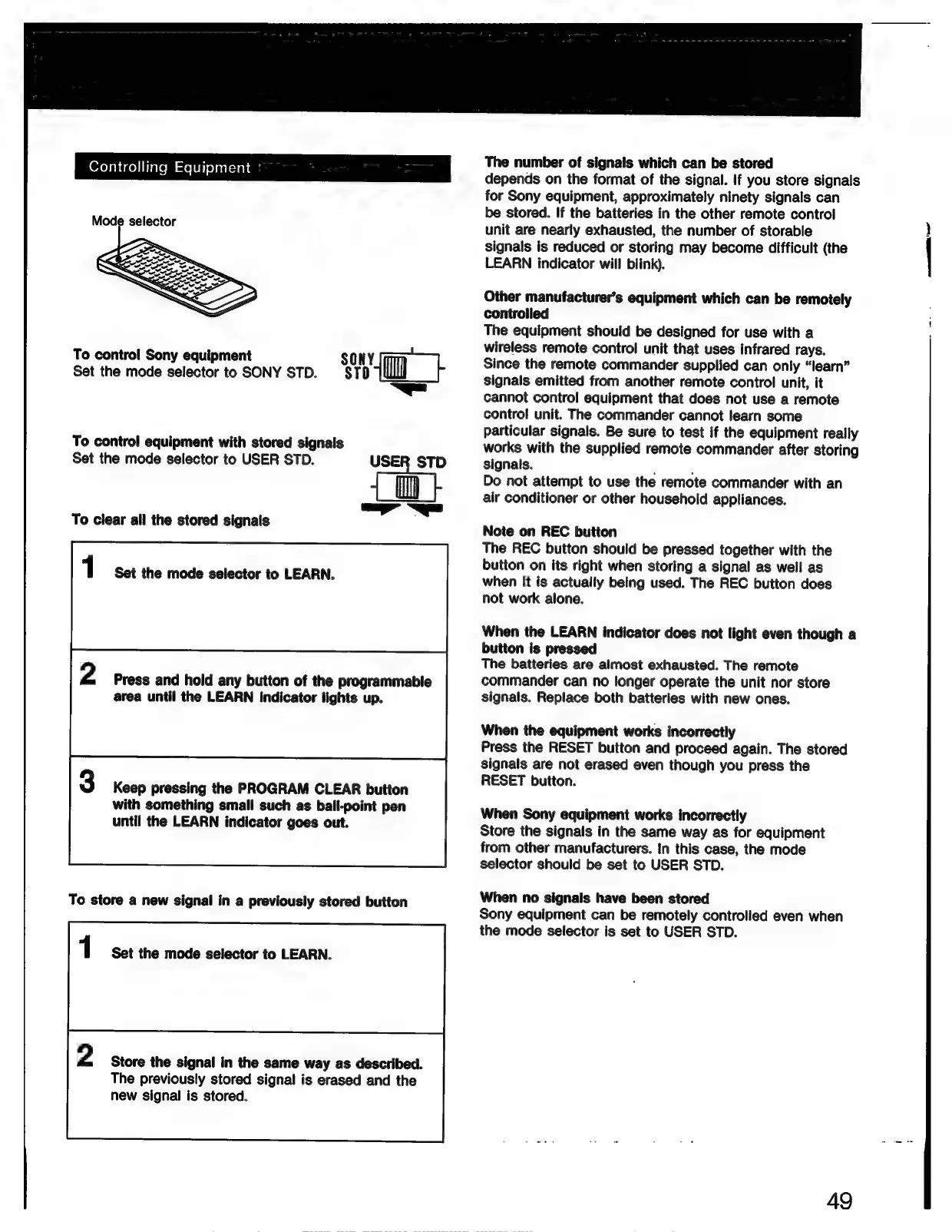
Mode
selector
To
control
Sony
equipment
SONY
Set
the
mode
selector
to
SONY
STD.
STD
—=
To
control
equipment
with
stored
signals
Set
the
mode
selector
to
USER
STD.
To
clear
all
the
stored
signals
1
Set
the
mode
selector
to
LEARN.
2
Press
and
hold
any
button
of
the
programmable
area
until
the
LEARN
indicator
lights
up.
Keep
pressing
the
PROGRAM
CLEAR
button
with
something
small
such
as
ball-point
pen
until
the
LEARN
indicator
goes
out.
To
store
a
new
signal
in
a
previously
stored
button
1
Set
the
mode
selector
to
LEARN.
2
Store
the
signal
in
the
same
way
as
described.
The
previously
stored
signal
is
erased
and
the
new
signal
is
stored.
The
number
of
signals
which
can
be
stored
depends
on
the
format
of
the
signal.
If
you
store
signals
for
Sony
equipment,
approximately
ninety
signals
can
be
stored.
If
the
batteries
in
the
other
remote
control
unit
are
nearly
exhausted,
the
number
of
storable
signals
is
reduced
or
storing
may
become
difficult
(the
LEARN
indicator
will
blink).
Other
manufacturer’s
equipment
which
can
be
remotely
controlled
The
equipment
should
be
designed
for
use
with
a
wireless
remote
control
unit
that
uses
infrared
rays.
Since
the
remote
commander
supplied
can
only
“learn”
signals
emitted
from
another
remote
control
unit,
it
cannot
control
equipment
that
does
not
use
a
remote
control
unit.
The
commander
cannot
learn
some
particular
signals.
Be
sure
to
test
if
the
equipment
really
works
with
the
supplied
remote
commander
after
storing
signals.
:
F
Do
not
attempt
to
use
the
remote
commander
with
an
air
conditioner
or
other
household
appliances.
Note
on
REC
button
The
REC
button
should
be
pressed
together
with
the
button
on
its
right
when
storing
a
signal
as
well
as
when
it
is
actually
being
used.
The
REC
button
does
not
work
alone.
When
the
LEARN
indicator
does
not
light
even
though
a
button
is
pressed
The
batteries
are
almost
exhausted.
The
remote
commander
can
no
longer
operate
the
unit
nor
store
signals.
Replace
both
batteries
with
new
ones.
When
the
equipment
works
incorrectly
Press
the
RESET
button
and
proceed
again.
The
stored
signals
are
not
erased
even
though
you
press
the
RESET
button.
When
Sony
equipment
works
incorrectly
Store
the
signals
in
the
same
way
as
for
equipment
from
other
manufacturers.
In
this
case,
the
mode
selector
should
be
set
to
USER
STD.
When
no
signals
have
been
stored
Sony
equipment
can
be
remotely
controlled
even
when
the
mode
selector
is
set
to
USER
STD.
49

Related product manuals