Using the Menus
29
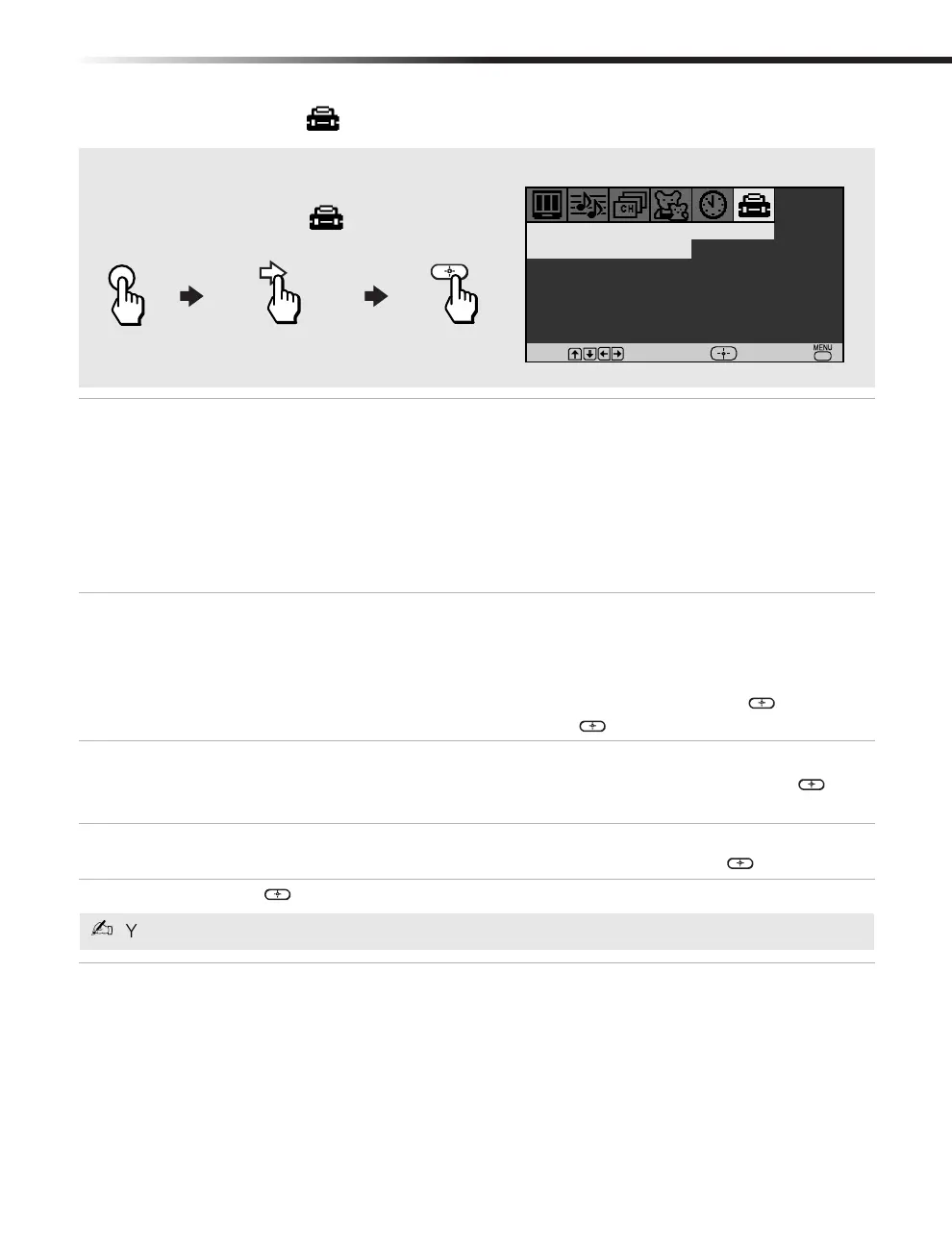
Using the Setup Menu
Caption
Vision
Closed-
Captioning
Allows you to select from three closed caption modes (for programs that are
broadcast with closed caption).
Press
F or f to select one of the following options:
CC1, 2, 3, 4: Displays printed dialogue and sound effects of a program.
Text1, 2, 3, 4: Displays network/station information.
XDS (Extended Data Services): Displays the name of the current program
and its remaining time, if available.
Off: Caption Vision is not activated.
Video Label
Label
connected
equipment
Allows you to label the audio/video components you connected to the TV:
VCR, DVD, etc. When you press TV/VIDEO to switch inputs, the Video
Label will display on-screen.
Press
g to open the Video Label menu:
1 Press
F or f to access the input you want to label and press .
2 Press
F or f to choose a label and press .
Tilt
Correction
Press
g to open Tilt Correction:
Press
F or f to correct any tilt of the picture from –5 to +5, then press to
activate and return to the Setup menu.
Language Display all menus in the language of your choice.
Use the
F or f buttons to select desired language and press .
Demo
Press to run a demonstration of the on-screen menus.
Caption Vision
:
Off
Demo
Video Label
Language
:
English
Setup
Tilt Correction
Move
Select
End
To access the Setup menu, refer to the following steps:
MENU
To Display
To Highlight
To Select
You can press any key to exit the Demo mode.
01US01COV-BR2TOC.book Page 29 Thursday, February 21, 2002 1:49 PM



 To Next Page