EasyManua.ls Logo

Sony Trinitron KV-14M1D - Automatic Channel Preset; Automatic Tuning Procedure; TV Operation Basics; Common TV Controls

Sony Trinitron KV-14M1D
13 pages
Print Icon
To Next Page IconTo Next Page
To Previous Page IconTo Previous Page
Loading...
8
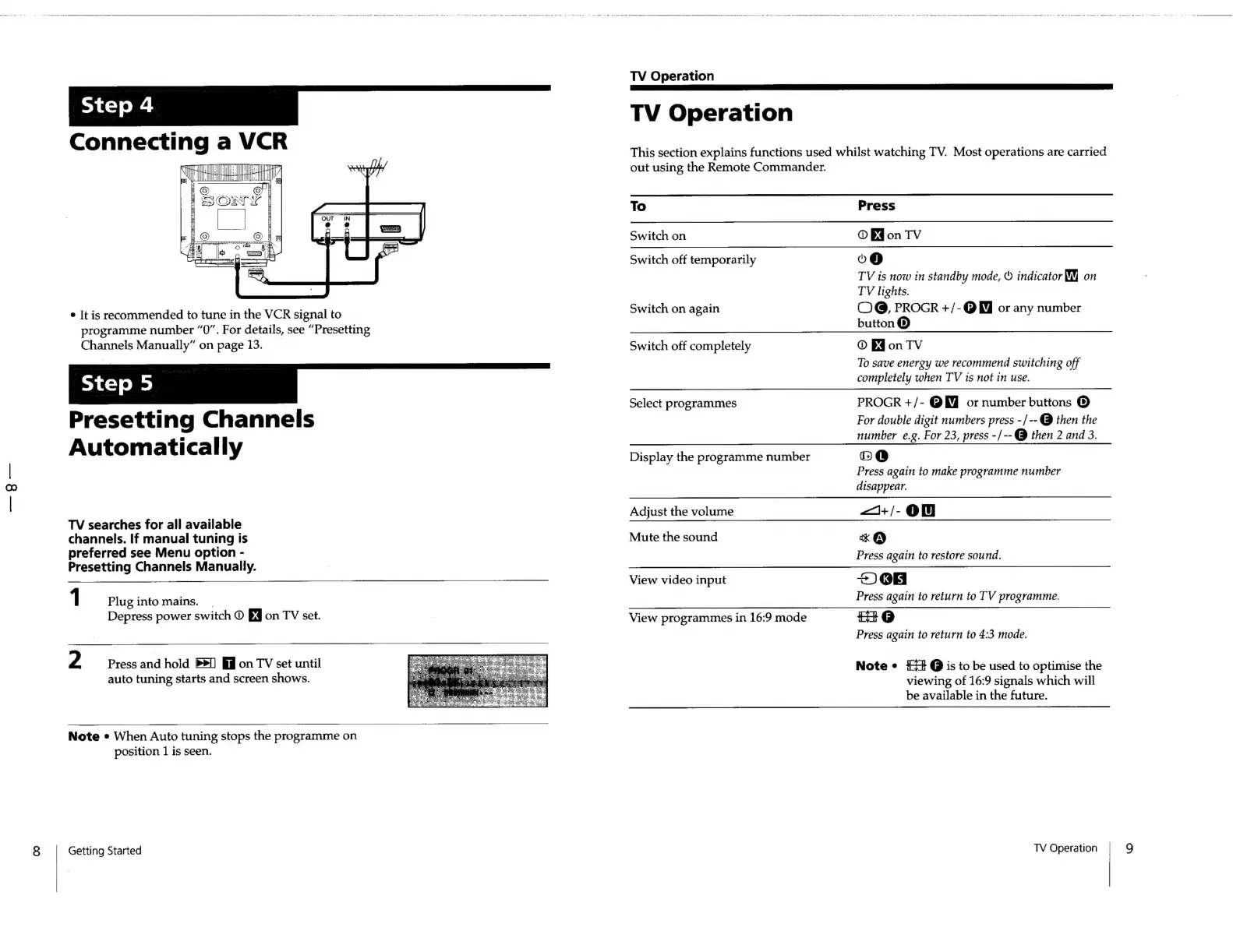
Connecting
a
VCR
.
Tl)
Ly
6
=
¢
It
is
recommended
to
tune
in
the
VCR
signal
to
programme
number
“0”.
For
details,
see
“Presetting
Channels
Manually”
on
page
13.
_
Presetting
Channels
Automatically
TV
searches
for
all
available
channels.
If
manual
tuning
is
preferred
see
Menu
option
-
Presetting
Channels
Manually.
1
Plug
into
mains.
.
Depress
power
switch
©
on
TV
set.
2
Press
and
hold
on
TV
set
until
auto
tuning
starts
and
screen
shows.
Note
*
When
Auto
tuning
stops
the
programme
on
position
1
is
seen.
Getting
Started
TV
Operation
TV
Operation
This
section
explains
functions
used
whilst
watching
TV.
Most
operations
are
carried
out
using
the
Remote
Commander.
To
Switch
on
Switch
off
temporarily
Switch
on
again
Switch
off
completely
Select
programmes
Display
the
programme
number
Adjust
the
volume
Mute
the
sound
View
video
input
View
programmes
in
16:9
mode
Press
O
Eon
TV
o@
TV
is
now
in
standby
mode,
©
indicator
WY
on
TV
lights.
COG,
PROGR
+/-@
WJ
or
any
number
button
®
©
Ed
on
TV
To
save
energy
we
recommend
switching
off
completely
when
TV
ts
not
in
use.
PROGR
+/-
@W
or
number
buttons
®
For
double
digit
numbers
press
-/--
@
then
the
number
e.g.
For
23,
press
-/--@
then
2
and
3.
@
Press
again
to
make
programme
number
disappear.
—+/-
ON
xk
@
Press
again
to
restore
sound.
~)
08
Press
again
to
return
to
TV
programme.
2
@
Press
again
to
return
to
4:3
mode.
Note
¢
4+
@
is
to
be
used
to
optimise
the
viewing
of
16:9
signals
which
will
be
available
in
the
future.
TV
Operation
9

Related product manuals