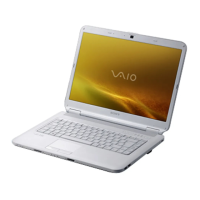
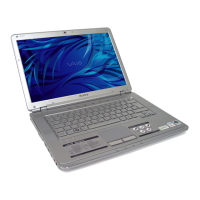
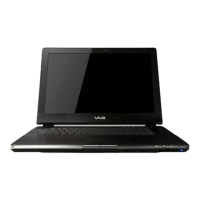
The provided document is a User Guide for a Sony VAIO Personal Computer, specifically the VGN-AR100 Series. It details various aspects of the computer's functions, technical specifications, usage, and maintenance.
Device Description: Sony VAIO Personal Computer (VGN-AR100 Series)
This document serves as a comprehensive user guide for the Sony VAIO Personal Computer, VGN-AR100 Series, outlining its features, operation, and troubleshooting. The VAIO computer is designed to integrate audio, video, computing, and communications technologies for personal use.
Function Description
The VAIO VGN-AR100 Series is a personal computer capable of a wide range of functions, including:
- Basic Computing: Standard operations such as starting up, shutting down, and using the keyboard and touch pad.
- Multimedia: Playing and recording CDs and DVDs, with support for various disc formats including DVD-ROM, CD-RW/DVD-ROM, DVD±RW (supporting DVD+R DL), DVD±RW/+R DL/RAM, and Blu-ray (BD-ROM, BD-R, BD-RE on selected models). It also supports video playback and editing, particularly with the built-in MOTION EYE Camera and pre-installed software like DVgate Plus, Click to DVD, and VAIO Zone.
- Connectivity: Connecting to the internet via modem (dial-up) or Wireless LAN (WLAN), and communicating with other devices using Bluetooth functionality. It supports various peripheral devices through USB, i.LINK (IEEE 1394), and network (LAN) ports.
- Display Options: Connecting to external displays such as computer monitors, multimedia displays, TVs, and projectors, with options for selecting display modes and using multiple monitors.
- Data Storage and Transfer: Utilizing PC Cards, ExpressCard media, Memory Stick media (PRO/Duo), and other memory cards (SD, MMC) for data storage and transfer.
- Power Management: Features power-saving modes (Standby and Hibernate) and VAIO Power Management software to optimize battery life and performance.
- Security: Includes features for setting power-on passwords and antivirus software (Norton Internet Security) for system protection.
Important Technical Specifications
While specific detailed specifications are referred to the "online Specifications" document, the guide provides information on several key technical aspects:
- Optical Disc Drive: Supports various CD and DVD formats for both reading and writing, depending on the model. Blu-ray Disc support (BD-ROM, BD-R, BD-RE) is available on selected models, with specific version formats (e.g., BD-ROM 1.1, BD-R 1.1, BD-RE 2.1). The drive may have a substitute eject button and an indicator light.
- Wireless LAN (WLAN): Supports IEEE 802.11a/b/g standards. The 2.4 GHz bandwidth is used, and communication speed can vary based on distance, obstacles, device configuration, and radio conditions. IEEE 802.11a operates at 5 GHz. Security protocols include WEP, WPA, 802.1X, and EAP.
- Bluetooth Functionality: Available on selected models, enabling wireless communication up to 33 feet (10 meters). It includes an authentication function for security, requiring a passkey for initial communication.
- i.LINK (IEEE 1394) Port: Supports transfer rates up to 400 Mbps. The port does not supply power to external devices. Compatible cables include VMC-IL4415 (1.5m, 4-pin) and VMC-IL4408 Series (0.8m, 4-pin).
- USB Ports: Hi-Speed USB (USB 2.0) ports are available, supporting high-/full-/low-speeds.
- Display Ports: Includes Monitor (VGA) port, HDMI port, S VIDEO INPUT/OUTPUT ports, and AV In jack. The VGA port on the computer is disabled when attached to the multi-function bay docking station. HDMI carries both video and audio signals.
- Memory Card Slots: Features Memory Stick PRO/Duo media slot (compatible with standard and duo-size media, up to 4 GB as of Jan 2006) and an SD memory card slot (supporting MultiMediaCard (MMC) and Secure Digital (SD)).
- Modem Port: For dial-up internet connection.
- Network (Ethernet) Port: Supports 1000BASE-T/100BASE-TX/10BASE-T networks.
- Audio Jacks: Microphone jack and Headphones jack (also PHONES OUT on docking station).
- Built-in MOTION EYE Camera: Integrated camera for video functionality, compatible with software like Windows Messenger and MovieMaker. It has an indicator light.
- Battery: Lithium-ion, rechargeable. The computer is designed to operate only with genuine Sony batteries.
- CPU: Utilizes CPU speed controlling technology for power conservation.
Usage Features
- Keyboard: Standard keyboard with additional Fn key combinations for brightness control (Fn+F5/F6), display output switching (Fn+F7), zoom (Fn+F10), and Hibernate mode (Fn+F12).
- Touch Pad: Cursor-pointing device supporting point, click, double-click, right-click, drag, and scroll functions.
- Special-function Buttons: Dedicated buttons for CHANNEL, TV REC, Play/Pause, Stop, Previous/Next track, AV MODE, VOLUME, Disc drive eject, and S1/S2 buttons for customizable functions (e.g., Logo Lamp Control, SonicStage Mastering Studio audio filtering).
- Remote Commander: A remote control for multimedia functions, requiring AA batteries and a remote sensor connected via USB. It has buttons for MY MUSIC, MY TV, STOP, PAUSE, FWD, SKIP, REPLAY, REW, RECORD, PLAY, BACK, VOL, RECORDED TV, GUIDE, Alphanumeric input, CLEAR, STANDBY, MY PICTURES, MY VIDEOS, MORE, Directional arrows, OK, CH/PG, START, MUTE, DVD MENU, LIVE TV, and ENTER.
- Multi Function Bay Docking Station: An optional accessory that expands connectivity with additional ports (DC IN, USB, DVI-D, MONITOR (VGA), OPTICAL OUT, PHONES OUT, VIDEO OUT, S VIDEO OUT, Network (Ethernet), Security slot). It features IN USE, UNDOCK, and PUSH RELEASE indicators/buttons.
- Power-on Password: Configurable in BIOS setup (accessed via F2 key at startup) for security.
- VAIO Central: A utility for system information and customizing system behavior.
- VAIO Power Management: Software for setting power schemes to manage power consumption.
- Wireless Setup Utility: Software for guiding wireless network setup (on models with this utility).
- Automatic Updates: Windows feature for automatically downloading and installing system updates.
- Norton Internet Security: Preinstalled antivirus software for system protection.
Maintenance Features
- Cleaning: The computer cabinet should be cleaned with a soft, dry, or lightly moistened cloth with mild detergent. Abrasive pads or solvents should be avoided. The MOTION EYE camera lens should be cleaned with a blower brush or soft brush, or a soft dry cloth if very dirty.
- Data Backup: Regular data backup is recommended to prevent loss in case of damage.
- Battery Care: Do not expose the battery to extreme temperatures (above 140°F/60°C or below 50°F/10°C for charging), mechanical shock, or moisture. Remove the battery if not using the computer for an extended period. Use only genuine Sony batteries.
- Hard Disk Care: Avoid sudden movements, magnets, unstable positions, and turning off/restarting the computer during read/write operations. Do not use in places with extreme temperature changes.
- Optical Disc Care: Do not touch the disc surface, drop or bend discs. Clean with a soft cloth from the center out. Do not affix adhesive labels.
- Memory Stick Media Care: Avoid static electricity, electrical noise, and touching connectors. Use only supplied adhesive labels. Do not bend, drop, or disassemble. Keep dry and use a storage case.
- PC Card/ExpressCard Media Care: Insert slot protectors when not in use. Use care when inserting/removing to avoid damage. Use the most recent software drivers.
- Troubleshooting: The guide provides extensive troubleshooting sections for common issues related to startup, software responsiveness, battery, camera, internet, networking, Bluetooth, optical drives, display, printing, microphone, mouse, keyboard, floppy disks, PC Cards, audio/video, and docking station.
- Upgrading Memory: Recommended to contact a dealer for memory module installation to avoid voiding the warranty. Instructions are provided for removing and installing memory modules, emphasizing precautions against electrostatic discharge and physical damage.
- Support Options: Provides contact information for Sony support (Web sites, telephone numbers for USA, Canada, Latin American countries) and third-party software support (Adobe, Intel, Symantec, Intuit, Sonic Solutions, TOSHIBA, Cingular Wireless, Ulead).

 Need help?



 To Next Page
 General