
 Need help?
Do you have a question about the Sony VAIO VPCEA Series and is the answer not in the manual?
This document is a service manual for the Sony VPCEA Series of personal computers, providing comprehensive information for maintenance, repair, and understanding of the device's internal components and functionalities.
The Sony VPCEA Series are personal computers designed for general-purpose computing. They are equipped with various components to support typical user activities such as web browsing, document editing, multimedia consumption, and other applications. The series includes models with both external and internal graphic capabilities, catering to different performance needs.
The VPCEA Series utilizes an Arrandale Processor, which is a Micro-FCBGA-988 (988-pin rPGA socket) CPU. The processor operates at a bus speed of 800/1066/1333 MHz. Memory support includes DDR3 SDRAM, with options for 800/1066 MHz and 1066/1333 MHz, depending on the configuration. The system incorporates a PCH Ibex Peak-M (HM55) chipset, providing 4 USB ports, 2 SATA ports, and 676 MB/s of bandwidth.
For graphics, models are available with either GFX (External Graphic Models) or integrated graphics (Internal Graphic Models). External graphic models feature an AMD Madison-LP M2 or M3 GPU with GDDR3 VRAM. Display output is handled via HDMI, LVDS, and CRT interfaces.
Connectivity options include Ethernet GbE (Realtek RTL8111E or Marvell Yukon 88E8059/8057), Wi-Fi (Mini-PCIe Card WLAN), and Bluetooth. Audio is managed by a Realtek ALC269 codec with Class D Amp, supporting internal speakers and external microphone/headphone jacks with S/PDIF. Storage includes an HDD and an ODD (Optical Disc Drive).
The system also features a Winbond NPCE783L (LQFP-128) embedded controller, which manages various system functions including fan control, battery ID, and power management. Other components include a camera module, digital mic, and an Express Card 34mm slot.
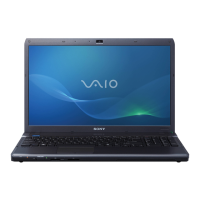
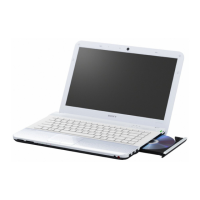
The VPCEA Series offers a standard laptop form factor with a keyboard, touchpad, and display. The display can be either AUO, SAMSUNG, or LGD, with specific part numbers provided for different resolutions and manufacturers (e.g., AUO LCD (A-1772-814-A), SAMSUNG LCD (A-1784-210-A), LGD LCD (A-1755-119-A)). The display assembly includes a protector sheet that needs to be removed before installation.
The device includes a DIP Switch for various configurations, with six distinct switches. The manual provides detailed tables showing the DIP switch settings for different LCD types (AUO, SAMSUNG, LGD) and their corresponding part numbers (e.g., 14WXGA_HDARREEBR_FwLED (AUO) (A-1772-814-A)). Users can adjust these settings based on the specific display installed.
The service manual provides detailed instructions for various maintenance and repair procedures:
The manual also provides specific notes regarding parts lists, such as how to identify components by mark (triangle or dotted line) and the meaning of various symbols (e.g., "★" for service, "◎" for common parts, "△" for critical for safety). It also clarifies the meaning of short names for components like Bluetooth (BT), Felica, Wireless LAN (WLAN), and Security Chip (TPM).






 To Next Page
 General