50
nN
Using Peripheral Devices >
Connecting an Optical Disc Drive
Connecting an Optical Disc Drive
To use optical disc media with your computer, connect an external optical disc drive (not supplied) to your computer.
Connecting an Optical Disc Drive
!
Be sure to connect an external optical disc drive before you launch any preinstalled disc operation program.
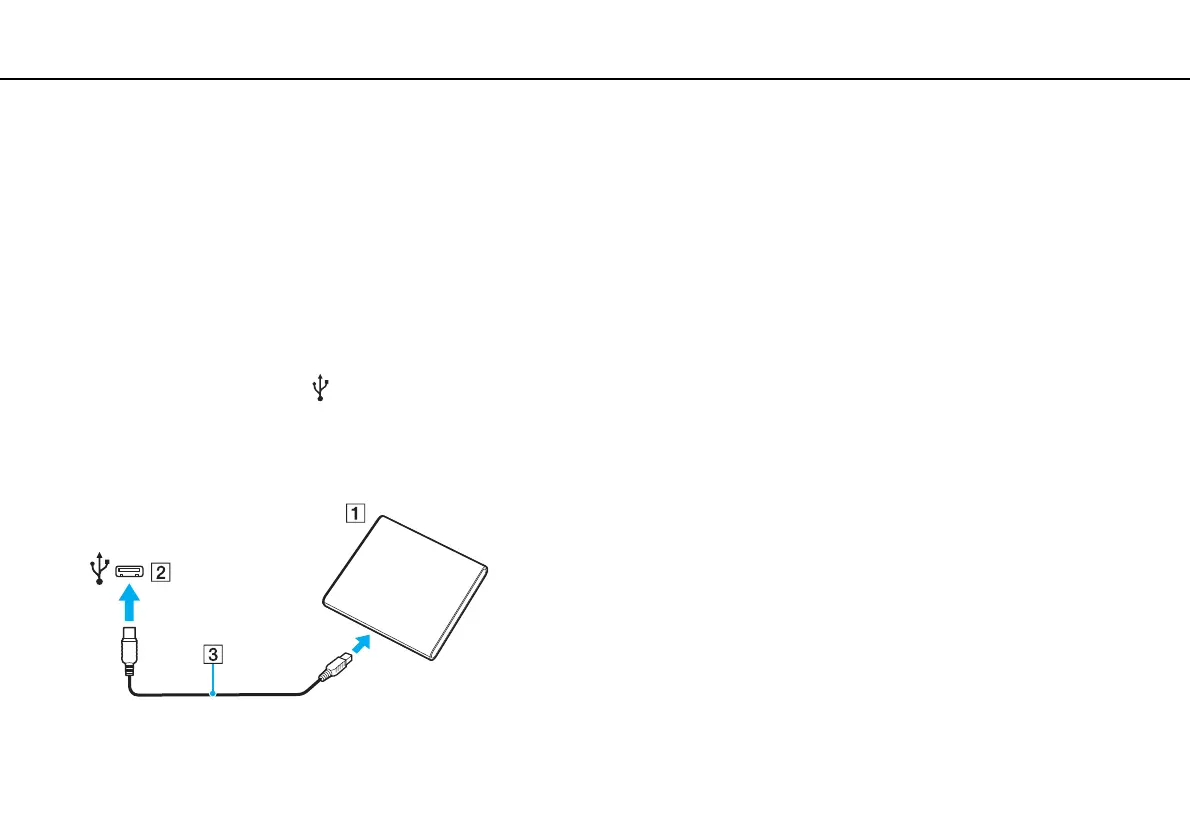
To connect an optical disc drive
1 Plug the power cord (if any) of your external optical disc drive (not supplied) (1) into an AC outlet.
2 Choose the USB port (2) you prefer to use.
3 Plug one end of a USB cable (not supplied) (3) into the USB port, and the other end to the optical disc drive.
See the manual that came with your external optical disc drive for the detailed instructions on connecting the USB cable
to the drive.







 To Next Page