13
nN
Getting Started >
Locating Controls and Ports
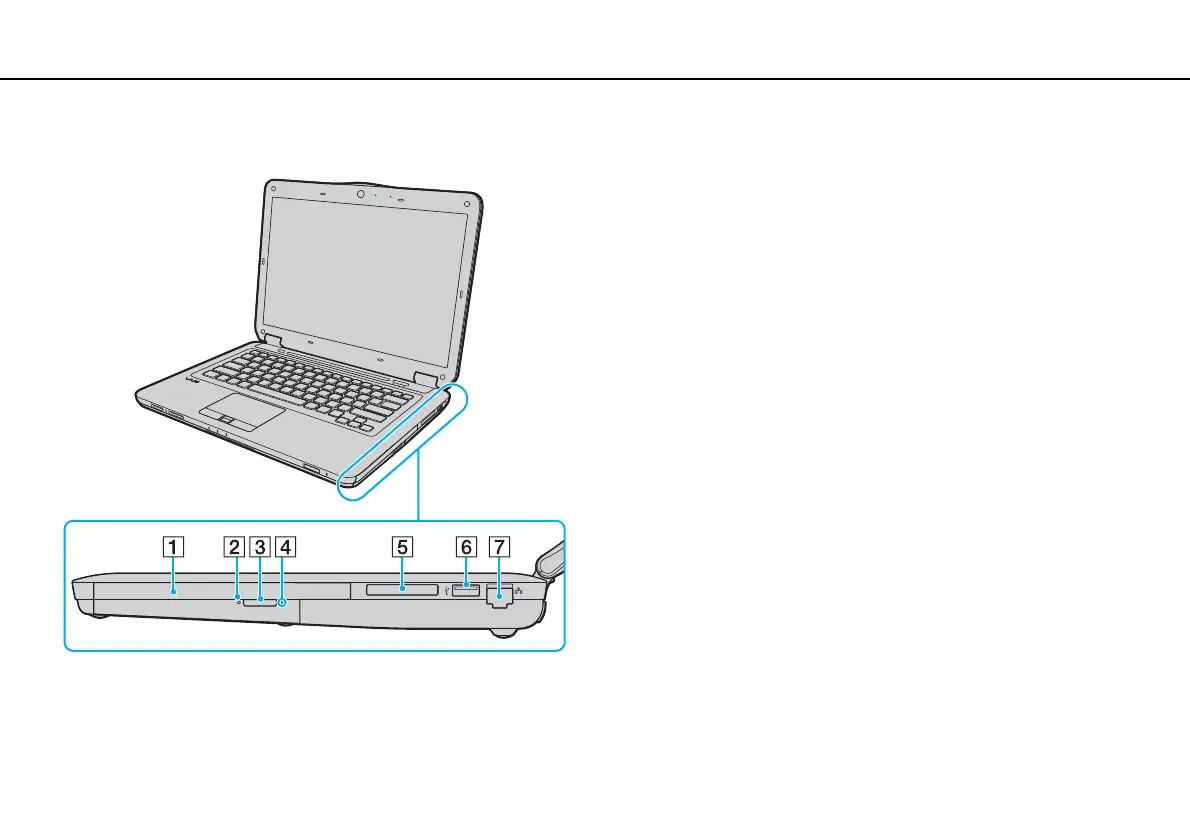
Right
A Optical disc drive (page 37)
B Optical disc drive indicator (page 16)
C Drive eject button (page 37)
D Manual eject hole (page 154)
E ExpressCard/34 slot (page 49)
F Hi-Speed USB (USB 2.0) port
*
(page 88)
G Network (Ethernet) port (page 58)
* Supports high-/full-/low- speeds.


 To Next Page