50
nN
Using Your VAIO Computer >
Using Other Modules / Memory Cards
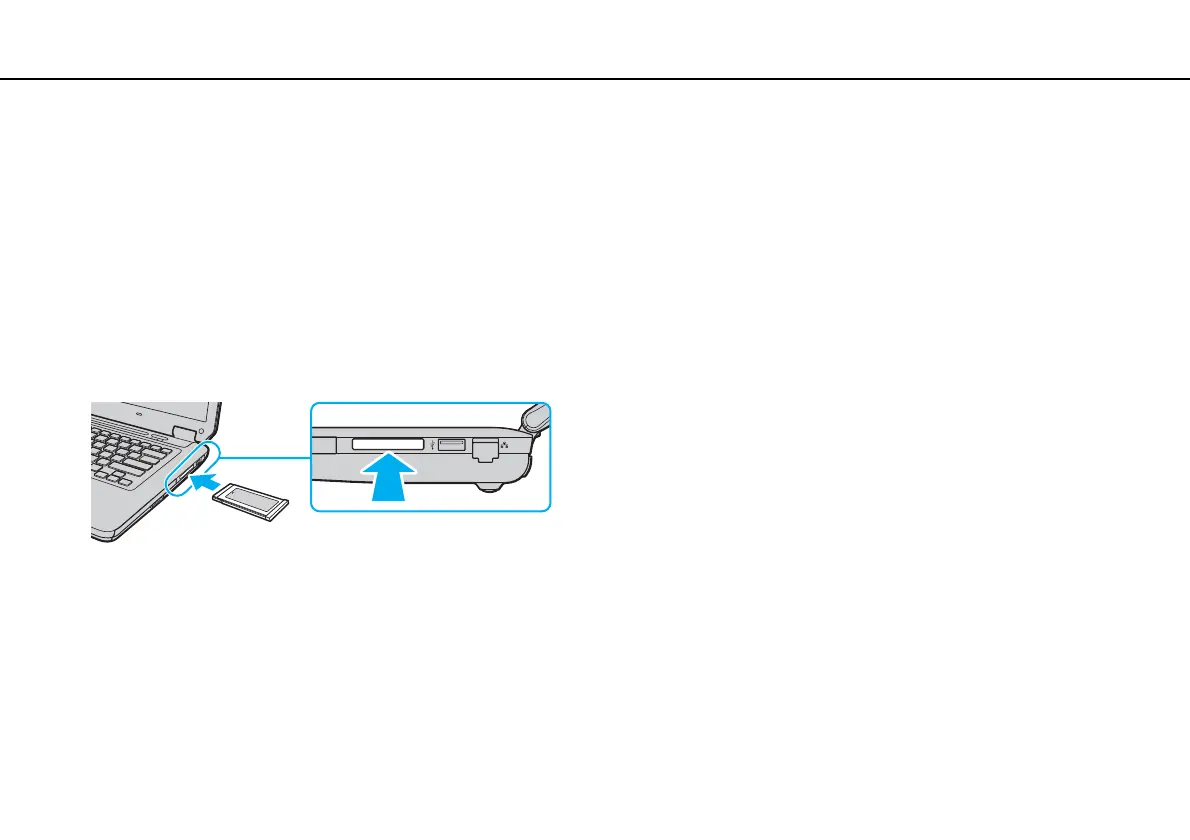
To insert an ExpressCard module
!
Your computer is supplied with a slot protector in the ExpressCard slot. Remove the slot protector before you use the slot.
1 Locate the ExpressCard slot.
2 Push the ExpressCard slot protector so that the protector pops out.
3 Gently take hold of the ExpressCard slot protector and pull it out of the slot.
4 Hold the ExpressCard module with the arrow facing upward and pointing toward the slot.
5 Carefully slide the ExpressCard module into the slot until it clicks into place.
Do not force it into the slot.
✍
If the module does not go into the slot easily, remove it gently and verify you are inserting it in the proper direction.
Make sure you use the most recent driver software provided by the ExpressCard module manufacturer.


 To Next Page