53
nN
Using Your VAIO Computer >
Using Other Modules / Memory Cards
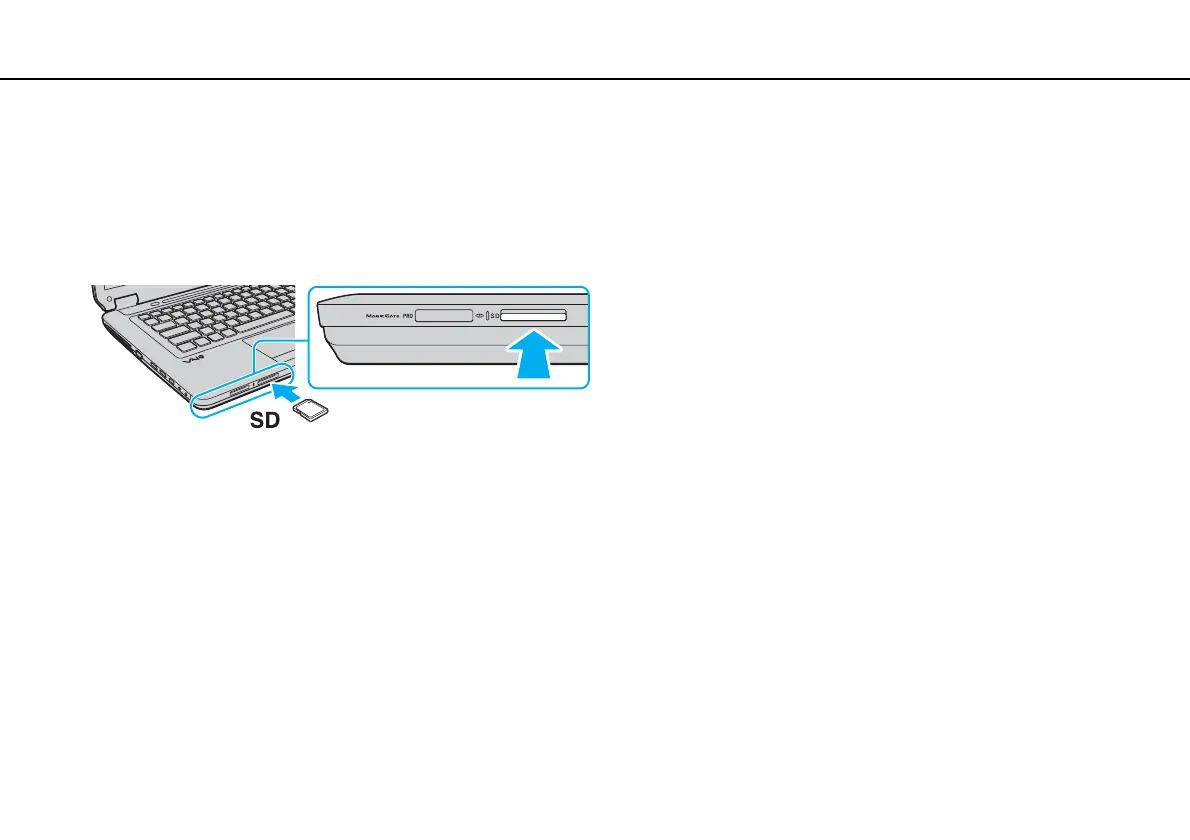
To insert an SD memory card
1 Locate the SD memory card slot.
2 Hold the SD memory card with the arrow facing upward and pointing toward the slot.
3 Carefully slide the SD memory card into the slot until it clicks into place.
Do not force the card into the slot.
✍
If the SD memory card does not go into the slot easily, remove it gently and verify you are inserting it in the proper direction.


 To Next Page