83
nN
Using Peripheral Devices >
Connecting an External Display
To connect a computer display or a projector
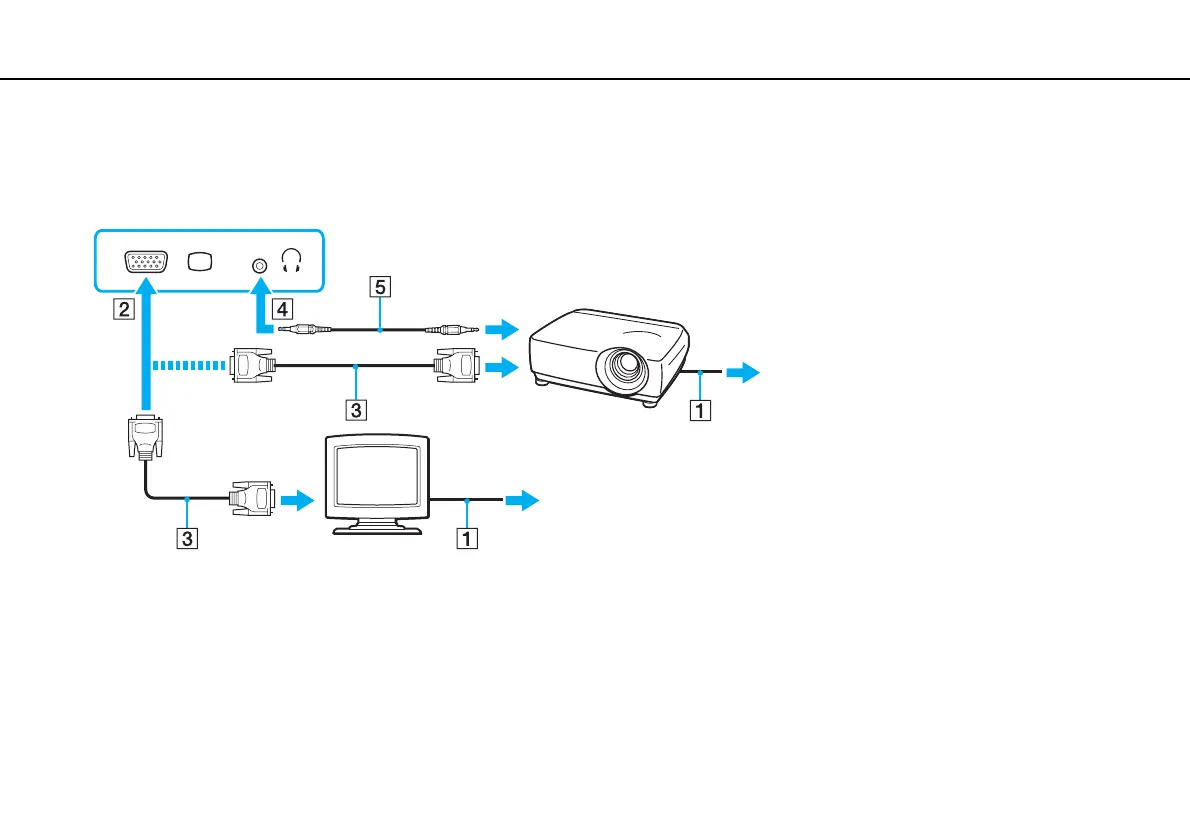
1 Plug the power cord (1) of your external display or the projector into an AC outlet.
2 Connect the external display or the projector to the monitor port (2) on the computer with a display cable (3).
✍
If necessary, connect the headphones jack on the projector and the headphones jack (4) i on the computer with a speaker cable (5).
!
Your computer is compliant with the HDCP standard and capable of encrypting the transmission channel of digital video signals for the purpose of
copyright protection, which enables you to play and view a wide variety of copyright protected and high-quality content. To view the copyright protected
content, connect an HDCP-compliant monitor to your computer. If your computer has a non-compliant monitor connected, you will not be able to play
or view any copyright protected content.






 To Next Page