C
Portable CD Player
Operating Instructions
3-261-647-71 (1)
©2003 Sony Corporation Printed in China
D-EJ100/EJ106CK
“WALKMAN” is a registered trademark of Sony Corporation to represent Headphone Stereo
products.
is a trademark of Sony Corporation.
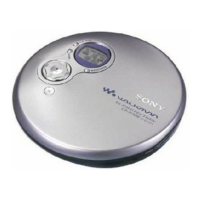
CD player (front)
A
*The button has a tactile dot.
Display
1 ./>
OPEN
3 HOLD
2 u*
7 x
CD player (inside)
Insert the # end first (for both
batteries).
B
Open the battery compartment lid.
AVLS Remaining battery power
Sound mode
Track number
Playing time
Display on the CD player
to an AC outlet
i
AC power
adaptor*
Headphones or earphones
DC IN 4.5V
D
Label side up
WARN I NG
To prevent fire or shock hazard, do not expose the unit to
rain or moisture.
Do not install the appliance in a confined space, such as
a bookcase or built-in cabinet.
To prevent fire, do not cover the ventilation of the
apparatus with newspapers, tablecloths, curtains, etc. And
don’t place lighted candles on the apparatus.
To prevent fire or shock hazard, do not place objects filled
with liquids, such as vases, on the apparatus.
CAUTION
The use of optical instruments with this product will
increase eye hazard.
Certain countries may regulate disposal of the battery used
to power this product. Please consult with your local
authority.
CAUTION
• INVISIBLE LASER RADIATION WHEN OPEN
• DO NOT STARE INTO BEAM OR VIEW DIRECTLY
WITH OPTICAL INSTRUMENTS
• CLASS 1M INVISIBLE LASER RADIATION WHEN
OPEN
• DO NOT VIEW DIRECTLY WITH OPTICAL
INSTRUMENTS
The validity of the CE marking is restricted to only those
countries where it is legally enforced, mainly in the
countries EEA (European Economic Area).
For customers who purchased the Psyc
model
Illustrations of the basic model are used in this manual.
Though certain aspects of the appearance are different, the
location of controls and operating procedures are the same
as those of the basic model.
For customers who purchased this
product in the USA
Owner’s Record
The model number and the serial number are located at the
rear of the CD player. Record the these numbers in the
spaces provided below. Refer to them whenever you call
upon your Sony dealer regarding this product.
Model No. ____________________________
Serial No. ____________________________
Product registration
Please register this product on line at www.sony.com/
walkmanreg
<http://www.sony.com/walkmanreg>
Proper registration will enable us to send you periodic
mailings about software upgrades, new products, services
and other important announcements. Thank you.
This equipment has been tested and found to comply with
the limits for a Class B digital device, pursuant to Part 15
of the FCC Rules. These limits are designed to provide
reasonable protection against harmful interference in a
residential installation. This equipment generates, uses,
and can radiate radio frequency energy and, if not installed
and used in accordance with the instructions, may cause
harmful interference to radio communications. However,
there is no guarantee that interference will not occur in a
particular installation. If this equipment does cause
harmful interference to radio or television reception,
which can be determined by turning the equipment off and
on, the user is encouraged to try to correct the interference
by one or more of the following measures:
– Reorient or relocate the receiving antenna.
–
Increase the separation between the equipment and receiver.
– Connect the equipment into an outlet on a circuit
different from that to which the receiver is connected.
– Consult the dealer or an experienced radio/TV
technician for help.
You are cautioned that any changes or modifications not
expressly approved in this manual could void your
authority to operate this equipment.
Pow e r Sourc e s
To use t he AC pow e r ada pt or (C)
1 Connect the AC power adaptor to an AC outlet.
To use t he ba tte rie s (B)
Use only the following batteries for your CD player:
Dry batteries
• LR6 (size AA) alkaline batteries
To insert t he bat terie s
1 Open the battery compartment lid inside your CD
player.
2 Insert two batteries by matching the 3 to the diagram
in the battery compartment and close the lid until it
clicks into place.
Battery life* (approx. hours)
(When the CD player is used on a flat and stable place.)
Playing time varies depending on how the CD player is
used.
G-PROTECTION
ON OFF
Two Sony alkaline
batteries LR6 (SG) 50 45
(produced in Japan)
* Measured value by the standard of JEITA (Japan
Electronics and Information Technology Industries
Association).
To check the remaining power of the
batteries
You can check it in the display.
Replace the batteries when “
” flashes.
t t t
t t Lo batt*
*Beep sounds.
Notes
• The indicator sections of roughly shows the
remaining battery power. One section does not always
indicate one-fourth of the battery power.
• Depending on operating conditions, the indicator
sections of
may increase or decrease.
Notes on using the dry batteries
• Be sure to remove the AC power adaptor.
• When the batteries are depleted, replace both batteries
with new ones.
Pla ying a CD
To insert a CD
1 Slide OPEN to open the lid (A).
2 Fit the CD to the pivot, then close the lid (D).
Notes
• This CD player can play CD-Rs/CD-RWs recorded in the
Compact Disc Digital Audio (Audio CD) format, but
playback capability may vary depending on the quality of the
disc and the condition of the recording device.
• This product is designed to play back discs that conform to
the Compact Disc (CD) standard.
Recently, various music discs encoded with copyright
protection technologies are marketed by some record
companies. Please be aware that among those discs, there are
some that do not conform to the CD standard and may not be
playable by this product.
To opera t e the CD playe r
Button/Switch Function/Operation
1./> Press . or > once to find
(AMS*
1
/search) the beginning of the current/next
track. Press . or >
repeatedly to find the beginning of
the previous/succeeding tracks.
Press and hold . or > to go
backward/forward quickly.
2 u • Press to start play. Press again to
(play/pause) pause play.
To play from the first track, press
for 2 seconds or more while the
CD player is stopped.
• Also press to enter the selection.
3 HOLD Use to lock the controls to prevent
accidental button presses.
4 DISPLAY/ • Press once to display “track
MENU number and remaining time of the
current track.”
Press twice to display “the
number of tracks left and the time
remaining on the CD.”
Press three times to display “track
number and elapsed playing time
(normal display).”
• Also press to enter the menu and
to enter the selection.
5 P MODE/ During play, press repeatedly until
(play mode/repeat) the play mode you want appears on
the display.
No indication: Normal play
“1”: Single track play
“SHUF”: Shuffle play
“ ”: Bookmark track play
“PGM”: PGM (program) play
To repeat the play mode you
selected, press and hold until “ ”
appears.
6 SOUND*
2
• Use to emphasize the bass-
boosted sound. Press repeatedly
to select BASS
or BASS
. BASS enhances
more than BASS
.*
3
• Also use to keep down the
maximum volume to protect your
hearing. Press and hold until
“AVLS*
4
” appears in the display.
The AVLS function is turned on.
To turn off the AVLS function,
press and hold again until
“AVLS” disappears.
7 x(stop) Press to stop play.
8 VOL+/– Press to adjust the volume.
9 Hook Use to hang the remote control on a
knapsack, etc.
*
1
AMS = Automatic Music Sensor
*
2
If you disconnect the power sources, all settings returns to
the defaults.
*
3
If the sound is distorted when using the SOUND function,
turn down the volume.
*
4
AVLS = Automatic Volume Limiter System
To rem ove the CD
Remove the CD while pressing the pivot as illustrated
below.
Play mode
6 SOUND
5 P MODE/
4 DISPLAY/MENU
DC IN 4.5 V (external power
input) jack
i (headphones) jack
8 VOL +* /–
G-PROTECTION
Bookmark
1 >
2 u*1 .
7 x
9 Hook
*The button has a tactile dot.
Remote control (D-EJ100 only)
3 HOLD (rear)
Strap hole
8 VOL +* /–
Note
Use only the supplied remote control. You cannot operate
this CD player with the remote control supplied with other
CD players.
*D-EJ106CK only
Downloaded from: https://www.usersmanualguide.com/

 Need help?
 General

 To Next Page