音もれを抑え耳にやさしい音にする
(
AVLS
−オート・ボリューム・リミッター・
システム−快適音量)
本体の
VOL
つまみを
AVLS
(音量小)に合わせます。
AVLS
を解除するには
本体の
VOL
つまみを中央または音量大の位置に合わせます。
誤操作を防ぐ(ホールド機能)
リモコンでは
HOLD
スイッチを矢印の方向にずらしてリモコンの誤操作を
防ぎます。
本体では、ホールドシャッターを図のようにずらして閉め、本体の誤操作
を防ぎます。
B
テープを聞く−応用
いろいろな聞きかたをする
❐ 好きな曲を頭出しする
(
AMS—
オートミュージックセンサー)
最大
9
曲までとばすことができます。
早送りして何曲か先の曲を再生するには
リモコン:再生中に
FF
をとばしたい曲数回押す。
本体:再生中にジョグレバーを.
FF
の方向にとばしたい曲数回ずらす。
「ピ」と言う確認音のあと、早送りされ、あと
1
曲になると「ピッピー、ピ
ッピー、…」と鳴ります。
巻き戻して何曲か前の曲を再生するには
リモコン:再生中に
REW
を戻したい曲数回押す。
本体:再生中にジョグレバーを>
REW
の方向に戻したい曲数回ずらす。
「ピ」と言う確認音のあと、巻き戻され、あと
1
曲になると「ピピッピー、
ピピッピー、…」と鳴ります。
❐ 聞いている曲を繰り返し再生する(
1
曲リピート)
1
曲リピートを始めるには
リモコン:再生中にY
•
xをすばやく
2
回押す。
本体:再生中にジョグレバーをすばやく
2
回押す。
「ピピーピ」と言う確認音のあと、リモコン表示窓に「
REP
」が点灯しま
す。
巻き戻し中は「ピピーピ」が繰り返し鳴ります。(「
REP
」は点滅)
1
曲リピートを解除するには
リモコンのY
•
xまたは本体のジョグレバーを
1
回押す。
AMS
、
1
曲リピートが正しく動作しないことがあります
•AMS
や
1
曲リピート機能では曲間の
4
秒以上のあき(無音部分)を見つけて頭出しを
しています。あきが
4
秒未満のときや曲間に雑音があるとき、曲の直前や直後にボタ
ンを押したときは、頭出しができないことがあります。また、曲中に音の小さい部
分や長い無音部分があると、そこで頭出しをすることがあります。
•AMS
や
1
曲リピート中に頭出しができないことがありますが、故障ではありませ
ん。詳しくは「故障かな?」をご覧ください。
❐ テープ走行のしかたを選ぶ
(テープの走行方法とブランクスキップ)
テープの走行方法
(sまたはd)と、ブランクスキップ機能の入
/
切がで
きます。
ブランクスキップ機能が働いているときは(「
BL SKIP
」点 灯 )、曲間の長
いあきをとばして次の曲の頭出しをします。
リモコンの
MODE
ボタンを押して、走行方法を選びます。
s 両面を繰り返し再生します。
r
s
BL SKIP
両面を繰り返し再生し、曲間の長いあきをとばします。
r
d 両面を
1
回ずつ再生
*
します。
r
d
BL SKIP
両面を
1
回ずつ再生
*
し、曲間の長いあきをとばします。
*
本体側の面から始めたときは、本体側の面のみを再生します。
ブランクスキップが正しく動作しないことがあります
•
ブランクスキップでは曲間に
12
秒以上のあきを見つけると、早送りして次の曲を再
生しています。録音した機器によっては曲間のあきが完全な無音部分にならないた
めに、ブランクスキップが動作しないことがあります。また、小さい音が長く続く
部分があると、曲の途中でも早送りすることがあります。その場合には、
MODE
ボ
タンを押し、ブランクスキップを解除してください。
•
ブランクスキップ中に、無音部分で再生を始めることがありますが、故障ではあり
ません。詳しくは「故障かな?」をご覧ください。
❐ ドルビー
* B NR
で録音したテープを聞く
;マークが点灯するまでリモコンの
SOUND
ボタンを押したままにしま
す。録音の特性にあわせた再生ができます。ドルビー
B NR
を使わずに録
音したテープの場合には;が消灯するまで
SOUND
ボタンを押したままに
します。
*
ドルビーラボラトリーズからの実施権に基づき製造されています。
Dolby
、ドルビー及びダブル
D
記号はドルビーラボラトリーズの商標です。
❐ 好みの音に調節する
リモコンの
SOUND
ボタンを繰り返し押します。押すごとに表示が次のよ
うに切り換わります。
表示 音質
表示なし 通常の音質
r
RV REVIVE
(リバイブ):高音を強調
(古いテープなど高音に
r メリハリがないテープを再生するとき)
MB MEGA BASS
(メガベース):低音を強調
r
GRV GROOVE
(グルーブ):低音をより強調
GROOVE
にしたときに音がひずんだように聞こえる曲では、本体の音量
を下げるか、他の音質を選んでお聞きください。
テープ走行方法、ブランクスキップ、ドルビー
B NR
、音質の設定は電池を交換
するまで記憶されています
電池を交換すると解除されます。
ご注意
早送り、巻き戻し中は
MODE
ボタンと
SOUND
ボタンは使えません。
テープを聞く
TYPE I
(ノーマル)、
TYPE II
(ハイポジション)、
TYPE IV
(メタ
ル)のテープを自動的に判別し、再生します(オートテープセレク
ター機能)。
カセットを入れる
再生する
音量調節について
本体の
VOL
つまみは、
3
段階に調節できます。通常は中央の位置に合わせ、微調整は
リモコンの
VOL
つまみを回して行ってください。
録音レベルが小さいテープを聞くときは本体の
VOL
を大(右)に合わせます。また、
本体の
VOL
を小(左)に合わせると
AVLS
が働きます。詳しくは「音もれを抑え耳に
やさしい音にする」をご覧ください。なお、音量は完全にしぼり切ることはできませ
ん。
ヘッドホンの正しい装着方法
耳にぴったり合わないときや、音のバランスが
不自然なときは、おさまりのいい位置に調節し
てください。
本体で操作するには
ジョグレバーで操作します。ジョグレバーが隠れているときは、ホールド
シャッターを
OPEN
の矢印の方向にずらして開けてください。
準備する
お買い上げ時には、充電式電池をまず充電してください。
充電式電池を充電する
約
3
時間で充電完了です。
充電式電池を入れる
乾電池で使うときは
別売りのソニーアルカリ乾電池(単
3
形)を
1
本を入れます。
充電式電池と一緒に使うと長時間再生ができます。
主な特長
•
リバイブ メガベース
テープに合わせて選べる
3
種類の音質、
REVIVE
、
MEGA BASS
、
グルーブ
GROOVE
。
•
本体で簡単に操作できるジョグレバー。
•
充電式電池とアルカリ乾電池(別売り)の併用で約
84
時間再生ができる、
スタミナタイプ。
•
語学学習にも便利な「キュー&レビュー」。
•36
倍速の高速サーチで、前後
9
曲の頭出しをする
AMS
。
•
お気に入りの曲を繰り返し聞ける
1
曲リピート。
•
使いやすいバックライト付き液晶リモコン。
付属品を確かめる
●充電式ニカド電池
NC-6WM
●乾電池ケース
●キャリングポーチ
●充電池ケース
●取扱説明書
•
保証書
3テープのたるみを
取ってからテープ
側を奥にして奥ま
で確実に入れる
2ふたが少し開いたら
手でふたを開ける
安全のために
•
付属の充電式電池を持ち運ぶときは、必ず付属の充電池ケースに入れてください。
ケースに入れずにコイン、キー、ネックレスなどの金属類と一緒に携帯・保管する
と、電池の+と−がショートし、発熱することがあります。
•
乾電池や乾電池ケースはコイン、キー、ネックレスなどの金属類と一緒に携帯・保
管しないでください。乾電池の+と−、または乾電池ケースの端子が金属でつなが
るとショートし、発熱することがあります。
●充電器
REW (–)
リモコンをつなぎ、ホールドを
解除する
保証書とアフターサービス
保証書
•
所定事項の記入および記載内容をお確かめのうえ、大切に保存してください。
•
保証期間は、お買い上げ日より
1
年間です。
アフターサービス
調子が悪いときはまずチェックを
この説明書をもう一度ご覧になってお調べください。
それでも具合の悪いときはサービスへ
お買い上げ店または添付の「ソニーご相談窓口のご案内」にあるお近くのソニーサー
ビス窓口にご相談ください。
保証期間中の修理は
保証書の記載内容に基づいて修理させていただきます。詳しくは保証書をご覧くださ
い。
保証期間経過後の修理は
修理によって機能が維持できる場合は、ご要望により有料修理させていただきます。
部品の保有期間について
当社ではカセットプレーヤーの補修用性能部品
(
製品の機能を維持するために必要な部
品
)
を、製造打ち切り後最低
6
年間保有しています。この部品保有期間を修理可能な期
間とさせていただきます。保有期間が経過した後も、故障箇所によっては修理可能の
場合がありますので、お買い上げ店またはサ−ビス窓口にご相談ください。なお、補
修用性能部品の保有期間は通商産業省の指導にもよるものです。
図のように必ず#側
から入れてください
乾電池ケースを
本体に取り付ける
HOLD
4ふたを閉める
AC 100V
3-221-646-01 (2)
WM-EX910
Sony Corporation ©2000 Printed in Malaysia
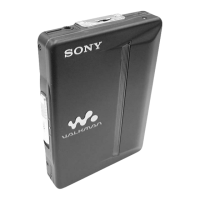
カセットプレーヤー
WALKMAN
はソニー株式
会社の登録商標です。
WALKMAN is a registered
trademark of Sony
Corporation.
取扱説明書
•
保証書
/
Operating Instructions
お買い上げいただきありがとうございます
電気製品は安全のための注意事項を守らない
と、火災や人身事故になることがあります。
この取扱説明書と別冊の「安全のために」をよくお読みのう
え、製品を安全にお使いください。
お読みになったあとは、いつでも見られるところに必ず保管し
てください。
●ソニーご相談窓口のご案内
1
2
3
1
2
●リモコンつきヘッドホン
(
リモコン
)
#側を奥にして
入れる
1
2
3
4
iへ
しっかり差し込む
1
OPEN
つまみを
矢印の方向にずらす
VOL
AVLS
1Y
•
xを押す
2
VOL
で音量を
調節する
REW (–)
FF (+)
O
P
E
N
VOL
AVLS
ジョグレバーを
1
回
押すと再生が始まり
ます。
ホールドシャッター
HOLD
O
P
E
N
ジョグレバー
「
L
」を左、
「
R
」を右の耳に
R
L
FF
方向
REW
方向
FF (+)
Y
•
x
SOUND
(音質調節と;入/切)
MODE
(s
/
d選択と
BL SKIP
入/切)
B
Vの方向にずらして開ける
押す
ずらす(
FF
方向)
ずらす(
REW
方向)
その他のテープ操作
リモコンで操作するには
操作 押すボタン 動作の確認音
(リモコン表示)
再生面の切り換え 再生中にY
•
xを
1
秒 ふた側(
FWD
)の面スタート
:
以上 ピ(「
F
」)
本体側(
REV
)の面スタート
:
ピピ(「
R
」)
停止 再生中にY
•
xを
1
回ピ
早送り/巻き戻し
*
停止中に
FF
/
REW
ピ(「
FF
」/「
REW
」が点灯)
音を聞きながら 再生中に
FF
をピ(「
FF
」/「
REW
」が点滅)
早送りする(キュー) 押し続ける。 ボタンから手を離すとピ
音を聞きながら 再生中に
REW
を
再生に戻る
巻き戻す(レビュー) 押し続ける。
早送りして反対面を 停止中に
FF
を
2
秒以上 ピ→ピ→ピ、ピ、…
再生(スキップリバース) (「
FF
」が点滅)
巻き戻して最初から 停止中に
REW
を ピ→ピ→ピピ、ピピ、…
再生(オートプレイ)
2
秒以上 (「
REW
」が点滅)
*
早送り、巻き戻し中にY
•
xボタンを押すと再生状態になります。
本体で操作するには
ジョグレバーで操作します。
操作 ジョグレバー 動作の確認音
再生面の切り換え 再生中に
1
秒以上押す。 ふた側(
FWD
)の 面
スタート
:
ピ
本体側(
REV
)の 面
スタート
:
ピピ
停止 再生中に
1
回押す。 ピ
早送り/巻き戻し
*
停止中に.
FF
/>
REW
のピ
方向に
1
回ずらす。
音を聞きながら 再生中に.
FF
の方向に ピ
早送りする(キュー) ずらしたままにする。 ボタンから手を離す
音を聞きながら 再生中に>
REW
の方向に
とピ再生に戻る
巻き戻しする(レビュー)ずらしたままにする。
早送りして反対面を 停止中に.
FF
の方向 ピ→ピ→ピ、ピ、…
再生(スキップリバース)に
2
秒以上ずらしたまま
にする。
巻き戻して最初から 停止中に>
REW
の ピ→ピ→ピピ、
再生(オートプレイ) 方向に
2
秒以上ずらした ピピ、…
ままにする。
*
早送り、巻き戻し中にジョグレバーを押すと再生状態になります。
上記以外のテープ操作は、「テープを聞く−応用」をご覧ください。
カセットぶたを開けるときは、テープが停止していることを確認してください。
動作中にカセットぶたを開けるとテープがたるみ、テープを傷めるおそれがあり
ます。
ホールドシャッター
カセットプレーヤー
WM-EX910
T-02-1001A-1

 Need help?
 General


 To Next Page
