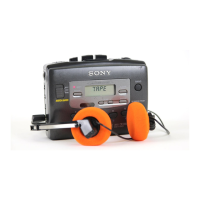
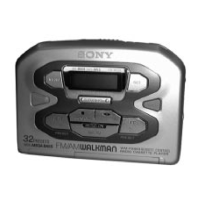
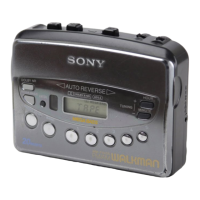
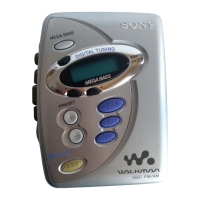
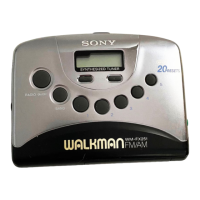
This document describes the Sony WM-FX465/FX463 Walkman, a portable radio cassette player.
Function Description
The Walkman functions as both a radio and a cassette player. It allows users to listen to radio broadcasts across various bands (FM1, FM2, TV, AM for U.S.A. models; FM1, FM2, FM3, AM for Canada models) and play audio cassettes. The device includes features for setting the clock, tuning radio stations, presetting favorite stations, and controlling cassette playback.
Important Technical Specifications
- Frequency Range:
- FM: 87.5-108MHz (0.1MHz step)
- AM: 530-1710kHz (10kHz step)
- TV: 2-13ch (U.S.A. only)
- Power Requirements:
- 3V DC batteries AA (R6) x 2
- External DC 3V power sources
- Dimensions (W/H/D): 112.5 x 86.6 x 33.1 mm (approximately 4 1/2 x 3 1/2 x 1 5/16 inches), including projecting parts and controls.
- Mass:
- Approx. 155g (5.5 oz) for the unit itself.
- Approx. 265g (9.4 oz) including batteries, cassette, earphones, and belt clip (WM-FX463).
- Approx. 300g (10.6 oz) including batteries, cassette, headphones, and belt clip (WM-FX465).
- Supplied Accessories: Stereo headphones or earphones (1), Belt clip (1).
- Dolby NR System: The WM-FX465 model supports Dolby Noise Reduction for tapes recorded with the Dolby NR system. "DOLBY" and the double-D symbol are trademarks of Dolby Laboratories Licensing Corporation.
Usage Features
- Clock Setting: The device features a 12-hour clock system (24-hour for "E" area indication) that can be set by pressing ENTER and using the TUNING +/- buttons.
- Cassette Playback:
- Tape Type Matching: Users can set NORM/CrO2/METAL to match the tape type for optimal playback.
- Playback Controls: Includes PLAY, STOP, Fast-forward, and Rewind functions.
- Direction Control: The DIR switch allows selection of playback direction (single-side or continuous two-side playback).
- Automatic Volume Limiter System (AVLS): Setting AVLS to LIMIT automatically reduces the maximum volume to protect hearing. Setting it to NORM cancels this function.
- Radio Functions:
- Power On/Off: Controlled by the RADIO ON/OFF button.
- Band Selection: The BAND button cycles through available bands (FM1, FM2, TV, AM for U.S.A.; FM1, FM2, FM3, AM for Canada).
- Tuning: TUNING +/- buttons allow manual or quick scanning for stations.
- Preset Stations: Up to 20 stations can be stored (5 for each band). Presetting involves tuning to a station and holding down one of the 1-5 preset buttons for more than 2 seconds.
- Reception Improvement: For FM, extending the headphones cord or adjusting the DX/LOCAL switch helps. For AM, reorienting the unit improves reception.
- International Use: The frequency range can be adjusted for different regions ("U" for U.S.A./Canada, "E" for Europe/other countries) by pressing ENTER and BAND for 3 seconds.
- Sound Enhancement: The NORM/MEGA BASS/GROOVE button allows users to emphasize deep bass sound (MEGA BASS) or deeper bass sound (GROOVE). NORM turns off the enhancement.
- Power Sources: Can be powered by two AA (R6) batteries or external DC 3V power sources (Sony AC-E30HG AC power adaptor or DCC-E130L/DCC-E230 car battery cord, not supplied).
- Battery Life: Approximately 22 hours for playback and 38 hours for radio with Sony alkaline LR6 (SG) batteries; 7 hours for playback and 14 hours for radio with Sony R6P (SR) batteries.
Maintenance Features
- General Care:
- Avoid exposing the unit to heat sources, direct sunlight, excessive dust, sand, moisture, rain, mechanical shock, or leaving it in a closed car.
- Do not wind the headphones cord around the unit to prevent accidental button presses and battery drain.
- Avoid using cassettes longer than 90 minutes, except for continuous playback.
- If unused for a long time, warm up the unit in playback mode for a few minutes before inserting a cassette.
- Cleaning:
- For the case, use a soft cloth slightly moistened with a mild detergent solution. Do not use alcohol, benzine, or thinner.
- For poor tape playback quality, clean the headphones/earphones plug.
- Clean dirty heads with a cotton swab slightly moistened with cleaning fluid or alcohol.
- Battery Management:
- Insert batteries correctly, checking the + and - terminals.
- Replace both batteries when sound becomes unstable or when the "E" indication appears on the display to prevent memory loss.
- Remove batteries if the Walkman will not be used for a long time to prevent damage from leakage and corrosion.
- Do not carry dry batteries with coins or other metallic objects to prevent heat generation from accidental contact.
- Do not charge dry batteries.
- Troubleshooting:
- No volume/unstable sound: Check AVLS setting, battery insertion, and battery strength.
- "E" indication: Replace batteries.
- Incorrect display information/preset recall: Remove batteries, wait for the display to clear, then reinsert and reset functions.
Safety Notes
- Electrical Safety: Do not expose the unit to rain or moisture. Never open the unit while connected to a power source.
- Hearing Safety: Avoid using headphones/earphones at high volume continuously. Reduce volume or discontinue use if ringing in ears occurs. Maintain a moderate volume to hear outside sounds.
- Driving/Cycling Safety: Do not use headphones/earphones while driving, cycling, or operating a motorized vehicle, as it can create a traffic hazard and may be illegal. Exercise caution when walking, especially at pedestrian crossings.
- Battery Safety: Follow battery descriptions to avoid leakage, fire, damage, or explosion. Use only the recommended AC power adaptor (Sony AC-E30HG). Disconnect the AC adaptor by pulling the plug, not the cable.

 Need help?
 General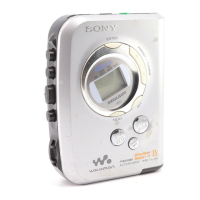



 To Next Page