How to use
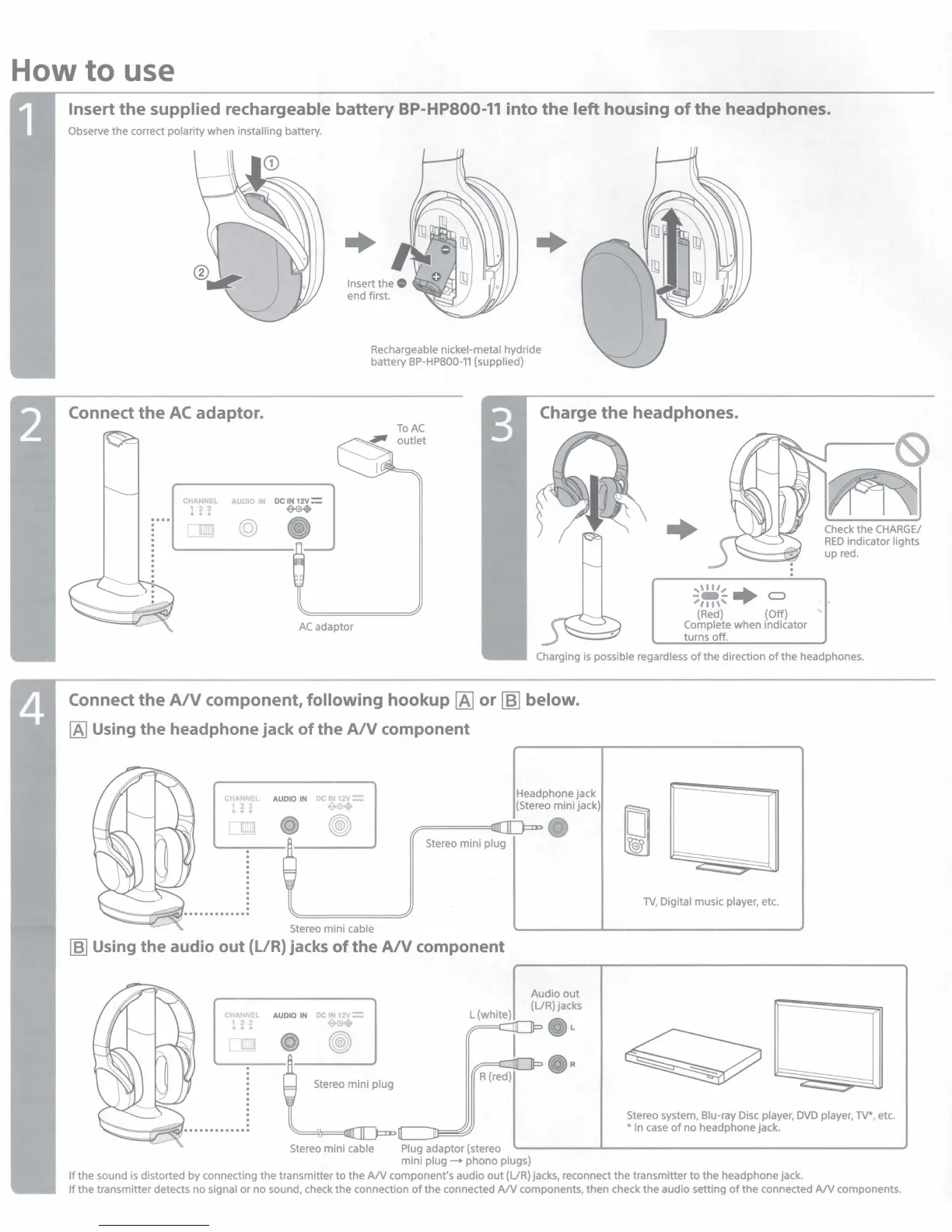
Insert
the
supplied rechargeable battery BP-HPS00-11 into
the
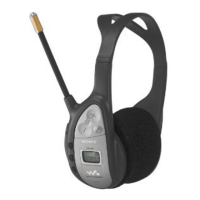
left housing
of
the
headphones.
Observe the correct polarity when installing battery.
Insert
the
0
end first.
+
Rechargeable nickel-metal hydride
battery
BP·HPB00-11
(supplied)
Connect
the
AC
adaptor.
Charge
the
headphones.
CHANNEL
AUDIO
DC
IN
12v=
l!!
~
lilir
~
•
AC
adaptor
+
,,111, ......
;~,...,....
C>
(Red)
(Off)
Complete when indicator
turns off.
Charging
is
possible regardless
of
the direction
of
the headphones.
Connect
the
A/V
component, following hookup
IA]
or
[6]
below.
[A]
Using the headphone jack
of
the
A/V
component
NN:
AUDIO
IN
IN
12V
Headphone jack
.
~
~
~
{Stereo mini jack)
..,
•
~
_JO=-, •
ll
Stereo mini plug
:
i
.
.
. . . . .
..
.
Stereo mini cable
[ffl Using the audio out (L/R) jacks of the
AN
component
CHANN: AUDIO
IN
Ol
IN
12V :::"'
ln
~
•
®
~~
R{red)
C:rr-----,1
Stereo mini cable Plug adaptor (stereo
mini
plug-+
phono plugs)
Audio out
{UR)jacks
~
-
-
-
TV,
Digital music player, etc.
Stereo system, Blu-ray
Disc
player,
DVD
player,
TV",
etc.
•
In
case
of
no headphone jack.
If
the sound
is
distorted by connecting the transmitter to the
AN
component's audio
out
(UR) jacks, reconnect
the
transmitter
to
the headphone jack.
If
the transmitter detects no signal
or
no sound, check
the
connection
of
the connected
AN
components, then check the audio setting
of
the connected
AN
components.



 To Next Page