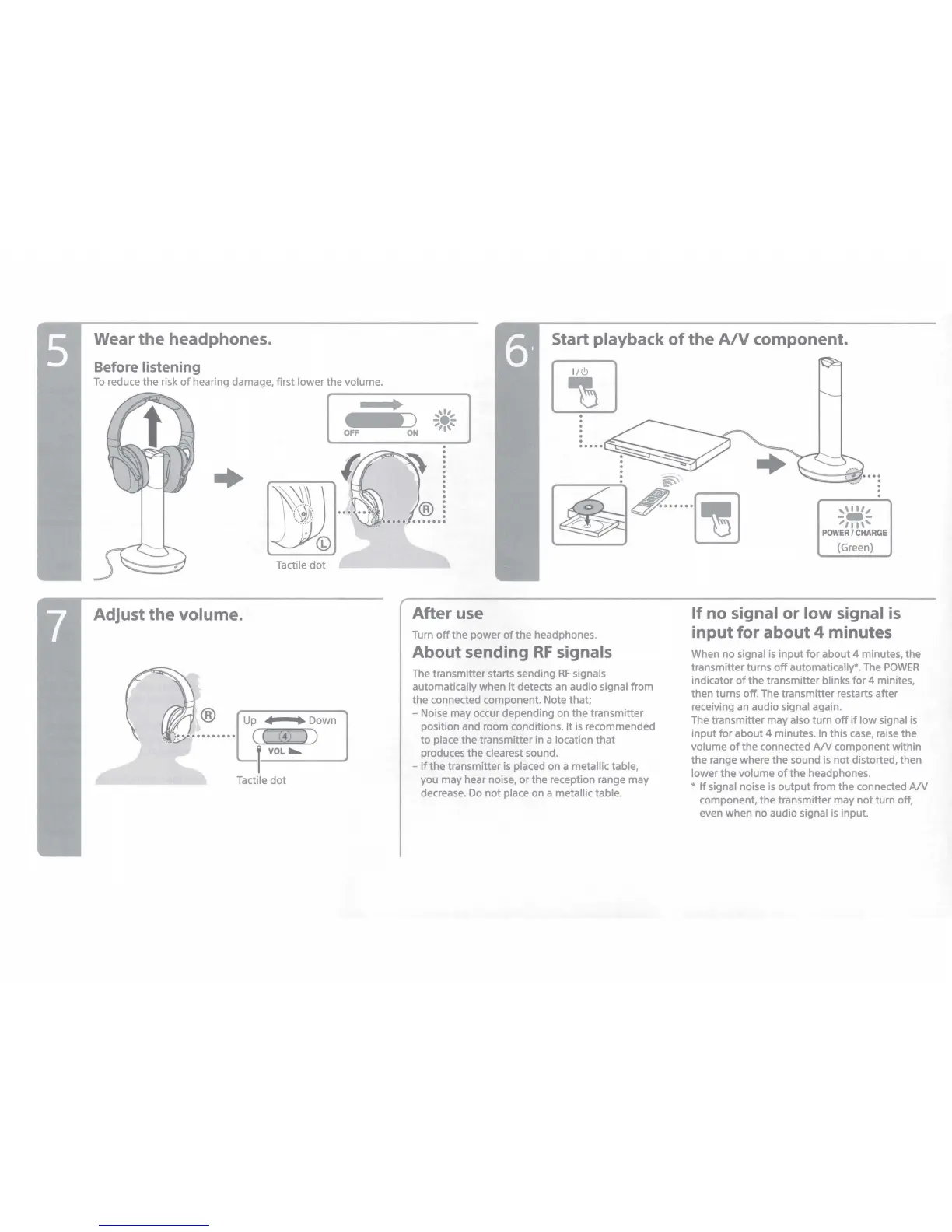
Wear the headphones.
Before listening
Start playback
of
the
A/V
component.
To
reduce the risk
of
hearing damage, first lower the volume .
00
+
Tactile
dot
Adjust the volume.
Up
◄
• Down
( (
(4)
) )
VOL.._
Tactile
dot
•
~
OFF
ON
,,.,,
-•-
,,,,,
.
.
.
.
.
~~---~
,,111,
---
'''"'
POWER/CHARGE
(Green)
After use
Turn
off
the power
of
the headphones.
About sending
RF
signals
The transmitter starts sending
RF
signals
automatically when it detects an audio signal from
the connected component. Note that;
- Noise may occur depending on the transmitter
position and room conditions. It
is
recommended
to
place the transmitter in a location that
produces the clearest sound.
-
If
the transmitter
is
placed on a metallic table,
you may hear noise, or the reception range may
decrease.
Do
not place on a metallic table.
If
no signal or
low
signal
is
input for about 4 minutes
When no signal is input
for
about 4 minutes, the
transmitter turns
off
automatically*. The
POWER
indicator
of
the transmitter blinks
for
4 minites,
then turns off. The transmitter restarts after
receiving an audio signal again.
The transmitter may also turn
off
if
low
signal
is
input
for
about 4 minutes.
In
this
case,
raise the
volume
of
the connected
AN
component within
the range where the sound
is
not distorted, then
lower the volume
of
the headphones.
*
If
signal noise
is
output
from the connected
AN
component, the transmitter may
not
turn off,
even when no audio signal
is
input.








 To Next Page