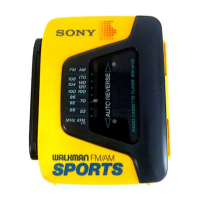
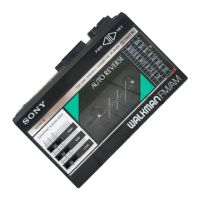
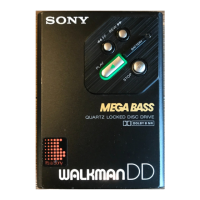
This document is a service manual for the Sony WM-A52/B52 Cassette Player, a Walkman model designed for sports use. The manual provides detailed information on its specifications, clock usage, adjustments, and parts.
Function Description:
The Sony WM-A52/B52 is a portable cassette player, part of the Walkman series, designed with a "Sports" theme, suggesting durability and suitability for active use. It features a built-in clock with various functions, including time display, alarm, stopwatch, and calendar. The device operates on two AA batteries and includes a solar battery/auxiliary battery for the clock section, which automatically switches power sources. Stereo headphones are supplied with the unit.
Important Technical Specifications:
General:
- Power Requirements: 3 V DC, two size AA (R6) batteries.
- Battery Life (Playback): Approximately 4 hours with Sony SUM-3 (NS) batteries, and approximately 8 hours with Sony alkaline AM3 (N) batteries. Alkaline batteries are recommended for maximum performance.
- Dimensions (W/H/D): Approximately 99 x 138 x 40 mm (4 x 5½ x 1⅝ inches), excluding projecting parts and controls.
- Weight: Approximately 320g (11.3 oz), including batteries but excluding other accessories.
- Accessories Supplied: Stereo headphones (open-air type 1).
Cassette Player Section:
- Frequency Response:
- 40-14,000 Hz (with metal tapes or CrO₂ tapes)
- 40-14,000 Hz (with normal tapes)
- Power Output: 15 mW + 15 mW at DC operation (at 10% harmonic distortion), Impedance 32 ohms.
- Tape Speed Adjustment: The manual specifies a tape speed adjustment range of ±3% using a speed checker or digital frequency counter, targeting 2,910-3,090 Hz. This adjustment is performed via RV601 on the main board.
- Torque Measurement:
- FWD: 30-60 g.cm (0.41-0.83 oz-inch) using a CQ-102C torque meter.
- FWD Back Tension: 0.5-4.5 g.cm (0.007-0.06 oz-inch) using a CQ-102C torque meter.
- FF, REW: More than 55 g.cm (0.76 oz-inch) using a CQ-201B torque meter.
- Tape Tension Measurement:
- FWD: More than 90 g (3.17 oz) using a CQ-403A tension meter.
Clock Section:
- Digits: 6
- Functions: 6 (Hour, minute, second, day/month, date, day), stopwatch (1/100 second display up to 40 minutes, 1 second up to 24 hours), auto calendar (based on February 28).
- Timekeeping Accuracy: ±30 seconds/month (+5°C to +35°C).
- Power Supply: Solar battery/auxiliary battery, automatic switching type.
- Battery Life (Clock): Approximately 4 years (when exposed to at least 200 lx for at least 8 hours per day).
Usage Features:
Clock Operation:
- Setting Time and Date: Pressing the MODE button for 1-2 seconds enters T-SET mode. Users can select flickering digits (seconds to date) using the START/STOP DATE button and adjust them with the ALARM/RESET button. Holding ALARM/RESET advances digits rapidly.
- Setting Alarm Time: Similar to setting time, pressing MODE for 1-2 seconds enters A-SET mode. Minutes and hours are selected alternately with START/STOP DATE and adjusted with ALARM/RESET.
- Using Stopwatch: Pressing MODE once enters ST-W mode. START/STOP DATE starts and stops the stopwatch. ALARM/RESET resets it to zero. Lap times can be viewed while the stopwatch is running.
- Turning Alarm and Chime On/Off: Pressing MODE for 1-2 seconds and then DATE cycles through "Chime only," "Chime and alarm," "Alarm only," and "No chime/No alarm." The chime rings every hour, and the alarm sounds for thirty seconds.
- Confirming Date/Alarm Time: Press DATE for date, and ALARM/RESET for alarm time, while in normal display.
- Switching Time Display Cycle: Pressing MODE for 1-2 seconds and then START/STOP DATE switches between 24-hour and 12-hour cycles.
- Switching Month and Date Location: Pressing MODE for 1-2 seconds and then ALARM/RESET switches between date/month and month/date display.
Maintenance Features:
Waterproof Check:
The manual emphasizes that the device is waterproof and provides a procedure for checking and restoring its waterproof integrity after repair.
- Insert batteries and a cassette tape.
- Submerge the unit in more than 30 cm (11-7/8 inches) of water for 30 minutes (with DC jack and packing firmly closed).
- Remove from water and wipe off all moisture.
- Check all operations. If water has entered, abnormal operation will occur.
- Open the cassette case and wipe off all moisture on the packing and case sections touching the packing.
- Shake the set and confirm that no water comes out.
- If waterproofing is confirmed, mount the ornamental sheet and ornamental plate assembly. If not, remove the screw to prevent rusting.
Leakage Occurs During Waterproof Check:
If water leakage is detected, the mechanism section and amp board, jack, etc., should be dried with a hairdryer. Waterproofing procedures should be performed again, starting from step (1).
General Precautions for Service:
- Cleaning: Clean playback head, erase head, capstan, pinch roller, rubber belts, and idlers with a denatured alcohol-moistened swab.
- Demagnetization: Demagnetize the playback head with a head demagnetizer.
- Tools: Do not use a magnetized screwdriver for adjustments.
- Locking Compound: After adjustments, apply suitable locking compound to the adjusted parts.
- Power Supply: Adjustments should be performed with the rated power supply voltage unless otherwise noted.
Electrical Adjustments:
- PB Head Azimuth Adjustment:
- Set the mode to playback.
- Use a test tape (P-4-A063, 6.3 kHz, -10dB) and connect a VTVM to the headphone jack via a 32Ω resistor.
- Turn the adjustment screw for maximum output levels. If levels don't match, adjust until both output levels match within 2 dB. The adjustment screw is located on the main board.
Optional Accessories:
- Battery charger BC-700
- Rechargeable battery BP-700

 Need help?
 General

 To Next Page