
 Need help?
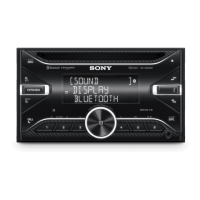
Do you have a question about the Sony WX-GS920BH and is the answer not in the manual?
Record model and serial numbers for reference when contacting the dealer.
Information on safe installation, hot unit, and nameplate location.
Details on compliance with FCC Rules and Industry Canada regulations.
Warning regarding internal burns from swallowed coin/button cell batteries.
Advice on using AUTO OFF function to prevent battery drain.
Sony is not responsible for changes to third-party services.
Sony's liability limitations for damages related to product use.
Warnings about potential interference with medical devices and security.
Explains the purpose and operation of various buttons on the main unit.
Details on browse, source, mode, and playback control buttons.
Explains the functions of buttons on the RM-X231 remote commander.
Details on volume adjustment and menu navigation via the remote.
Procedures for resetting the unit and adjusting the clock time.
How to view the current battery voltage on the unit's display.
Guide to pairing and connecting a smartphone using NFC One-touch.
Steps to register a new Bluetooth device with the unit for the first time.
How to connect to an already paired Bluetooth device.
Explains display icons and automatic Bluetooth connection for iPhone/iPod.
Instructions for connecting USB storage devices and digital media players.
How to connect portable audio devices via the AUX input.
Tuning into radio stations and using the BTM function for automatic station storage.
Procedures for tuning radio stations manually and automatically.
How to store stations manually and recall them.
Steps to activate a SiriusXM subscription and connect the tuner.
How to select channels by number, category, or rapid browse mode.
Setting up parental controls and changing the passcode for locked channels.
Instructions for playing audio from CDs and USB storage devices.
How to play audio from a Bluetooth-enabled device.
How to set repeat and shuffle play modes for audio tracks.
Using Quick-BrowZer and Jump mode to find tracks by name or skip items.
Guide to setting up Pandora® and streaming music via Bluetooth.
Using thumbs feedback, station lists, and bookmarking within Pandora®.
How to answer, reject, and end incoming phone calls.
Methods for making calls from the phonebook, call history, or by direct number input.
Using voice tags and adjusting call settings like volume and echo cancellation.
Connecting and using the Sony | Music Center app with smartphones.
Using voice commands for apps and replying to SMS messages on Android devices.
Adjusting unit settings through a connected smartphone app.
Activating and using Siri Eyes Free for handsfree iPhone control.
Disabling the demo display and accessing general unit settings.
Configuring steering wheel controls, USB modes, and firmware updates.
Adjusting audio processing like ClearAudio+ and equalizer presets.
Adjusting listening position, subwoofer settings, and equalizer curves.
Using DSEE, AAV, and rear bass enhancer for sound quality.
Adjusting display brightness, colors, and motion display options.
Configuring Bluetooth pairing, audio devices, ringtones, and auto answer.
Instructions for firmware updates and general care for the unit.
Advice on dealing with condensation and handling audio discs.
Information on incompatible discs and specific CD-R/CD-RW handling.
Lists compatible iPod models and procedure for replacing the remote battery.
Detailed specifications for audio output, tuner performance, and CD playback.
Specifications for USB, wireless communication, and power amplifier output.
Details on unit outputs, inputs, power, dimensions, package contents, and accessories.
Lists of copyrights and trademarks for various technologies and brands used.
Solutions for issues like no power, low sound, or erased memory.
Addresses noise on ignition and automatic demo mode activation.
Solutions for display disappearance and unresponsive operation buttons.
Addresses issues with radio reception and CD playback problems.
Resolves problems with USB playback, NFC connection, and audio file compatibility.
Addresses common Bluetooth connection problems and call quality issues.
Solutions for problems with Sony | Music Center and Pandora® app integration.
Explains various system messages and troubleshooting for CD/USB errors.
Addresses errors related to USB device compatibility and Bluetooth connection.
Resolves issues with Sony | Music Center, HD Radio, and Pandora® connectivity.
Solutions for Pandora® service errors, network issues, and content availability.
Addresses SiriusXM channel access problems and antenna detection faults.
Resolves problems with tuner communication, passcodes, and subscription updates.
Addresses firmware update failures and steering wheel remote control registration errors.
Safety advice and guidelines for connecting power supply leads and mounting.
Lists the components included for installation of the unit.
Visual guide showing how to connect various audio sources, power, and speakers.
Step-by-step guide for connecting power, antenna, and ground leads.
Instructions for connecting subwoofers, ensuring memory power, and connecting speakers.
Guidance on installing the microphone and connecting a wired remote control.
Instructions for mounting the unit in the dashboard, including using installation kits.
Specific mounting advice for Japanese cars and guidance on fuse replacement.
Details on the warranty period, what is covered, and what is excluded.
Information on the arbitration process, opt-out, and legal rights.
 General
| Brand | Sony |
|---|---|
| Model | WX-GS920BH |
| Category | Wireless audio system |
| Preset Stations | 30 |
| Bluetooth | Yes |
| Bluetooth Version | 3.0 |
| NFC | Yes |
| USB | Yes |
| AUX Input | Yes |
| CD Player | Yes |
| Subwoofer Output | Yes |
| Display Type | LCD |
| Detachable Faceplate | Yes |
| Waterproof | No |
| Tuner Bands | FM |
| Audio Formats Supported | MP3, WMA, AAC |
| Dimensions | 178 mm |

 To Next Page