EasyManua.ls Logo

Sony X80L - Page 58

Sony X80L
139 pages
Print Icon
To Next Page IconTo Next Page
To Previous Page IconTo Previous Page
Loading...
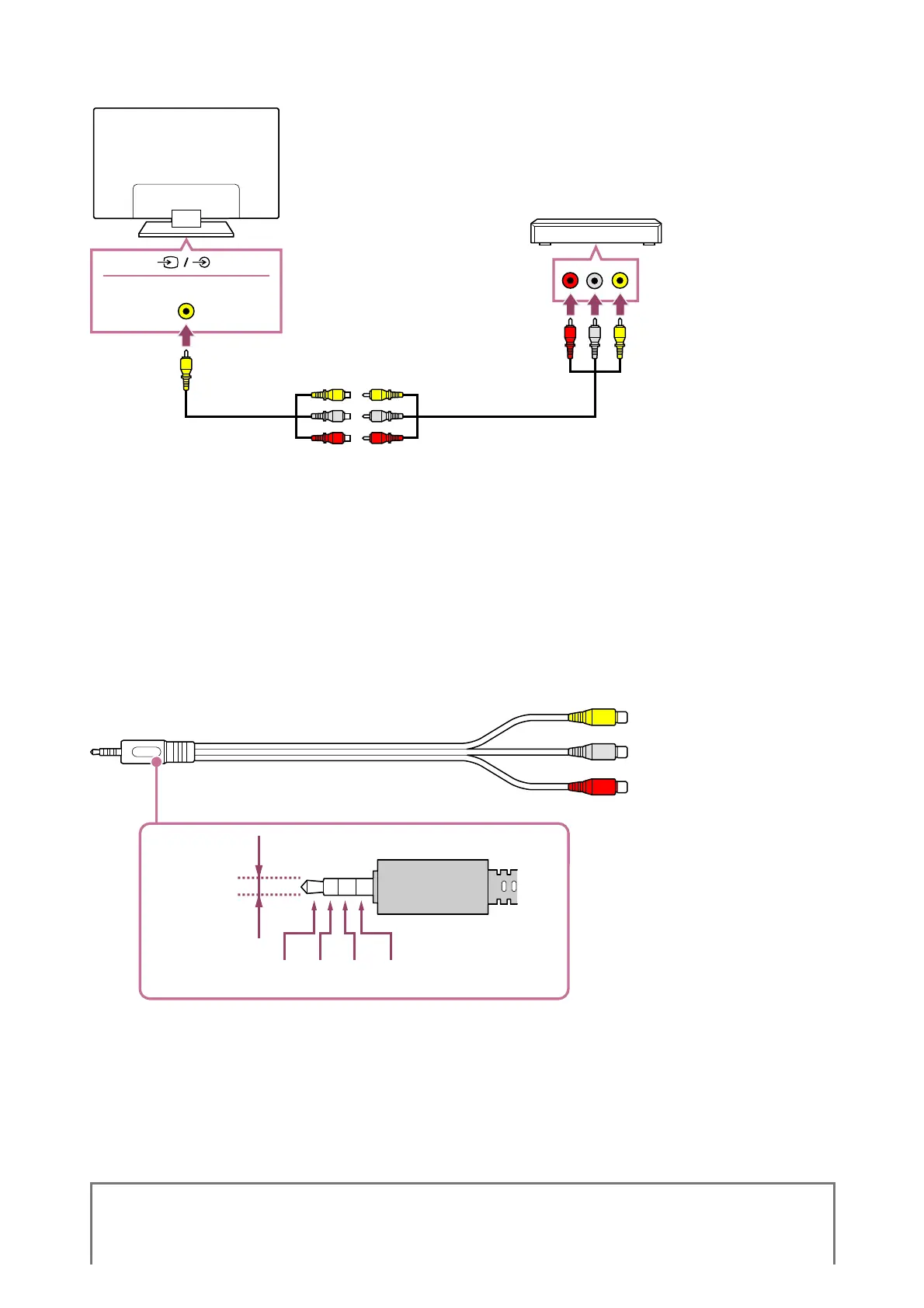
If your Blu-ray/DVD player has composite jacks (sockets), connect them using a composite
video/audio cable.
(A)
(B)
(C)
S-CENTER SPEAKER IN
(A) Blu-ray/DVD player (same as connecting a TV box)
(B) Analogue Extension cable (supplied)
(C) RCA Cable (not supplied)
Whether the Analogue Extension cable is supplied depends on your model/region/country.
Cable that connects to the video input jack
The 3.5 mm jack of the Analogue Extension Cable has 4 poles.

(A)
(B) (C) (D) (E)
(A) 3.5 mm
(B) Left for Audio signal.
(C) Video signal.
(D) Ground.
(E) Right for Audio signal.
Related topics
*
*

Related product manuals