Help Guide
In-Car Receiver
XAV-9500ES
Tuning Channels for SiriusXM
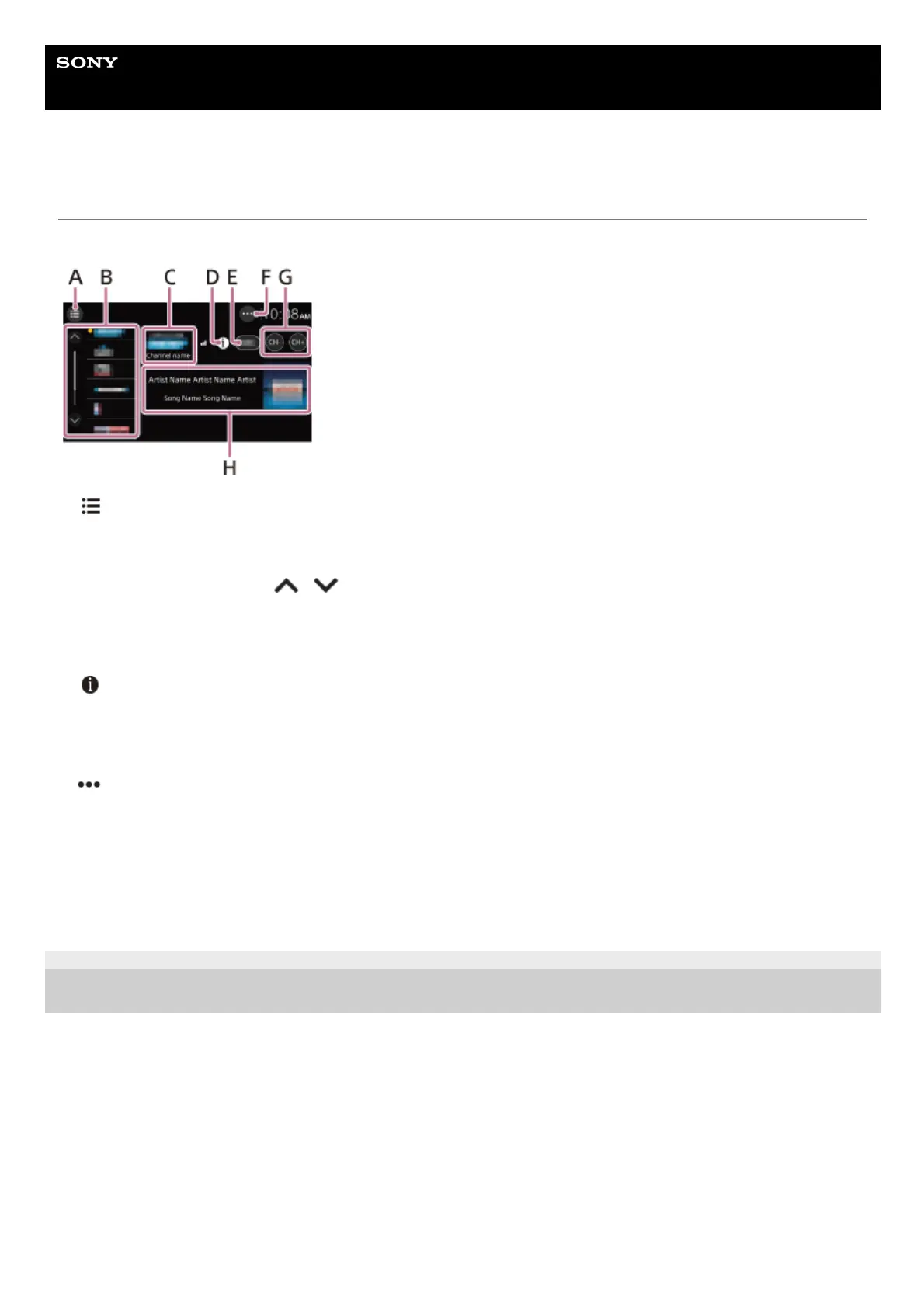
Reception controls/indications
A. (list)
Open the channel list or category list.
B. Preset numbers
Select a preset channel. Touch
/ (up/down) to show the other preset channels.
Touch and hold to store the current channel in that preset.
C. Channel logo, channel name
D.
(information)
Switch the channel information in H.
E. Channel number
F.
(SXM option)
Open the SXM option menu.
G. CH– (previous channel) /CH+ (next channel)
Select a channel.
H. Album art, channel name, artist name (category name), song title (content information)
5-021-904-11(1)
Copyright 2021 Sony Corporation



 To Next Page