Selects the listening position: [Front Left], [Front Right], [Front], [All], [Off], [Custom].
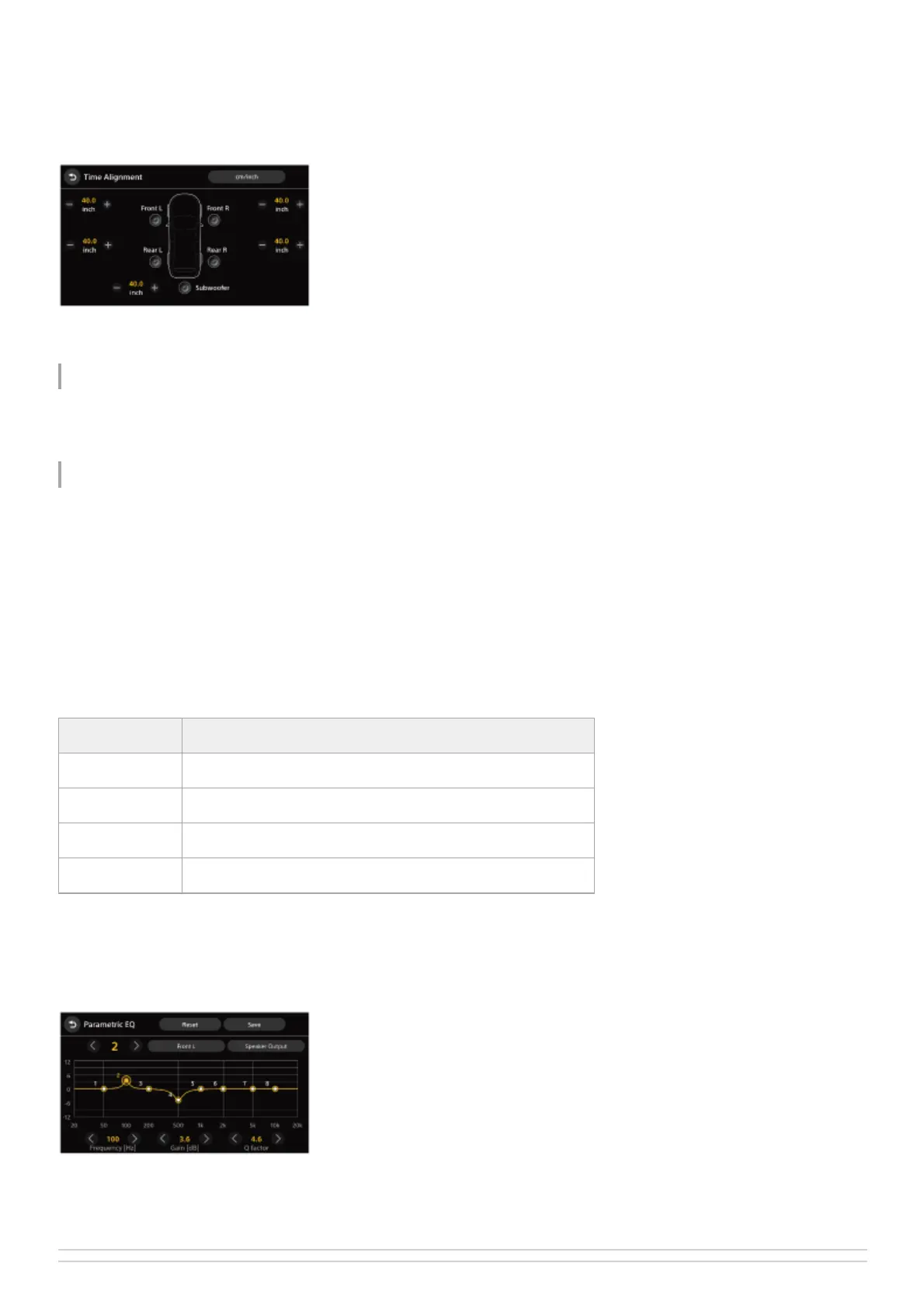
You can adjust the position of the sound image by correcting the arrival time of the sound according to the sitting position
of the car. When selecting [Custom], [Time Alignment] appears. You can adjust the distance from each speaker to the
listening position in 0.1 inch or 1 cm increments (unit switchable) to correct the time it takes for the sound to reach the
listening position.
Vinyl Processor
Activates or deactivates the vinyl processor function.
Advanced
The following [Subwoofer Output], [Crossover], and [Parametric EQ] settings require expertise in sound tuning.
Subwoofer Output
Switches the subwoofer output: [Summed Mono], [Stereo].
Crossover
Adjusts the cut-off frequency, slope, and subwoofer phase.
Parametric EQ
Adjusts [Frequency [Hz]], [Gain [dB]], and [Q factor] (quality factor) for 8 points of [Front L], [Front R], [Rear L], [Rear R],
and [Subwoofer].
You can turn the output of each speaker on or off when checking the adjustment effect. When you do not need the effect
of [Parametric EQ], touch [Reset] to make all the channels flat, save to [Custom 1] or [Custom 2], and then select it.
Item Detail
High Pass Filter Adjusts the cut-off frequency of the front/rear speakers.
Low Pass Filter Selects the cut-off frequency of the subwoofer.
Slope Adjusts the slope of the front/rear speakers and subwoofer.
Phase Selects the subwoofer phase: [Normal], [Reverse].


 To Next Page