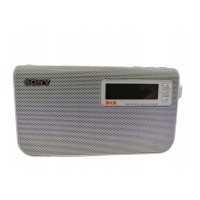
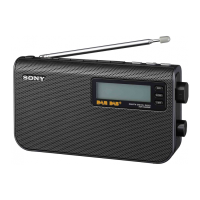
XDR-P1DBP [GB]
4-563-193-
12
(1)
DIGITAL RADIO
DAB/FM
Operating Instructions
4-563-193-12(1)
XDR-P1DBP
©2015 Sony Corporation Printed in China
1
Charge the radio from a wall outlet using the micro USB cable (supplied).
Charge the built-in lithium-ion rechargeable battery before using the radio for the first time.
The battery will be fully charged (“
”) in about 4 hours.
3
Select a desired station or service.
Slide the jog lever up or down to make a
selection.
To make a new DAB station list
If you have moved to another region, perform the DAB auto tune again.
Select DAB, then press AUTO TUNE.
Select “OK” to start
the DAB auto tune
process.
The radio receives the
first station in the new
station list.
Notes
• The currently stored station list will be cleared once the DAB auto tune process has
started.
• When the setup menu is displayed, DAB auto tune is not performed even when
AUTO TUNE is pressed.
To search FM stations
You can search receivable FM stations in 0.05 MHz steps.
Select FM, then press AUTO TUNE.
If a receivable station is found, “[ENTER]:Select”
appears on the display. Press the jog lever to
receive the station. (If you do not press the jog
lever within 3 seconds, the search will restart.)
Tips
• You can also search FM stations by sliding and holding the jog lever up or down after
selecting FM.
• Press BACK to stop searching FM stations.
Getting Started
Listening to the Radio
2
Extend the antenna.
1
Turn on the radio.
1
Tune to the station you want.
Follow steps 1 to 3 in “Listening to the Radio” above.
3
Turn on the radio.
2
Press DAB/FM repeatedly to select
DAB or FM.
2
Press and hold the desired favourite button (1 – 3) until
“Station saved to favourite x.” appears on the display.
3
Repeat steps 1 and 2 to assign another station to
another favourite button.
Changing button assignment
1 Tune to a new station.
2 Press and hold the favourite button you want to change until
“Station saved to favourite x.” appears on the display.
The previously assigned station on the selected button will be
replaced by the new one.
Tip
The button assignment information remains in the radio’s memory even
after a DAB auto tune is performed.
Assigning stations to the Favourite buttons
Assign your favourite stations to the 3 favourite buttons. You can assign up to 3 stations
(DAB and/or FM).
If it is the first time the radio is turned on, DAB auto tune is
performed automatically.
After DAB auto tune is
completed, the radio receives
the first station in the DAB
station list stored by DAB auto
tune.
Tips
• To perform DAB auto tune again later, see “To make a new DAB station
list” below.
• The backlight will turn off if no operation is performed for about 30
seconds to minimize power consumption.
Listening to an assigned station
See “Setup Menu Options” for manual tuning.
You can stabilize the
radio using the stand.
Station currently
being received
Secondary service
(after the “L” mark)
Selected
station
Scrolling text
(DLS: Dynamic Label Segment of
up to 128 characters)
* Displayed only when RDS data has been received.
Station name*
Scrolling text
(RT: Radio Text of up to 64 characters)*
“SC” lights up when
a secondary service
is received.
Example: Assigning a station to the
favourite button “1”
Press BACK to cancel the
DAB auto tune process
while in progress.
Press the desired favourite button (1 – 3).
Note
To prevent the assigned station from being
changed by mistake, do not hold the favourite
button down.
Example: When the favourite button “1” is pressed
Presetting stations to the preset list
You can preset up to 10 DAB and 10 FM stations.
1
Tune to the station you want.
Follow steps 1 to 3 in “Listening to the Radio” above.
2
Press and hold the jog lever until “Save Preset”
appears on the display.
3
Select the desired preset number.
Listening to the stations from the preset list
1
Select DAB or FM.
2
Press the jog lever to display the preset
list.
3
Select the desired station.
Tips on receiving FM station names
• FM station names will be received and stored in the
radio while you are listening to the broadcasts.
• FM station names may not be transmitted, depending
on the station.
Slide the switch to
the POWER position.
Press the jog lever.
Slide the jog lever up or down
to select the desired station (),
then press the lever ().
Slide the jog lever up or down to select the desired preset number (),
then press the lever ().
Tips
• You can also preset stations from the setup
menu.
[MENU] Save Preset
• The preset stations remain in the radio’s
memory even after a DAB auto tune is
performed.
• If another station is already assigned to the
selected preset number, that station is
replaced by the new station.
Notes
• When using a commercially available USB AC
adaptor, be sure to use an adaptor with a power
output of 0.5 A or more. Charging with other types of
adaptors is not covered by the warranty.
• If you charge the battery while listening to the radio,
there may be noise interference in the radio.
Tip
You can also charge the battery by connecting the USB
plug to some USB devices, such as a PC, USB battery
charger, etc.
USB AC adaptor
(not supplied)
To DC IN
Micro USB plug
USB plug
You can attach
a strap.
Micro USB cable
(supplied)

 Need help?
 General

 To Next Page