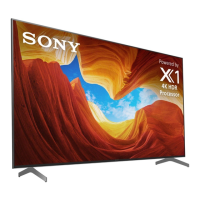
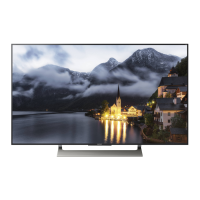
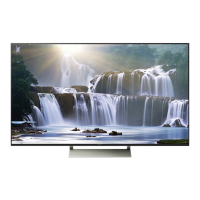
This document is a service manual for Sony LCD TVs, specifically the XE93/94 Series with GN3TR Chassis and KP Segment. It provides comprehensive information for qualified service personnel to diagnose, repair, and maintain these television models.
Function Description:
The Sony XE93/94 Series LCD TVs are designed for home entertainment, offering high-quality video and audio output. The manual details the internal components and their interactions, enabling technicians to understand the TV's operational principles. Key functional blocks include the Main SoC (Muffin2), 4K BE (Altair) for image processing, DDR3 memory, eMMC storage, and various input/output interfaces such as HDMI, USB, Ethernet, Wi-Fi/BT, and S/PDIF. The TV incorporates a self-diagnosis function to identify and indicate potential problems through LED blinking patterns, simplifying troubleshooting. It also supports voice remote control via Bluetooth and IR, enhancing user interaction.
Important Technical Specifications:
The manual lists specific models: KD-55XE9305, KD-65XE9305, and KD-75XE9405, all featuring a black color and using the RMF-TX200E commander. The chassis designation is GN3TR.
The internal architecture includes:
- Main SoC (Muffin2): The central processing unit for TV operations.
- 4K BE (Altair): A dedicated processor for 4K image enhancement.
- DDR3 Memory: 4Gibit x 5 for the Main SoC and 1Gibit x 4 for the 4K BE, supporting high-speed data processing.
- eMMC Storage: 16GB for system software and user data.
- Panel: Supports 4K/120p resolution with Vx1 16-lane interface.
- Backlight: Controlled via SPI interface.
- Audio: Features a 6-channel (2-channel 3-way) speaker system with D-Amp (TAS5760) and a 5-channel (2.1-channel 2-way) side speaker system with D-Amp (TAS5624) and Processer (TAS5538).
- Power Supply: Utilizes a Power Micro (STM8S103F2U6) and can be powered by an AC Adaptor (200W or 240W) or a built-in power supply (12.5V).
- Connectivity: Includes USB3.0, USB2.0, Ethernet, Optical Out, Component/Composite, and HDMI inputs. Wireless connectivity is provided by a Wi-Fi/BT module (J20H088.00).
- Sensors: Incorporates a Temp Sensor (I2C) and a TSA Temp Sensor for XDR (Analog).
- Remote Control: Supports both IR and Bluetooth for voice commands.
Usage Features:
The TV offers a range of user-friendly features:
- Voice Remote Control: Allows users to control the TV and perform voice searches using the "MIC" key. The remote uses Bluetooth for voice data and IR for other key codes.
- Self-Diagnosis Function: The Smart Core Red LED flashes a specific number of times to indicate the probable cause of a problem, aiding in quick diagnosis.
- Service Mode: Accessible via a specific button sequence on the remote commander, it provides detailed system information, self-diagnosis history, and adjustment options for video, audio, panel settings, tuner, Wi-Fi/BT, and SDB service menu.
- Software Update: Supports USB updates for system software, with clear instructions on how to perform the update and warnings against power interruption during the process.
- Reset Options: Provides both a standard reset (holding the power button on the remote) and a force factory reset (unplugging power and holding specific keys on the TV) to resolve software issues.
Maintenance Features:
The manual outlines several critical maintenance and repair procedures:
- Safety Precautions: Emphasizes the use of an isolation transformer, proper handling of the TV (especially larger models), and caution when dealing with safety-related components (identified by shading and '!' mark).
- LCD Panel Handling: Detailed instructions for handling the LCD panel, including grounding with a wrist band, avoiding pressure, scratches, high temperatures, humidity, direct sunlight, and water contact. It also warns about high voltage in the inverter circuit and the importance of ESD protection.
- Safety Check-Out: A comprehensive list of checks to perform after any repair, including solder connections, wiring, component replacement, and AC leakage tests. Repairing the Power board and/or Inverter board is prohibited.
- Mainboard Replacement: A mandatory procedure to confirm and reinsert the TV's model and serial number into memory after mainboard replacement.
- WB/Mura/CUC Data Transfer: Instructions for transferring calibration data (White Balance, Mura, Color Uniformity Correction) after replacing the mainboard or panel, with a reference to a separate manual for detailed procedures.
- HDD Performance Check: A service mode function to check the performance of the HDD, displaying "OK" or "NG" results.
- HDD Re-registration: A procedure to re-register the HDD, with "OK" or "NG" results indicating success or failure.
- Troubleshooting Flows: Detailed flowcharts for various symptoms, including "No Power," "LED Blinking" patterns (2x, 3x, 4x, 5x, 6x, 7x, 8x), "No Sound," "No Picture" (Video, Tuner, HDMI), "Key Switch Buttons Error," "IR Remote Commander Error," "Light Sensor Error," "Network Malfunction" (Ethernet, Wireless), and "Bluetooth Malfunction." These flows guide technicians through step-by-step diagnosis and recommended actions (e.g., replace board, check harness, change fuse).
- PCB Parts Map: Provides visual diagrams of the BMKP board (A and B side views) to help locate components.
- Connector Diagrams: Detailed diagrams showing the connections between various boards and components for KD-55XE9305, KD-65XE9305, and KD-75XE9405 models.
- Board Location: Visual guides for the physical location of key boards such as BMKP, LD, JK20, TSA2, WLAN/BT Module, T-CON, Switch Unit, and HS5.
- Wire Dressing: Instructions and diagrams for proper wire dressing to ensure optimal performance and prevent damage.
- Disassembly Procedures: Step-by-step instructions with illustrations for disassembling various parts of the TV, including the stand neck, cable clamps, covers, speaker boxes, BT antenna, Smart Core, switch unit, WLAN/BT module, TSA2, brackets, flexible flat cables, capacitor mount board, and thermal sheets. Each step specifies the type and number of screws to be removed and provides notes on critical handling aspects like pinching wires or proper alignment.
- Exploded Views: Diagrams showing the exploded view of the rear cover, LCD panel, T-CON, LD, and Smart Core components, along with part numbers and descriptions for easy identification and ordering.
- Other Part Accessories: Lists various accessories and their part numbers, such as remote commanders, power supply cords, DC plug cords, wall mount brackets, and clampers.
- Miscellaneous Parts: Lists other parts like thermal sheets and cushions with their part numbers and applicable models.

 Need help?

 To Next Page
 General