The provided document is a component replacement manual for the Sony Xperia C (models C2304, C2305, S39h), focusing on electrical components. This manual serves as a guide for technicians performing repairs and maintenance on these specific smartphone models.
Function Description:
The Sony Xperia C is a smartphone, and this manual details the process of replacing various electrical components within the device. The components listed are primarily related to connectivity, audio, power, and user input. The manual aims to facilitate the repair of common electrical issues that may arise in these devices, ensuring proper functionality after component replacement. It covers aspects from antenna connectors to the battery connector and input switches, all critical for the smartphone's operation.
Important Technical Specifications (Implied from components):
While the manual doesn't explicitly list full technical specifications, the components covered imply several key areas of the device's technical capabilities:
- Antenna System: The presence of multiple "Connector Leaf Spring Plug 1p Antenna" (ANT1601, ANT1602, ANT1603, ANT1604) and "RF Coax Connector" (J1002) indicates a sophisticated antenna system, likely supporting various cellular bands, Wi-Fi, and Bluetooth. The "Connector Coax Receptacle 1p test switch" (JRF1000, JRF1601) further suggests the ability to test main network, WLAN, and Bluetooth antenna performance.
- Audio System: The "Audio Jack Connector" (J1100) confirms standard audio output/input capabilities, typically for headphones or external microphones.
- Power Management: The "Battery Connector" (JBAT1100) is a crucial component for the device's power supply and charging system, indicating a removable or serviceable battery connection.
- User Interface: The "Input Switch (Reset button)" (SW1301) points to a physical button for device reset functionality, a common feature in smartphones for troubleshooting or force-restarting.
- Connectivity: The various antenna connectors and RF coax connectors highlight the device's reliance on wireless communication technologies, including cellular networks, Wi-Fi (WLAN), and Bluetooth (BT). The repair instructions for "No or bad network, main antenna" and "No or bad WLAN/BT" directly address issues with these connectivity features.
Usage Features (Implied from components and repair actions):
The manual indirectly highlights several usage features by detailing the components that support them:
- Wireless Communication: Users can expect reliable cellular network connectivity, Wi-Fi, and Bluetooth capabilities, as these are directly addressed by the antenna components. Issues like "No or bad network" or "No or bad WLAN/BT" directly impact these usage features.
- Audio Playback/Recording: The audio jack allows users to connect headphones for private listening or external microphones for enhanced audio input.
- Power and Charging: The battery connector is fundamental to the device's ability to power on, operate, and recharge, ensuring the core functionality of a mobile device.
- Device Reset: The reset button provides a physical means for users to restart the device, which is a common troubleshooting step for software glitches or unresponsiveness.
Maintenance Features:
The manual is primarily a maintenance document, outlining specific procedures and precautions for electrical component replacement:
- Component Identification: Components are clearly listed by position, component name, part number, and comments, aiding technicians in accurate identification.
- Repair Methods: Specific repair methods are prescribed for each component, including "Hot Air (HA)," "Soldering Tool (ST)," "Hot Air for removal - Soldering Tool for mounting (HA/ST)," "BGA Station (BGA)," and "Bottom Heater (BH)." This ensures that technicians use appropriate tools and techniques to prevent damage.
- Component Location: The manual specifies whether a component is on the "Primary side (P)" or "Secondary side (S)" of the PCB, guiding technicians to the correct location.
- Additional Repair Info: The document includes a section for "Additional Repair info" with detailed instructions and visual aids (images) for specific components. This includes:
- Protection Measures: Instructions like "Protect the Audio Jack connector with capton tape!" or "Protect the input switch with capton tape!" emphasize the importance of safeguarding adjacent components during repair.
- Troubleshooting Guidance: Repair actions are linked to specific symptoms, such as "Replace if mechanical damaged. (No or bad GPS)" for ANT1601/ANT1604, "Replace if open circuit 1-2 (No or bad network, main antenna)" for JRF1000, or "Replace if short circuit (Restart) or if open circuit when pushed (reset not possible)" for SW1301. This helps technicians diagnose and address issues effectively.
- General Repair Guidelines: The manual references a "Generic Repair Manual - electrical" (1220-1336) for general information on electrical repair and a "Mechanical Test Instruction" (1273-1772) for post-replacement testing, indicating a structured approach to repair.
- Critical Warnings: A crucial warning, "Do not remove shield can lids (Heat pasta are added and RF performance will be damaged)," highlights a specific area where unauthorized tampering can severely impact the device's radio frequency performance, emphasizing the delicate nature of RF components.
- Revision History: The inclusion of a revision history allows technicians to track changes and ensure they are using the most up-to-date repair procedures. For instance, the removal of the J1101 USB connector from the parts list (due to being side-glued) indicates evolving repair strategies or component designs.
In summary, this manual provides essential maintenance information for electrical component replacement in the Sony Xperia C, ensuring that repairs are performed correctly and that the device's core functionalities related to connectivity, audio, power, and user interaction are restored.

 Need help?
 General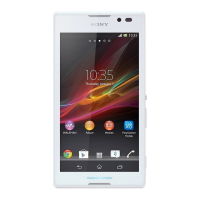

 To Next Page











