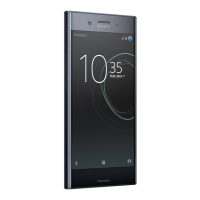
1 Charging/Notification light
2 NFC
3 Volume/Zoom key
4 Power key/Fingerprint sensor
5 Nano SIM/Memory card slot
6 Camera key
7 Charger/USB Type-C™ cable port
8 Memory card tray
9 SIM card tray
To insert a nano SIM card and a
memory card
Do not cut your SIM card, as this may damage your
device.
1 Drag out the memory card tray and the SIM card tray.
2 Place the SIM card securely in the SIM card tray, as
shown in the illustration.
3 Place the memory card securely in the memory card
tray, as shown in the illustration.
4 Gently push first the SIM card tray, then the memory
card tray, back into their slots until they fit into place.
To turn on your device
It is recommended to charge the battery for at least 30
minutes before you turn on your device for the first
time. It is important to use the USB Type-C cable

 Need help?
 General

 To Next Page