Title To open Album
Changes Valid from Pollux only Device condition added
Version 4
Author PengLeon
Status Released
Viewing photos and videos in the Pictures [album_tab_pictures_txt] tab
Indexterm: "Album"
Indexterm: "Album"
Sub-indexterm: "viewing local content"
In the Pictures [album_tab_pictures_txt] tab in Album, you can view your photos and videos in
thumbnails in a grid view.
GUID GUID-7CFC5610-3AFB-4143-A0DD-256EAF1AA6FF
Title Viewing your photos and videos in Pictures tab
Changes Device Term Change Valid from Odin and Yuga (List view related contents
removed)
Version 5
Author PengLeon
Status Released
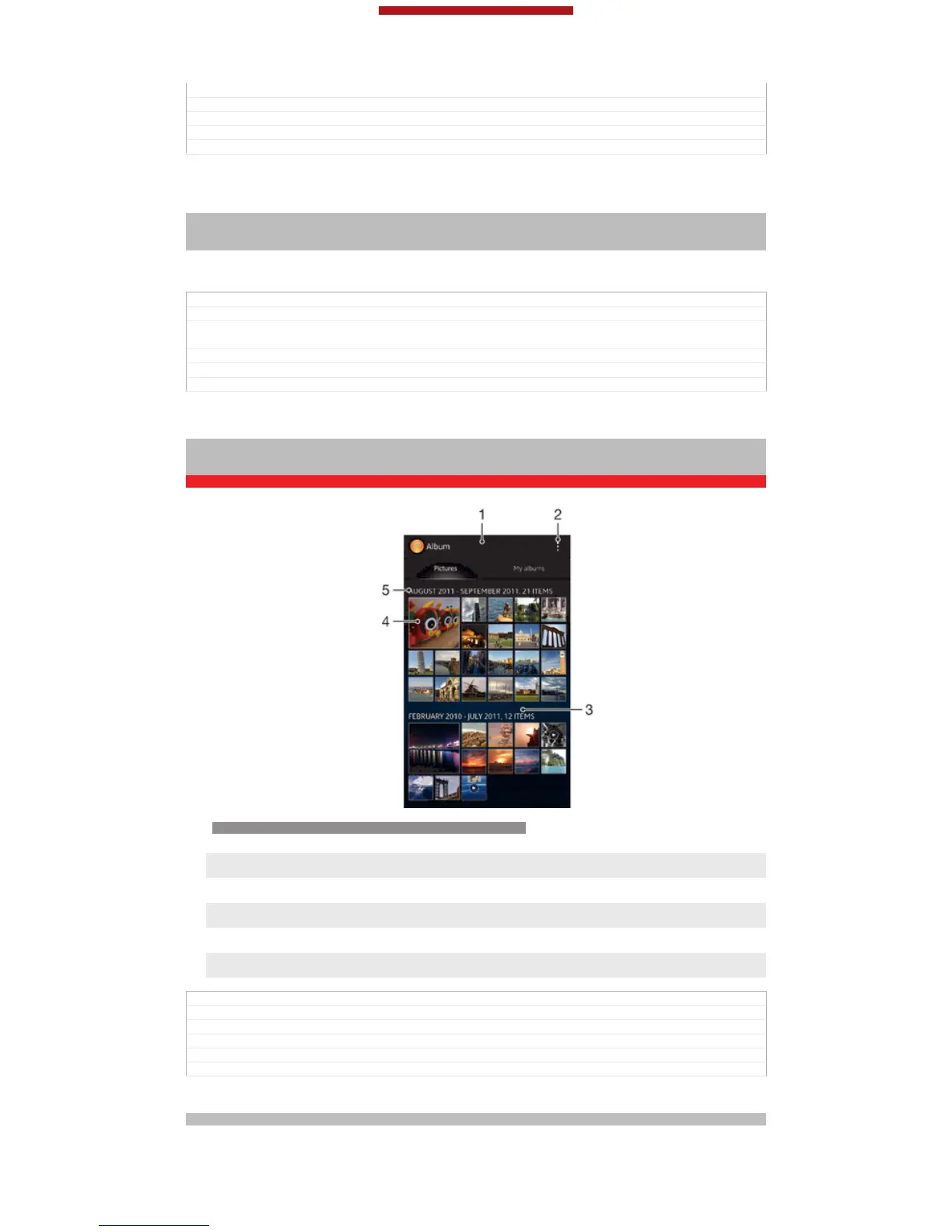
Overview of Pictures [album_tab_pictures_txt] tab
Indexterm: "Album"
Sub-indexterm: "pictures"
Sub-indexterm: "viewing"
Sub-sub indexterm: "photos and videos"
ID: SCR-SONY-ALBUM-PICTURE-GRID-OVERVIEW-WVGA
1
Grid view of photos and videos.
2 View menu options.
3 Scroll up or down to view content.
4 Tap a photo or video to view it.
5 The date and number of items in the group below.
GUID GUID-E6EC185C-6CDA-42FF-B58C-7FA96CDD8695
Title Overview of Picture tab
Changes Device Term Change.
Version 7
Author RongrongZ
Status Released*
To view photos and videos in grid view
Indexterm: "photos"
This is a draft publication for internal use only.
142
This is an Internet version of this publication. © Print only for private use.



 To Next Page