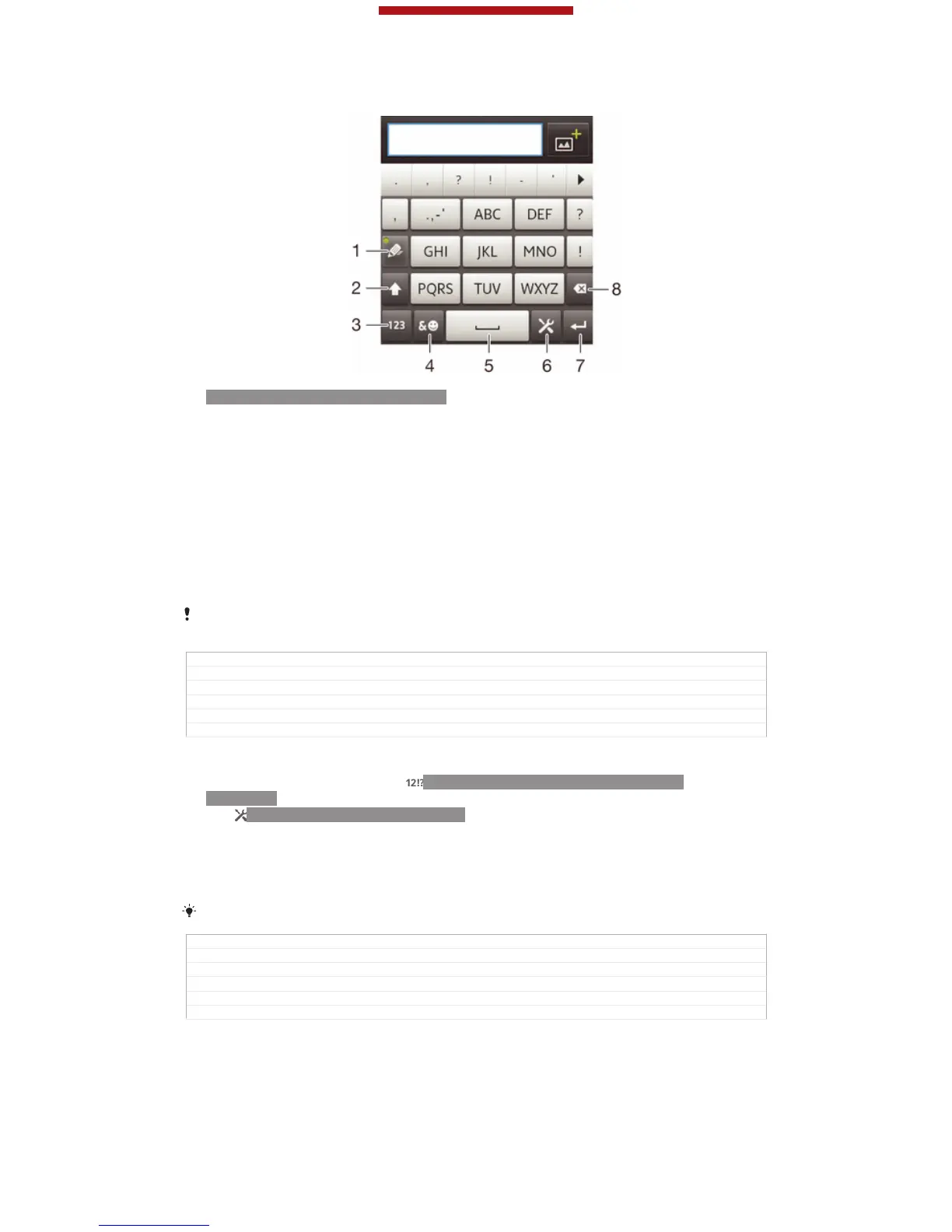
Using the Phonepad
ID: SCR-11-PHONEPAD-OVERVIEW
1
Choose a text input option
2 Change the character case and turn on the caps lock
3 Display numbers
4 Display symbols and smileys
5 Enter a space
6 Enter a carriage return or confirm text input
7 Delete a character before the cursor
All illustrations are for illustration purposes only and may not accurately depict the actual
device.
GUID GUID-CF8AE6C3-3225-46D4-8632-18F2F4FD71EF
Title Using the Phonepad
Changes Device Term Change
Version 5
Author Gan Lu
Status Released
To open the Phonepad for the first time
1
Tap a text entry field, then tap ID: ICN-SONY-TEXTINPUT-NUMBERS-
SYMBOLS.
2
Tap ID: ICN-SONY-MENU-SETTINGS, then tap Keyboard settings [textin-
put_strings_input_options_menu_item_personalize] .
3
Tap Keyboard appearance [textinput_strings_settings_keyboard_appearance] > Keyboard layout
[textinput_strings_settings_keyboard_layout_title] .
4
Select the Phonepad.
The Phonepad can only be used in portrait mode.
GUID GUID-63194001-9DA2-43FD-98FC-B549C9D81580
Title To open the Phonepad for the first time
Changes Valid for Hikari: change an icon on step 1
Version 4
Author Gan Lu
Status Released*
This is a draft publication for internal use only.
45
This is an Internet version of this publication. © Print only for private use.



 To Next Page