EasyManua.ls Logo

Sony XR-CA320X - User Manual

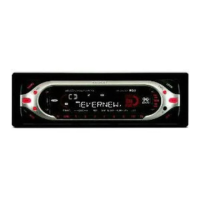
Sony XR-CA320X
4 pages
Print Icon
To Next Page IconTo Next Page
Loading...
FM/AM
Cassette
Car Stereo
Sony Corporation 2001
Installation/Connections
Instalación/Conexiones
ƒw‚¸¡ ‰u‚ ⁄§‡s–
XR-CA320X
XR-CA320
Parts list
Lista de componentes
„s¥ ⁄@˜
1
2
5
3
4
× 4
67
The numbers in the list are keyed to those in the instructions.
Los números de la lista corresponden a los de las instrucciones.
„ˇ¥ …˘ƒr»P»¡'œfi ⁄⁄“”…˘ƒr‹O⁄@›P“”¡C
The release key 6 is used for dismounting the unit. See the operating instructions manual for details.
La llave de liberación 6 se utiliza para desmontar la unidad. Con respecto a los detalles, consulte el
manual de instrucciones.
›Y›n§ ¥» ¥ 'T'w⁄§‡B' ¤ł⁄U¤ ¡A‰—¤ˇ¥˛ˆP¶}¥˛“”˘_ ˝ 6¡C‚ ‰—‹ ¤ˇ¥˛»¡'œfi ¡C
Connection example
Ejemplo de conexiones
‰u‚ ‡s– „ˇ¤
Equipment used in illustrations (not supplied)
Equipo utilizado en las ilustraciones (no suministrado)
„ˇ⁄⁄¤ˇ¥˛“”‡]‡˘¡] L“ –a¡^
For connecting two or more changers, the source selector XA-C30 (optional) is necessary.
Cuando desee conectar dos o más cambiadores, necesitará un selector de fuente XA-C30 (opcional).
›Y›n‡s– 2 »O'˛ 2 »O¥H⁄W·«”— ¡A«K¶•¤ˇ¥˛› •‰¿ XA-C30¡]¿ `˚¥ ¡^¡C
Power amplifier
Amplificador de potencia
¥\†v'æ⁄j
Front speakers
Altavoces delanteros
«e·›`n
Rear speakers
Altavoces traseros
«Æ·›`n
CD/MD changer
Cambiador de CD/MD
CD/MD ·«”—
A
B
BUS CONTROL IN
BUS AUDIO IN
BUS AUDIO IN
BUS CONTROL IN
Source selector
Selector de fuente
•‰¿
C
Notes
Be sure to connect the earth cord before connecting the amplifier.
If you connect an optional power amplifier and do not use the built-in amplifier, the beep sound will
be deactivated.
Notas
Asegúrese de conectar primero el cable de puesta a masa antes de realizar la conexión al
amplificador.
Si conecta un amplificador de potencia opcional y no utiliza el incorporado, los pitidos se
desactivarán.
ø
¨¥†ƒb– 'æ⁄j „⁄§«e‡s– ƒa‰u
¡C
ƒp“G–z‡s– ⁄F¿ `˚¥ “”¥\†v'æ⁄j „ƒ ⁄£¤ˇ¥˛⁄”‚¸“”'æ⁄j „¡A–N L„˚`n¥\fl
¡C
AUDIO OUT
Cautions
Cautionary notice for handling the bracket 1.
Handle the bracket carefully to avoid injuring your fingers.
Remove the protection collar 5 before installing.
Precauciones
Advertencia sobre la manipulación del soporte 1.
Tenga mucho cuidado al manipular el soporte para evitar
posibles lesiones en los dedos.
Retire el collar de protección 5 antes de realizar la
instalación.
“‘•N
˚‚¸¤ł⁄ ‹[ 1 ¡A‰—flS§O“‘•N§O¶¸¤⁄«¡C
ƒw‚¸«e¡A¥ –N«O¯@fi ‹[ 5 ¤œ¥X¡C
Release the catch lock as illustrated.
Suelte el enganche como se muestra en la
ilustración.
ƒp„ˇ' ¥ ¡A† ¶}´Œ” •fƒ'¡C
5
3-225-234-31 (1)
1
Question and Answer IconNeed help?

Do you have a question about the Sony XR-CA320X and is the answer not in the manual?

Summary

Parts list

Cautions

Bracket Handling Caution

Handle the bracket carefully to avoid injuring your fingers.

Protection Collar Removal

Remove the protection collar ⑤ before installation.

Installation

Installation Precautions

Choose the installation location carefully and avoid areas subject to dust, dirt, vibration, or high temperatures.

Mounting Angle Adjustment

Adjust the mounting angle to less than 20 degrees for optimal performance.

Front Panel Detach and Attach

Detailed steps for removing and reinstalling the front panel of the unit.

Dashboard Installation

Instructions for fitting the unit into a standard car dashboard.

Japanese Car Mounting

Guidance for installing the unit in Japanese cars, with a note for consultation if installation is not possible.

Connections

Connection Cautions

Important safety warnings for connecting the unit to the car's electrical system.

No ACC Position Wiring Warning

Instructions for cars lacking an accessory (ACC) position on the ignition key switch.

Frequency Select Switch

How to adjust the AM/FM tuning interval to match country-specific frequency allocations.

Reset Button Operation

Instructions on how to press the reset button after installation and connections are complete.

Connection Diagram

Control and Power Supply Leads Notes

Information regarding power aerial, aerial booster, and memory hold connections.

Speaker Connection Notes

Important considerations for connecting speakers, including impedance and type.

Memory Hold Connection

Explanation of how the yellow power input lead maintains memory circuit power.

Summary

Parts list

Cautions

Bracket Handling Caution

Handle the bracket carefully to avoid injuring your fingers.

Protection Collar Removal

Remove the protection collar ⑤ before installation.

Installation

Installation Precautions

Choose the installation location carefully and avoid areas subject to dust, dirt, vibration, or high temperatures.

Mounting Angle Adjustment

Adjust the mounting angle to less than 20 degrees for optimal performance.

Front Panel Detach and Attach

Detailed steps for removing and reinstalling the front panel of the unit.

Dashboard Installation

Instructions for fitting the unit into a standard car dashboard.

Japanese Car Mounting

Guidance for installing the unit in Japanese cars, with a note for consultation if installation is not possible.

Connections

Connection Cautions

Important safety warnings for connecting the unit to the car's electrical system.

No ACC Position Wiring Warning

Instructions for cars lacking an accessory (ACC) position on the ignition key switch.

Frequency Select Switch

How to adjust the AM/FM tuning interval to match country-specific frequency allocations.

Reset Button Operation

Instructions on how to press the reset button after installation and connections are complete.

Connection Diagram

Control and Power Supply Leads Notes

Information regarding power aerial, aerial booster, and memory hold connections.

Speaker Connection Notes

Important considerations for connecting speakers, including impedance and type.

Memory Hold Connection

Explanation of how the yellow power input lead maintains memory circuit power.

Sony XR-CA320X Specifications

General IconGeneral
BrandSony
ModelXR-CA320X
CategoryCar Receiver
LanguageEnglish

Related product manuals